

The 5 Interview Mistakes That Cost You the Job
What's silently killing your chances — and what top candidates do instead. Delivered instantly to your inbox.
No spam. Unsubscribe anytime. Privacy Policy & Terms
- Why "I'm a hard worker" destroys your chances
- What interviewers decide in the first 90 seconds
- How to handle tough questions with confidence
- The salary mistake almost every candidate makes
How to Use LinkedIn Learning to Upskill for Free
LinkedIn Learning is a treasure trove of knowledge and skills. It’s a platform designed to help you advance your career by enhancing your skill set. While many people might think of it as a paid service, there are several ways you can use LinkedIn Learning to upskill for free. Here are actionable strategies to get you started.
Take Advantage of Free Trials
The most straightforward way to access LinkedIn Learning for free is through free trials. LinkedIn often offers a one-month free trial to new users. This gives you full access to their extensive library of courses and tutorials. Here’s how you can make the most of this opportunity:
- Sign Up: Create an account on LinkedIn Learning. You may need a LinkedIn account to sign up.
- Explore Courses: Identify the skills you want to improve or learn, and search for relevant courses.
- Create a Learning Plan: Structure your study time to fit as many courses as possible within the trial period.
Utilize Local Library Access
Many public libraries offer free access to LinkedIn Learning for library cardholders. This means you can unlock a world of courses without needing a subscription. Follow these steps:
- Check Library Services: Visit your local library’s website or contact them to see if they provide LinkedIn Learning access.
- Obtain a Library Card: If you don’t have one, apply for a library card. This often can be done online.
- Access Through the Library Portal: Use your library credentials to log in to LinkedIn Learning.
Search for Promotions and Discounts
LinkedIn Learning periodically runs promotions or partnerships that offer free access. Keep an eye on LinkedIn’s official announcements or newsletters. Additionally, educational institutions sometimes provide access to students or alumni. You can follow these steps:
- Visit the LinkedIn Learning Blog: Stay updated on current promotions.
- Check with Educational Institutions: If you’re a student or alumni, inquire whether your school has any partnerships.
- Social Media Updates: Follow LinkedIn on social media platforms for any announcements.
Leverage Free Courses
While most courses require a subscription, LinkedIn Learning also offers a selection of free courses periodically. Here’s how to find them:
- Visit the LinkedIn Learning Free Content Section: Search for any listings of free courses.
- Filter Courses: Use filtering options to narrow down your search to free courses only.
- Sign Up for Notifications: Get notified of new free course releases or offerings.
Join LinkedIn Groups
Engaging in specialized LinkedIn groups related to your field can provide invaluable resources, including shared content about free courses and learning tips. Here’s how to leverage this:
- Participate Actively: Engage in discussions and ask members for recommendations on free resources.
- Share Knowledge: Contribute by sharing your insights or resources about learning opportunities.
- Benefit from Group Learning: Collaborate with group members to take courses together.
You can visit LinkedIn Learning to explore available courses. Additionally, check out OverDrive for information on accessing LinkedIn Learning through library catalogs.
Use Certifications and Share Learning Progress
After completing a course, you can earn certifications. Share these on your LinkedIn profile to showcase your new skills and attract potential employers.
- Update Your Profile: Ensure your LinkedIn profile reflects your new skills and certifications.
- Network: Inform your connections of your newly acquired skills to open up opportunities.
- Keep Learning: Consistently pursue new skills and keep your learning journey alive.
Staying ahead in your career requires continuous learning and growth. By utilizing LinkedIn Learning in these various ways, you can enhance your skills without spending a dime. Remember, the key to success is not only in learning but also in effectively showcasing what you’ve learned to harness those skills in your professional journey.
The Benefits of Online Learning Platforms for Professional Growth
In today’s fast-paced world, online learning platforms provide indispensable tools for professional growth. These platforms deliver a plethora of resources tailored to various skill sets and industries, making it easier for individuals to learn and grow without disrupting their daily routines. Let’s explore the various benefits of utilizing online learning platforms and how they can facilitate effective professional development.
Flexibility and Convenience
One of the most significant advantages of online learning platforms is the flexibility they offer. Unlike traditional education, which often requires a fixed schedule, online courses allow you to learn at your own pace. This flexibility means you can balance your studies with work and personal commitments.
- Access courses anytime and anywhere.
- Learn at your preferred pace.
- Choose from a wide range of topics that align with your interests.
Diverse Course Offerings
Online learning platforms provide a broad spectrum of courses across numerous fields. Whether you want to dive deeper into technical skills, such as programming or data analysis, or enhance your soft skills like communication and leadership, there are courses available for everyone.
| Field | Course Examples |
|---|---|
| Technology | Web Development, Machine Learning, Cybersecurity |
| Business | Project Management, Digital Marketing, Financial Analysis |
| Creative Arts | Graphic Design, Music Production, Photography |
| Health | Nursing, Nutrition, Mental Health Awareness |
Cost-Effective Learning
Most online learning platforms offer affordable options, and many courses are free or available at low prices. This accessibility enables individuals to upskill without incurring substantial expenses. For example, platforms like Coursera and Udemy often provide discounts or free trials, making it easier to test the waters before diving fully in. The financial barrier is significantly lowered compared to traditional institutions.
Expert-Led Instruction
Many online courses are designed and taught by industry professionals. This means you gain insights and knowledge from those who have real-world experience in your field of interest. Learning from experts can help you understand practical applications and current trends, which can be immensely valuable in your career development.
Networking Opportunities
Engaging in online courses often opens doors to networking opportunities. Many platforms provide forums or communities where you can interact with fellow learners and instructors. This networking can lead to collaborations, job referrals, and professional connections that might otherwise be hard to find.
Personalized Learning Experience
Online learning platforms often use algorithms to recommend courses tailored to your preferences and career goals. This personalized approach helps you focus on the skills most relevant to your future, creating a more effective learning environment. This targeted learning approach ensures you are investing time and resources in skills that align with your aspirations.
Trackable Progress and Certifications
Most online learning platforms allow you to monitor your progress through courses. You can track what you have learned and identify areas that might require further focus. Upon completion of courses, many platforms offer certifications that can be a solid addition to your résumé. Earning these credentials adds credibility to your skillset when pursuing job opportunities.
Online learning platforms serve as essential tools for professional growth. They provide flexibility, a diverse range of courses, cost-effective options, expert instruction, networking possibilities, personalized experiences, and trackable progress. By capitalizing on these advantages, you can unlock numerous opportunities to advance your career. If you aim to expand your knowledge and skills, explore what platforms like LinkedIn Learning and Pluralsight offer. Your journey to success and growth starts with a single click!
Strategies for Finding Relevant Courses on LinkedIn Learning
Many professionals and learners are turning to online platforms like LinkedIn Learning to enhance their skills. However, with a plethora of courses available, finding the right ones can be overwhelming. Here are some strategies to help you navigate LinkedIn Learning and discover courses that truly resonate with your professional goals.
Utilize the Search Function Effectively
Start by making the most out of LinkedIn Learning’s powerful search feature. Enter keywords related to the skills you want to develop. Try to be specific. For example, instead of just searching for “marketing,” consider “digital marketing strategies” or “content marketing.” This targeted approach will narrow down your options and present the most relevant courses.
Explore Your Industry or Job Function
LinkedIn Learning has a section that categorizes courses by industry and role. You can browse through these categories to find courses that align with your current job or industry of interest. This method not only highlights relevant skills but also showcases courses curated specifically for your field. Here are some categories to explore:
- Technology
- Business
- Creative
- Data Science
- Project Management
This categorization makes it easier to find the content that fits your learning needs.
Check Out Learning Paths
Learning Paths on LinkedIn Learning are curated collections of courses that cover a specific subject or skill set in depth. By following these structures, you get a comprehensive understanding of a topic. For instance, if you are interested in becoming a data analyst, there might be a learning path that includes essential courses covering data visualization, data management, and statistical analysis.
Leverage Recommendations
LinkedIn Learning offers personalized course recommendations based on your profile and past learning activities. Make sure to fill out your LinkedIn profile thoroughly—include your skills, experiences, and career aspirations. The more information you provide, the better your recommendations will be. These suggestions can guide you toward courses that are most relevant to your career progression.
Participate in Learning Groups
Join LinkedIn groups related to your field or interests. Active participation in these groups can lead to discussions about valuable courses others have found beneficial. Engaging with fellow learners can also lead to insights about industry trends and relevant skills in demand. Furthermore, you can exchange ideas about specific courses on LinkedIn Learning that have helped you or others.
Leverage Reviews and Ratings
Before enrolling in a course, take a moment to read through the reviews and ratings provided by other learners. This feedback can provide insight into the course’s quality and whether it meets your expectations. Look for courses that have consistently high ratings and positive comments. This approach can save you time and ensure you invest in quality learning experiences.
Set Clear Learning Goals
Establish what you aim to achieve with your learning. Consider your current career stage, the skills you need to advance, or any changes in your job responsibilities. By having clear goals, you’ll be able to focus on courses that directly contribute to those objectives. Some examples of potential learning goals could include:
- Improving leadership skills for a managerial role
- Learning coding skills for a tech career transition
- Gaining project management certifications
Engage with Supplemental Resources
In addition to the training offered on LinkedIn Learning, consider exploring other educational resources such as:
By diversifying your learning resources, you create a wider knowledge base that can enrich your understanding and skills.
Effectively using LinkedIn Learning to enhance your skill set requires a strategic approach. By utilizing the search features, exploring categories, leveraging recommendations, and setting learning goals, you can navigate this vast platform and select courses that are truly relevant to your career development. Start today and unlock new opportunities for professional growth!
Tips for Creating a Learning Schedule to Maximize Your Skills
Creating a structured learning schedule is essential for anyone looking to maximize their skills effectively. Well-planned schedules can help you stay motivated, track your progress, and ensure that you allocate time for skill development within your busy life. Here are some actionable steps to help you build a successful learning routine.
Assess Your Current Skills and Goals
Start by identifying what skills you need to learn or improve. This can be technical skills, soft skills, or industry-specific knowledge. Here’s how to do it:
- Write down your current skills.
- Identify gaps in your knowledge.
- Set specific, measurable, achievable, relevant, and time-bound (SMART) goals for each skill.
Determine Your Learning Style
Understanding how you learn best can make a significant difference. Some people prefer visual aids, while others may benefit more from hands-on experiences or reading. Consider these learning styles:
- Visual: Use videos, infographics, and diagrams.
- Auditory: Listen to podcasts and audiobooks.
- Kinesthetic: Engage in hands-on projects and activities.
- Reading/Writing: Read books, articles, and write notes.
Craft Your Schedule
Here’s how to create a practical learning schedule:
- Block Time: Dedicate specific blocks of time each day or week just for learning. Choose times when you are most alert and productive.
- Be Realistic: Start with a manageable amount of time—perhaps 30 minutes a day—and gradually increase it as you become more comfortable.
- Mix It Up: Include various activities—watch a video, read an article, and then practice what you learned to keep things engaging.
- Stay Flexible: Life can be unpredictable. Allow yourself some flexibility in your schedule to accommodate unexpected events.
Utilize Technology
Leverage technology to enhance your learning experience. Consider using:
- LinkedIn Learning – Offers courses on a variety of topics.
- Coursera – Provides access to courses from top universities.
- Udemy – Features a plethora of courses for personal and professional development.
Track Your Progress
Regularly tracking your progress keeps you motivated and accountable. You might want to:
- Maintain a learning journal or log.
- Use apps to track your hours spent learning.
- Set milestones and reward yourself for reaching them.
Connect with Others
Finding a learning community can boost your motivation and provide support. You can:
- Join online forums and social media groups related to your learning goals.
- Network with professionals in your field.
- Engage in study groups, either online or in-person, to share insights and learn from others.
Stay Committed
Commitment is crucial for success. Stick to your schedule as much as possible. Here are some tips to help you:
- Visualize your goals and the benefits of achieving them.
- Set reminders on your phone to reinforce your learning times.
- Keep a positive mindset and remind yourself why you want to upskill.
Creating a learning schedule that works for you is about consistency and adaptability. Using the tips outlined can help maximize your skills and lead you to personal and professional growth. By mixing up your learning methods, utilizing technology, and staying committed, you’ll find yourself on the path to success in no time.
For additional resources on how to structure effective learning schedules, you may also find these links useful:
How to Showcase Your LinkedIn Learning Achievements to Employers
In today’s competitive job market, showcasing your skills and achievements can significantly boost your chances of landing your desired position. One effective way to demonstrate your commitment to professional growth is by leveraging LinkedIn Learning. Various courses, certifications, and specializations can help you gain valuable knowledge, but how do you present this to employers? Here’s a comprehensive approach to highlight your LinkedIn Learning achievements effectively.
Start with Your LinkedIn Profile
Your LinkedIn profile serves as the primary showcase for your professional journey. Make sure to:
- List Completed Courses: Include all relevant courses you’ve completed within the LinkedIn Learning platform. This can be done in the “Licenses & Certifications” section. Provide the course title, issuing organization, and a brief description if space allows.
- Highlight Skills: Add key skills associated with your learning achievements. LinkedIn allows you to endorse skills, which adds credibility to your profile. Choose skills that align closely with the courses you’ve taken.
Create a Portfolio of Work
When learning new skills, applying them through real projects can set you apart from other candidates. Consider these steps:
- Document Projects: Create a portfolio that includes projects completed as a part of your learning. For example, if you took a course on graphic design, showcase your designs.
- Link to Your Work: Use your portfolio to feature links to your completed assignments or projects. This practical evidence of your skills can impress potential employers.
Utilize Your Resume Effectively
Your resume is another critical tool for showcasing your LinkedIn Learning accomplishments. Follow these tips:
- Include a “Professional Development” Section: Create a section dedicated to lifelong learning. List relevant courses here by title and date. Be specific about skills acquired.
- Use Action Verbs: When talking about skills or projects, use action verbs to convey your proficiency. Phrases like “developed,” “analyzed,” and “implemented” demonstrate proactive engagement.
Share Your Learning Journey on Social Media
Consider using LinkedIn to share your course completions and insights gained along the way. Engage your network by posting updates about what you’re learning. Here’s how:
- Post Completion Badges: LinkedIn Learning provides badges for course completion. Share these badges in a post, inviting discussions about the topics you’ve covered.
- Write Thought Leadership Articles: Share articles that reflect your learning. This can demonstrate your understanding of the subject matter while positioning you as a knowledgeable figure in your field.
Engage with Networks and Groups
Joining groups related to your industry on LinkedIn can significantly broaden your reach. Here’s how you can use these groups to your advantage:
- Participate Actively: Engage in discussions within your niche. Share insights from your courses, lending credence to your knowledge and commitment to growth.
- Network with Peers: Building connections with fellow learners can lead to opportunities. Share experiences and tips, helping each other advance in your careers.
Consider Adding LinkedIn Learning on Your Cover Letter
When applying for jobs, make sure to mention your LinkedIn Learning experiences in your cover letter. Highlight how these courses align with the job requirements. Here’s the best way to do it:
- Tailor Your Experience: Create a paragraph that connects your learning directly to the skills mentioned in the job description. Show how your education through LinkedIn Learning has prepared you for this specific role.
By effectively showcasing your LinkedIn Learning achievements, you can significantly enhance your employability. Remember to keep updating your profile and documents as you continue to learn. If you want to explore more about LinkedIn Learning, visit their official website here. Additionally, you can check out resources like Forbes for tips on including online learning in your career journey.
Leveraging LinkedIn Learning for Career Transitions
In today’s fast-paced world, career transitions can feel overwhelming. Whether you’re looking to shift to a new industry or step up in your current field, acquiring new skills is crucial. This is where LinkedIn Learning becomes a powerful tool. This platform offers a wealth of resources designed to help you navigate your career change smoothly.
LinkedIn Learning provides access to thousands of video courses taught by industry experts. Users can explore a variety of subjects ranging from technical skills to soft skills. This ensures that learners can find the right courses to suit their career aspirations. Here’s how you can leverage this platform effectively for your own career transition.
Identify Skills in Demand
Before jumping into courses, take the time to inspect which skills are currently sought after in the industry you’re interested in. You can utilize job postings and company websites to gather this information. LinkedIn also has features that highlight trending skills tailored to your profile.
Create a Learning Path
Once you have identified the skills you need, create a personalized learning path. Lay out the courses that will help you achieve those goals. LinkedIn Learning allows you to save courses, making it easy to organize your learning experience. Consider the following structure for your learning path:
- Begin with foundational courses.
- Progress to intermediate-level courses.
- tackle advanced courses or specialist certifications.
Engage with | LinkedIn Community
One of the unique aspects of LinkedIn Learning is the community aspect. After completing a course, consider sharing your achievements on your profile. This not only showcases your commitment to personal development but also opens doors for networking opportunities. Engage with fellow learners by joining groups related to your new skill set or industry. This interaction can provide additional learning and job opportunities.
Set Achievable Goals
As you dive into your learning journey, it’s important to set realistic goals. Instead of overwhelming yourself with too many courses, focus on completing one or two at a time. You might want to set up a weekly learning schedule. This helps to maintain consistency and makes tracking your progress easier:
| Week | Course Title | Skills Learned | Status |
|---|---|---|---|
| 1 | Course 1 | Skill A | Completed |
| 2 | Course 2 | Skill B | In Progress |
Take Advantage of Assessments
LinkedIn Learning offers assessments for many of their courses. Use these assessments as a way to gauge your understanding of the material. This feedback can guide you on whether you need to review specific areas before progressing to the next course.
Implement What You Learn
Theoretical knowledge is valuable, but practical experience is where the real learning solidifies. Apply what you’ve learned in real-world scenarios. If you’re transitioning into a field that requires hands-on skills, seek internships or volunteer opportunities. This not only helps solidify your newly acquired knowledge but also expands your network.
Network on LinkedIn
One of the most effective ways to utilize LinkedIn Learning is by connecting with professionals in your desired field. After completing relevant courses, actively seek out connections on LinkedIn. Be open about your career transition and the skills you are developing. You might be surprised by the responses and connections that could lead you to job opportunities.
Track Your Progress and Adjust
Reflect on your learning journey regularly. Analyze what courses were beneficial and which skills still need development. This can be pivotal in ensuring your learning investments are paying off. Adjust your learning path based on your reflections. Flexibility can lead to better outcomes in your career transition.
To learn more about using LinkedIn Learning for career transitions, check LinkedIn Learning for an extensive range of courses that could suit your needs.
Upskilling through LinkedIn Learning can be a game-changer for your career. By identifying key skills, engaging with the community, setting goals, and applying new knowledge, you can navigate your career transition with confidence and ease.
Success Stories: Individuals Who Upskilled Using LinkedIn Learning
As the job market continues to evolve, staying relevant is essential for career growth. Many individuals have successfully leveraged LinkedIn Learning to acquire new skills and enhance their professional journeys. These success stories highlight how various people have transformed their careers through online learning.
Case Study: Emily’s Marketing Career
Emily, a marketing coordinator, felt her skills were becoming outdated in a fast-paced digital landscape. She turned to LinkedIn Learning to bridge the gap. By enrolling in courses such as “Digital Marketing Trends” and “SEO Foundations,” she gained contemporary knowledge that enabled her to create more effective marketing strategies.
Through her commitment to learning, Emily not only performed better in her current role but also successfully applied for a senior marketing position. She noted, “The courses gave me the confidence to present new ideas to my team and jump on opportunities that I previously hesitated over.”
Amy’s Data Science Journey
Amy had always been passionate about numbers but lacked formal training in data science. After hearing about the success others found through LinkedIn Learning, she decided to take the plunge. Amy focused on courses like “Data Science Foundations” and “Python for Data Science,” enabling her to gather and analyze data effectively.
Within six months, Amy gained the skills necessary to transition into a data analyst role within her company. “The bite-sized courses were perfect for my busy schedule,” she shared. “I could learn on my lunch breaks and quickly apply what I learned at work.”
David’s Career Pivot
After working as a graphic designer for over a decade, David felt the need to pivot into product design. He used LinkedIn Learning to gain insights into user experience (UX) and user interface (UI) design. By completing courses such as “UX Design: From Concept to Prototype,” David built a portfolio that demonstrated his new skills.
David’s dedication paid off when he landed a role as a product designer at a tech startup. He attributes much of his success to the structured learning paths that LinkedIn Learning provides. “These courses allowed me to explore an entirely new avenue while keeping my design background relevant,” he explained.
Sales Improvement: John’s Experience
John worked in sales but struggled to meet his targets. Concerned about his performance, he sought resources to upskill. Discovering LinkedIn Learning, he enrolled in courses like “Sales Training: Techniques for a Human-Centric Sales Process.” This knowledge helped him understand customer needs better.
After implementing new strategies learned from the course, John increased his sales figures significantly within a few months. “The real-life examples helped me adjust my sales techniques efficiently,” John said. “I could see improvements in my numbers almost instantly.”
Learning Flexibility
One of the fabrics of success stories surrounding LinkedIn Learning is its flexibility. Users can learn at their own pace, allowing professionals to balance their job responsibilities with personal development effectively. This resource proves invaluable for busy individuals looking to upskill without compromising their work-life balance.
Benefits Beyond the Courses
Besides gaining new skills, users like Emily, Amy, David, and John also found that LinkedIn Learning fostered a sense of community. Engaging in forums and discussions with peers elevated their learning experience. They shared insights, solved problems collaboratively, and celebrated each other’s successes, further enriching their journey.
Skills in Demand
With the continuous evolution of technology and business practices, a range of skills is in high demand. Here’s a quick overview of areas where professionals have benefited from upskilling:
- Data Analysis
- Digital Marketing
- UX/UI Design
- Project Management
- Soft Skills Development
Final Thoughts
Success stories of individuals thriving through LinkedIn Learning serve as a testament to the power of skill acquisition. By focusing on continuous learning, individuals can not only elevate their careers but also adapt to an ever-changing job landscape. With dedication and the right resources, anyone can navigate their career paths towards success.
For more inspiring stories and learning materials, visit LinkedIn Learning today.
Key Takeaway:
In today’s fast-paced workplace, continuous learning isn’t just a luxury; it’s a necessity. One powerful tool for professional growth is LinkedIn Learning, which offers a vast array of courses to help you upskill for free. By tapping into this online platform, not only do you enhance your current skills, but you also prepare yourself for future career opportunities.
The first key takeaway is that online learning platforms like LinkedIn Learning provide accessible education tailored to your schedule. With course offerings ranging from technical skills to soft skills, you can find topics that directly align with your career goals. This flexibility allows you to learn at your own pace, making it easier to fit education into even the busiest lifestyle.
As you explore the platform, strategically search for courses that apply to your current situation or areas where you wish to grow. Take advantage of the search functions, filters, and recommendations to quickly find relevant content. This will save you time and ensure you engage with material that truly benefits your professional development.
Another important aspect is creating a dedicated learning schedule. Consistency is key, so set aside specific time blocks throughout the week to focus on your courses. This not only helps you retain information better but also keeps you motivated to achieve your learning objectives.
Once you complete courses, don’t forget to showcase your achievements. Utilize your LinkedIn profile to display certificates and new skills. This not only enhances your profile but signals to possible employers that you’re committed to self-improvement and professional growth.
For those considering a career transition, LinkedIn Learning can be a game-changer. The platform offers resources that help you pivot into new industries or roles, providing the knowledge and skills needed for success in unfamiliar territory.
Hear from individuals who have seen success using LinkedIn Learning. Real-life case studies can inspire you and give clarity on the potential paths your learning journey can take. By following these strategies, you can effectively use LinkedIn Learning for upskilling and shaping your future career path.
Conclusion
Harnessing the power of LinkedIn Learning can significantly elevate your professional journey without straining your budget. By embracing online learning platforms, you’re opening doors to expand your knowledge and refine your skills. With an impressive array of topics available, identifying courses relevant to your career goals becomes easier when you effectively utilize LinkedIn’s search and filter features.
Creating a structured learning schedule is essential for maximizing your progress. By setting aside dedicated time for your courses, you’ll not only retain information better but also establish a routine that fosters continuous growth. Once you’ve completed your courses, showcasing your achievements on your LinkedIn profile serves as a powerful testament to your commitment and adaptability. This visibility can attract the attention of potential employers who value proactive learners.
For those considering a career transition, LinkedIn Learning can be a game-changer. You can acquire the necessary skills for a new field and gain confidence in your abilities. Moreover, the success stories of individuals who have successfully upskilled through LinkedIn Learning illustrate the platform’s effectiveness. These real-life experiences serve as a source of inspiration and motivation, showing what’s possible when you invest in your personal and professional development.
Ultimately, taking charge of your learning journey on LinkedIn Learning not only enriches your skill set but also positions you favorably in today’s competitive job market. With determination and the right resources, you have the opportunity to upskill and achieve your career aspirations, setting yourself up for future success.
visit The Job Interview System for Job Seekers on Gumroad. A practical guide built for people who are serious about landing the job they want. For more interview guides, career tips, and job search resources, visit the Love PDF Guides home page.
Your Next Chapter
Starts with the Right Guide
Three straight-talking PDF guides to help you win interviews, beat the first 90 days and thrive as an introvert. Instant download on Gumroad.

Guide 01
The Job Interview System
Step-by-step interview prep that turns nerves into confidence.
Get it →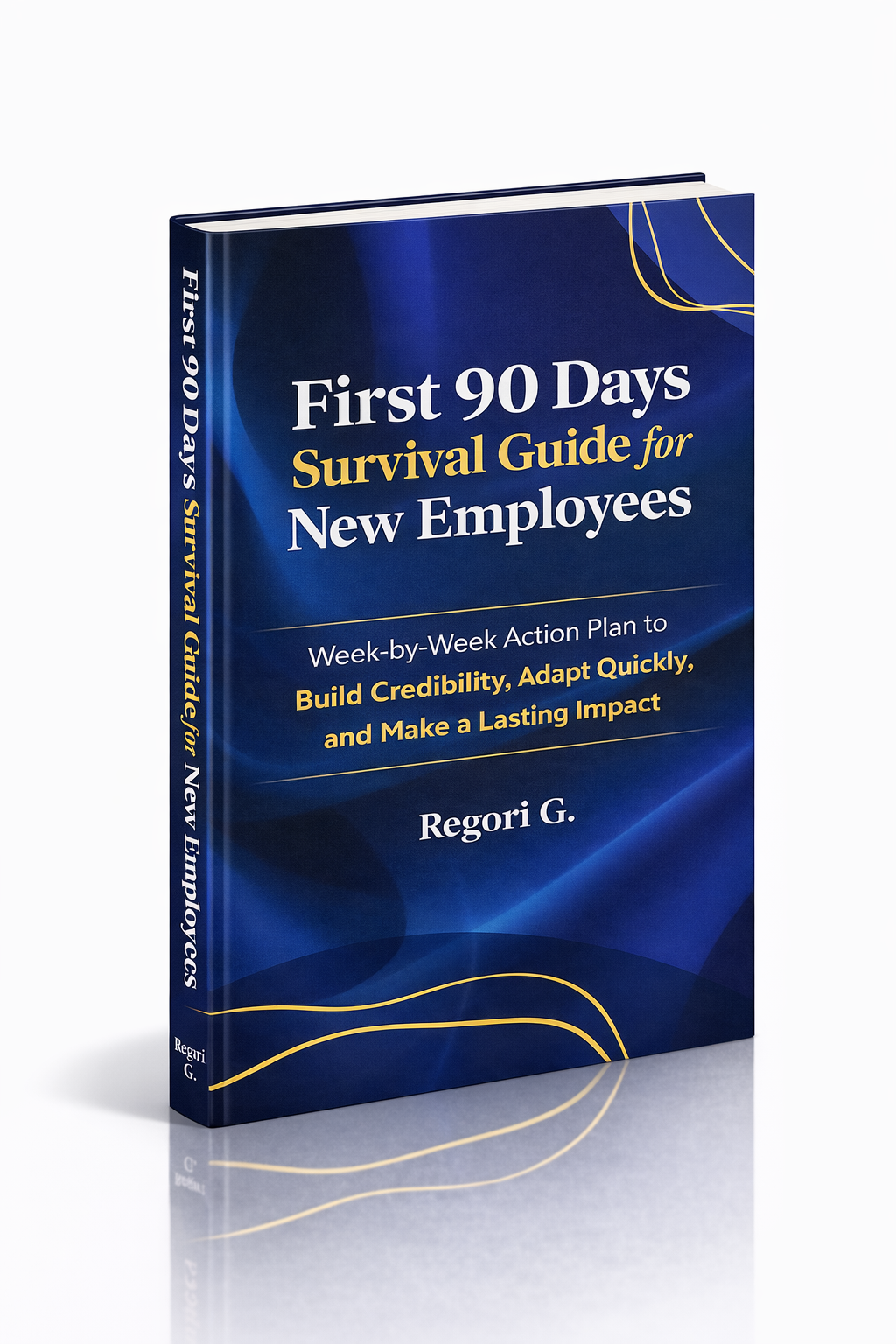
Guide 02
First 90 Days Survival Guide
Hit the ground running and make your mark from day one.
Get it →
Guide 03
Interview Success for Introverts
7 proven steps to shine in interviews — even if you hate the spotlight.
Get it →