

The 5 Interview Mistakes That Cost You the Job
What's silently killing your chances — and what top candidates do instead. Delivered instantly to your inbox.
No spam. Unsubscribe anytime. Privacy Policy & Terms
- Why "I'm a hard worker" destroys your chances
- What interviewers decide in the first 90 seconds
- How to handle tough questions with confidence
- The salary mistake almost every candidate makes
How to Announce a New Job on LinkedIn Professionally
Sharing the news about a new job on LinkedIn can be a pivotal moment in your professional life. It not only serves as an exciting boost for your network to see your progress but also as an opportunity to solidify your personal brand. Here are some advanced strategies to announce a new job on LinkedIn professionally and effectively.
Crafting Your Announcement
When you decide to announce your new job, clarity and professionalism should be at the forefront. Here are some tips to help you craft a compelling message:
- Keep It Positive: Express enthusiasm for your new role. A positive attitude will resonate with your network.
- Thank Your Previous Employer: If appropriate, acknowledge your past employer. This gesture shows professionalism and gratitude.
- Focus on the Future: Highlight what excites you about your new position and how you plan to grow within this role.
- Invite Engagement: Encourage your connections to reach out. Ask for advice or insights regarding your new company or industry.
Example Announcement Template
To help you structure your announcement, here’s a simple template:
I am thrilled to announce that I have accepted a new position as [Job Title] at [Company Name]!
I want to extend my gratitude to [Previous Employer] for the experiences and support during my tenure.
I am excited to embark on this new journey and contribute to [mention specific goals or projects related to the new job].
I look forward to connecting with others in this space. Please feel free to reach out if you have any insights or advice!
Format Matters
When announcing your new job, consider the format for optimal visibility:
- Images: A professional headshot or a company logo can draw attention to your post.
- Video: A short video announcement can be more engaging. Use it to express your excitement and gratitude more personally.
- Tagging: Mention your new employer and any colleagues you worked closely with in your previous role. This can increase the reach of your announcement.
Timing Your Announcement
The timing of your post plays a crucial role in its effectiveness. Consider these tips for maximizing impact:
- Post During Business Hours: Aim for mid-week, ideally Tuesday to Thursday, for the best engagement.
- Consider the Industry Cycle: Be mindful of the cycles in your industry. Announcing during a busy season may limit visibility.
Responding to Congratulations
Once your announcement is live, be prepared for responses. Here’s how you can manage them professionally:
- Thank Each Person: Respond to each congratulation with a personalized thank you. This fosters connections and shows appreciation.
- Engage in Conversation: If someone asks about your new role, provide thoughtful responses. This interaction can lead to valuable networking opportunities.
Network and Follow-Up
Your announcement is just the beginning. To leverage this opportunity:
- Connect with New Colleagues: Send connection requests to your new coworkers and engage with their content.
- Share Updates: Keep your audience informed about your journey in your new role. Share milestones and insights that illustrate your growth.
Utilizing these strategies will ensure that your announcement is not only professional but also impactful. Engaging with your network can foster growth both in your professional relationships and in your career.
For more resources on crafting your professional announcements, visit The Balance Careers or check out Indeed Career Guide for additional tips.
By following these steps, you can confidently share your career accomplishments and make valuable connections as you embrace your new opportunities.
The Importance of a Thoughtful Job Announcement
In today’s fast-paced job market, announcing a new job is an essential step in your career journey. Whether you are moving up the ladder or transitioning to a completely different field, sharing this news thoughtfully can significantly impact your professional network. How you announce your new job can influence your personal brand and reflect your professionalism. Here are several reasons why a thoughtful job announcement matters.
Building Connections
A job change is an opportunity to reconnect with your network. Taking the time to share your news thoughtfully helps you maintain relationships with colleagues, mentors, and industry contacts. This is a pivotal moment, and showing appreciation for those who supported you along the way fosters goodwill and strengthens your network. A simple announcement can open doors for future collaborations and opportunities.
Enhancing Your Professional Image
When you communicate your career transitions effectively, you enhance your professional image. A well-crafted job announcement reflects your values and ambition. It shows that you are organized and thoughtful about your career. Potential employers and colleagues will take note of how you handle professional changes, and a polished announcement can set a positive tone for future interactions.
Encouraging Engagement
By announcing a new job, you invite your connections to engage with your update. This can lead to increased visibility in your network, as people react and comment on your post. The more engaged your connections are, the wider your content spreads. Here are some ways to encourage engagement:
- Share a personal story about what led to your decision to change jobs.
- Ask for advice or insights from those in your industry.
- Invite colleagues to stay in touch by sharing your new contact information.
SEO Value and Online Presence
Taking a moment to announce your new job on platforms like LinkedIn not only makes your news visible but also builds your online presence. Search engines value fresh content, so a solid update can help improve your SEO. You become more searchable as your career progresses, which can lead to potential recruiters or clients finding you. Consider including relevant keywords in your announcement to enhance its reach.
Strategic Content Strategy
To make the most of your job announcement, think strategically about the content you share. Here’s a simple format to ensure a comprehensive announcement:
| Element | Description |
|---|---|
| Gratitude | Thank your former employer or team members for their support. |
| Excitement | Express enthusiasm for your new role and the company. |
| Networking | Encourage connections to keep in touch and share your new contact info. |
| Call to Action | Invite feedback or support from your network. |
This structure ensures that your announcement not only shares the important information but also resonates with your audience.
Using LinkedIn Effectively
LinkedIn is a key platform for professionals, so leveraging it for your job announcement is a smart move. Here are tips to enhance your LinkedIn announcement:
- Use a professional photo to attract attention.
- Tag relevant connections who helped you in your previous role or who are in your new industry.
- Write a brief post that includes your new job title, company, and a few details about what you’ll be doing.
For more insights on how to announce a new job effectively, check out Forbes and The Balance Careers.
Ultimately, being thoughtful about how you announce a new job can greatly benefit your professional life. Engage your network, highlight your journey, and use this opportunity to strengthen your connections. A well-executed job announcement not only shows where you’ve been but also opens up doors to where you’re heading.
Elements of a Great LinkedIn Job Announcement Post
Crafting a job announcement post on LinkedIn can significantly impact how your professional network perceives your new role. To attract engagement and convey enthusiasm, you need to include several key elements that enhance the clarity and professionalism of your message.
Start with a Brief Opening Statement
Begin your announcement with a concise statement that indicates your new role. Aim for something direct and positive. This could be as simple as, “I’m excited to share that I have joined [Company Name] as a [Job Title].” Clearly stating your change informs your network immediately about your career progression, setting a positive tone for the rest of the message.
Share Why You’re Excited
After the initial statement, express why you are excited about this new opportunity. Here are a few points to consider:
- What attracted you to the company?
- What excites you about your new role?
- What kind of projects or initiatives are you looking forward to?
This personalization adds authenticity to your post. For example: “I’ve always admired [Company Name]’s commitment to innovation, and I look forward to contributing to projects like [specific project].”
Highlight Relevant Experience
Use your announcement as an opportunity to remind your connections of your qualifications. This could be a brief mention of any relevant past experience that enhances your new role. You might say, “With over [X years] in [Industry/Field], I’m eager to bring my skills in [Specific Skill/Expertise] to this amazing team.” This helps reinforce your credibility and expertise.
Express Gratitude
Showing gratitude can make your announcement more engaging. Acknowledge those who have helped you along the way. Here’s how you could phrase it:
- Thank previous employers for the opportunities you had.
- Appreciate mentors or colleagues who supported your career journey.
- Recognize friends and family for their encouragement.
Example: “I am thankful to [Mentor’s Name] for their guidance and to my team at [Previous Company] for an incredible journey.”
Invite Connections to Engage
Encourage your network to connect or collaborate with you in your new role. You could say, “I would love to keep in touch and am open to connecting with anyone interested in [industry or specific area].” This invitation increases engagement and opens doors to new opportunities.
Keep It Professional and Positive
While it’s essential to be excited, ensure your tone remains professional. Avoid overly casual language and focus on maintaining a tone that reflects your industry and audience. A professional vibe demonstrates that you are serious about your career and respect your network’s time.
Finalize with a Call to Action
Close your post with a simple call to action. This could be as straightforward as: “Feel free to reach out if you’d like to connect or learn more about what I’ll be doing at [Company Name].” It’s a friendly nudge without being too pushy, encouraging your network to engage.
Here’s a quick checklist to structure your LinkedIn announcement:
- Brief Opening Statement
- Why You’re Excited
- Highlight Relevant Experience
- Express Gratitude
- Invite Connections to Engage
- Maintain Professionalism
- End with a Call to Action
Adhering to this structure can help your announcement stand out in a positive light, showing not just your career advancement but also fostering a sense of community within your network.
For additional tips on optimizing your LinkedIn profile, check out this resource. Engaging with your audience effectively can open up new avenues for professional networking and opportunities.
By following these guidelines, you can expect a well-crafted announcement that not only communicates your career change effectively but also resonates with your audience, reinforcing your professional relationships.
Tips for Crafting an Engaging LinkedIn Update
LinkedIn is a powerful platform for professionals to connect, share ideas, and promote their careers. When you want to share an update about your professional life, it’s important to do it right. Here are some tips to help you craft an engaging LinkedIn update that resonates with your audience.
Keep It Authentic
Your LinkedIn update should reflect your true self. Speak in your voice and share your genuine feelings about what you’re announcing. Authenticity builds trust and encourages engagement, making readers more likely to interact with your post.
Be Clear and Concise
People often scroll quickly through their feeds. Get to the point right away. Use short sentences and avoid jargon. Make your update easy to read and understand, which will help keep your audience engaged.
Use Eye-Catching Visuals
Including a relevant image or video in your update can significantly increase engagement. Choose visuals that complement your message. For example:
- Profile pictures or professional headshots
- Images of your office or workspace
- Infographics that highlight key achievements
Visuals can make your post stand out in a busy feed, attracting more views and interactions.
Engage with a Compelling Opening Line
The first line of your update can make or break its effectiveness. Use a hook that draws readers in. For instance, start with a captivating statement or a question. This invites readers to click “read more” and learn about your news or story.
Share the Why Behind Your Update
When announcing a job change or new opportunity, explain why it matters to you. Highlight your motivations, ambitions, and what excites you about the new position. This helps your connections understand the significance of your update and creates a connection. For example:
“I am thrilled to be joining [Company Name] as [Your Job Title] because it aligns perfectly with my passion for [Industry/Field].”
Use Relevant Hashtags
Hashtags can improve the visibility of your post. Include 3 to 5 relevant hashtags that resonate with your profession, industry, or skills. This helps categorize your content and makes it easier for others to discover your update. Examples include:
- #CareerChange
- #JobAnnouncement
- #Networking
Encourage Engagement
Inviting your connections to comment or share can increase interaction. You might ask a question or invite advice related to your job change. For instance:
“What advice do you have for someone starting a new role? I’d love to hear your thoughts!”
Thank Those Who Supported You
Don’t forget to acknowledge the people who have helped you along the way, such as mentors, colleagues, or friends. This not only shows gratitude but also fosters relationships within your network. You can say something like:
“A huge thank you to everyone who has supported me throughout my career journey. I appreciate your encouragement!”
Professional Tone
While being personal is important, maintain a professional tone in your update. Avoid using slang or overly casual language. This reflects well on your personal brand and maintains the professional atmosphere of LinkedIn.
Timing Matters
Consider the timing of your post. Early mornings and weekdays generally yield higher engagement rates. Posting when your audience is most active increases the chances of your update being seen and interacted with.
Example of a LinkedIn Update
Here’s a simple example to illustrate these tips:
“I am excited to announce that I will be joining [Company Name] as [Job Title]! This is an amazing opportunity that aligns with my passion for [Industry]. A special thank you to all my mentors who helped me reach this milestone. What tips do you have for someone starting a new role? #JobAnnouncement #CareerChange”
By following these guidelines, you can create a LinkedIn update that not only communicates your news effectively but also engages your audience. For more insights on professional networking, visit LinkedIn for best practices and trends. Remember, a strong update can pave the way for new opportunities and connections in your career.
Always keep in mind that your LinkedIn profile is a reflection of your professional journey. Make sure every update you share contributes positively to your image and helps you build meaningful relationships.
Common Mistakes to Avoid When Announcing a New Job
Announcing a new job on LinkedIn is an exciting milestone in your career. However, it’s easy to make mistakes that can impact your professional image. Understanding these common missteps can help you present your news in a way that reflects your professionalism and enthusiasm. Here are some key pitfalls to avoid when sharing your new job announcement.
Being Too Casual
While LinkedIn is a social platform, it is primarily used for professional networking. Approaching your announcement with a casual tone can undermine the importance of the occasion. Instead of using informal language, take a more professional approach. Consider saying something like:
“I am excited to share that I have joined [Company Name] as a [Job Title].” instead of “Hey everyone, I got a new job!” This sets the right tone and emphasizes your new opportunity.
Not Personalizing Your Announcement
Your job change is a personal milestone, and your announcement should reflect that. Failing to personalize your message may lead to a generic announcement that doesn’t engage your audience. Share why you are excited about the new role. For example:
- Discuss your goals and aspirations in this new position.
- Mention what you hope to achieve.
- Express gratitude to your previous employer and colleagues.
These details make your announcement more relatable and show your passion.
Neglecting to Tag Your New Company
Tagging your new employer in your post can expand the reach of your announcement. When you tag their official LinkedIn page, it not only alerts them to your announcement but also allows your post to be seen by their followers. Make sure to include their LinkedIn handle to boost visibility.
Ignoring Timing
The timing of your announcement is crucial. Avoid posting your new job announcement while still employed at your previous job—unless you have permission to do so. This can come off as unprofessional and may lead to misunderstandings. Alternatively, wait until your start date is official to share the news. Be mindful of when your connections are most active on LinkedIn to maximize engagement as well.
Excluding Your Network
When you post your announcement, it’s beneficial to connect with individuals who mean the most to you professionally. Failing to mention any colleagues or mentors who helped you along the way can come across as ungrateful. Consider writing a sentence to acknowledge their support, such as:
“I’d like to thank my former team at [Previous Company] for their guidance and support throughout my journey.”
Overloading with Details
While it’s important to provide context, bombarding your audience with too many details can dilute the impact of your announcement. Keep it concise but informative. A simple format could be:
- What your new role is
- Where you will be working
- Your excitement about this new chapter
Failing to Proofread
Nothing screams unprofessional like a post filled with typos or grammatical errors. Before you hit ‘publish’, take a moment to proofread your announcement. You might also consider asking a friend or colleague to review it. Clear, error-free writing establishes credibility and attention to detail.
Not Following Up
| Action | Purpose |
|---|---|
| Respond to Comments | Engages your network and fosters relationships. |
| Send Thank You Messages | Show appreciation and reinforce connections. |
Following up on your announcement is key. Engage with comments and messages you receive regarding your new job. This shows that you value interactions with your network and appreciate their support.
By steering clear of these common mistakes, you can announce your new job on LinkedIn in a way that reflects your professional standards and excitement for the future. Remember to approach your announcement with thoughtfulness, clarity, and a personal touch.
For more tips on effectively managing your LinkedIn presence, visit LinkedIn Advice. You can also check out The Balance Careers for additional career-related insights.
Leveraging LinkedIn Features to Enhance Your Announcement
When you’re ready to share exciting news about your new job on LinkedIn, leveraging the platform’s features can elevate your announcement. Making your message stand out will help you connect with your network and build engagement. Here are advanced strategies to make the most of LinkedIn’s capabilities when announcing your new position.
First, think about your audience. Your LinkedIn connections include colleagues, recruiters, and industry leaders. Consider what matters to them and how your new role aligns with industry trends. Tailoring your message specifically can increase the impact.
Using visuals is one of the smartest strategies. LinkedIn allows you to add images and videos to your posts. A professional headshot, a picture from your new workplace, or even a brief video introduction can add a personal touch. Posts with images get 2x more engagement than text-only posts. You might consider using tools like Canva to create graphics that reflect your brand and excitement.
Once you’ve prepared your visual assets, focus on a compelling caption. Start with an engaging hook to grab attention. For example, “I am thrilled to announce a new chapter in my career!” This creates excitement and encourages your audience to read more. Follow this with details about your role, the company, and what you look forward to achieving.
Another effective feature is the ability to tag your new employer and colleagues directly in your post. This not only associates your announcement with the company’s brand but also notifies those tagged, potentially expanding your post’s visibility. Use the “@” symbol before typing their name to tag them.
Consider mentioning specific projects or goals you aim to accomplish in your new position. This gives your network insight not just into where you’re going, but also what you’ll be doing. You can use bullet points to break this information up:
- Leading a team of talented professionals.
- Implementing innovative marketing strategies.
- Fostering a culture of collaboration and creativity.
Timing your announcement is also critical. Post during peak activity times on LinkedIn, which are generally mornings and lunch hours on weekdays. Experiment with different posting times to see what works best for your specific audience.
Following your announcement, engage with those who comment. Show appreciation by responding promptly. This interaction fosters relationships and can lead to important networking opportunities. You might want to think of a strategy for who to prioritize in your responses, such as mentors or people in your industry.
Additionally, take advantage of LinkedIn’s article feature to share a more comprehensive account of your career journey, including your learnings and aspirations. This approach positions you as a thought leader and encourages further discussion. Collaborate with your new colleagues or even industry connections to enhance the piece with differing perspectives.
You can also join LinkedIn groups related to your field. Participating in discussions can enhance your visibility, making it easier for your announcement to reach a wider audience. Engaging with like-minded professionals can yield insightful feedback and expand your connections.
As you embark on this new journey, don’t forget the importance of follow-up. A few weeks after your announcement, consider sharing a brief update on your progress. This not only illustrates your achievements but also keeps your network informed about your professional path.
Remember to revisit your LinkedIn profile. Ensure it reflects your new role, includes an updated summary, and showcases any relevant skills you’ve gained. A well-rounded profile can attract opportunities and signals professionalism to potential connections.
Announcing a new job on LinkedIn goes beyond just sharing the news. By utilizing the platform’s features like visuals, tagging, and engaging with your network, you can create a professional and memorable announcement. For more insights on maximizing your LinkedIn experience, check out resources like Hootsuite’s LinkedIn Guide or LinkedIn’s Marketing Solutions.
Building a Positive Online Presence Post-Announcement
Announcing a new job on LinkedIn is an exciting step in your career. However, it’s crucial to think about how you present yourself online afterward. Building a positive online presence following your announcement can help you network effectively, enhance your professional brand, and open doors to new opportunities.
Once you’ve shared your job news, it’s time to focus on creating a favorable impression. Here are some strategies to consider:
Engage With Your Connections
After announcing your new position, take the time to respond to comments and messages from your connections. Engagement is key to maintaining good relationships and demonstrates that you value their support.
- Reply to comments: Thank individuals for their warm wishes. This simple act can foster a positive community around your profile.
- Comment on others’ posts: Interacting with your network’s updates keeps you visible and encourages reciprocation.
Share Relevant Content Regularly
Posting relevant content consistently shows your expertise and keeps your profile active. Here’s how you can curate posts that resonate with your audience:
- Industry News: Share insights or articles related to your field to position yourself as a thought leader.
- Personal Experiences: Write about your journey in your new role, notable projects, or valuable lessons learned.
- Engaging Questions: Post questions to spark discussions; this can increase interactions on your profile.
Join and Participate in Relevant LinkedIn Groups
Finding communities related to your industry or interests can significantly boost your online presence. Engage actively within these groups by:
- Sharing advice: Offer your insights and support to others, establishing yourself as an expert.
- Asking for feedback: Use the group for constructive criticism on ideas or projects.
Optimize Your Profile
Your LinkedIn profile should reflect not just your new job, but your entire professional narrative. Here are some modifications to consider:
- Update your headline: Make sure it reflects your new position and your skills.
- Revise your summary: Your summary should convey a clear snapshot of who you are and your career aspirations.
- Endorsements and Recommendations: Request endorsements for your skills and recommendations from colleagues, especially those from your previous job.
Network Proactively
Networking plays a vital role in enhancing your online presence. Strategies include:
- Connect with New Colleagues: Reach out to colleagues from your new position, even if it’s virtually. Establishing these relationships can be beneficial for career growth.
- Reconnect with Old Contacts: Don’t hesitate to reach out to former colleagues or classmates to rekindle professional ties. You might find collaborations or opportunities through them.
Analyze Your Engagement Metrics
Keep an eye on your LinkedIn analytics. Understanding who is engaging with your content can help you tailor future posts. For example:
| Metric | Importance |
|---|---|
| Post Views | Indicates the reach of your content. |
| Engagement Rate | Shows the effectiveness of your posts. |
| Follower Growth | Demonstrates interest in your personal brand. |
By focusing on these strategies, you can build and maintain a positive online presence that reflects your new role and enhances your professional image. Remember, LinkedIn is not just a platform for networking; it’s also an opportunity to showcase your skills and grow your career.
For further insights on managing your online presence, explore resources from LinkedIn and Forbes that provide useful tips and strategies tailored for professionals.
Key Takeaway:
Announcing a new job on LinkedIn is an important step that requires careful consideration and strategy. When you share this significant career milestone, it is not merely about stating your new position; it’s about crafting a message that resonates with your professional network. A thoughtful job announcement reflects your brand, communicates your career journey, and sets the tone for future interactions on the platform.
To create a great LinkedIn job announcement, you should include key elements such as the position title, the company name, and a brief mention of your excitement or thoughts on this transition. It’s crucial that your post conveys genuine enthusiasm, as this helps engage your audience and invites responses from colleagues and connections. Ensure that your writing is clear and engaging, using an active voice that captures attention.
When crafting your LinkedIn update, avoid common mistakes such as being overly formal or vague. Instead of simply stating your new job title, share a story or experience that highlights your journey and aspirations. Personal touches can foster a sense of connection and encourage others to engage with your post.
Additionally, take advantage of LinkedIn features such as tagging your new employer and key colleagues, including images or videos that make your announcement more visually appealing. These enhancements boost visibility, making your post more attractive to your network. Don’t forget to respond to comments and congratulatory messages, as this interaction further builds your professional relationships and nourishes your online presence.
After your announcement, focus on maintaining a positive online presence. Share insights about your new role, industry trends, or professional achievements to keep your audience engaged and show ongoing growth. Consistent engagement will solidify your standing within your network and enhance your professional image. By following these strategies, your LinkedIn job announcement can serve not just as a mere update but as a powerful networking opportunity that opens doors for future connections and career advancements.
Conclusion
Crafting a professional job announcement on LinkedIn can significantly impact your career journey and professional reputation. A thoughtfully composed announcement not only shares your exciting news but also signals your personal brand and value to your network. By embracing essential elements such as clarity, positivity, and gratitude, you can make a lasting impression.
Engaging your audience is crucial; using strategic tips like storytelling and visuals can captivate your connections. Avoid common pitfalls, such as oversharing personal details or being overly casual, to maintain a professional tone. Leveraging LinkedIn’s features, such as tags and hashtags, can enhance the visibility of your post and invite greater engagement from your connections.
Once your announcement is made, the journey does not end. Building a positive online presence is essential for sustaining your professional relationships. Continue to engage with comments and messages, sharing updates on your new role and experiences. This will help reinforce your network and demonstrate your commitment to professional growth.
Remember, your LinkedIn presence is a reflection of your career path. By putting thought into your job announcement and interacting actively with your network, you set the stage for future opportunities and collaborations. Whether you’re celebrating a new role or embarking on a new career journey, a well-executed announcement can open doors and strengthen your professional connections for years to come.
Your Next Chapter
Starts with the Right Guide
Three straight-talking PDF guides to help you win interviews, beat the first 90 days and thrive as an introvert. Instant download on Gumroad.
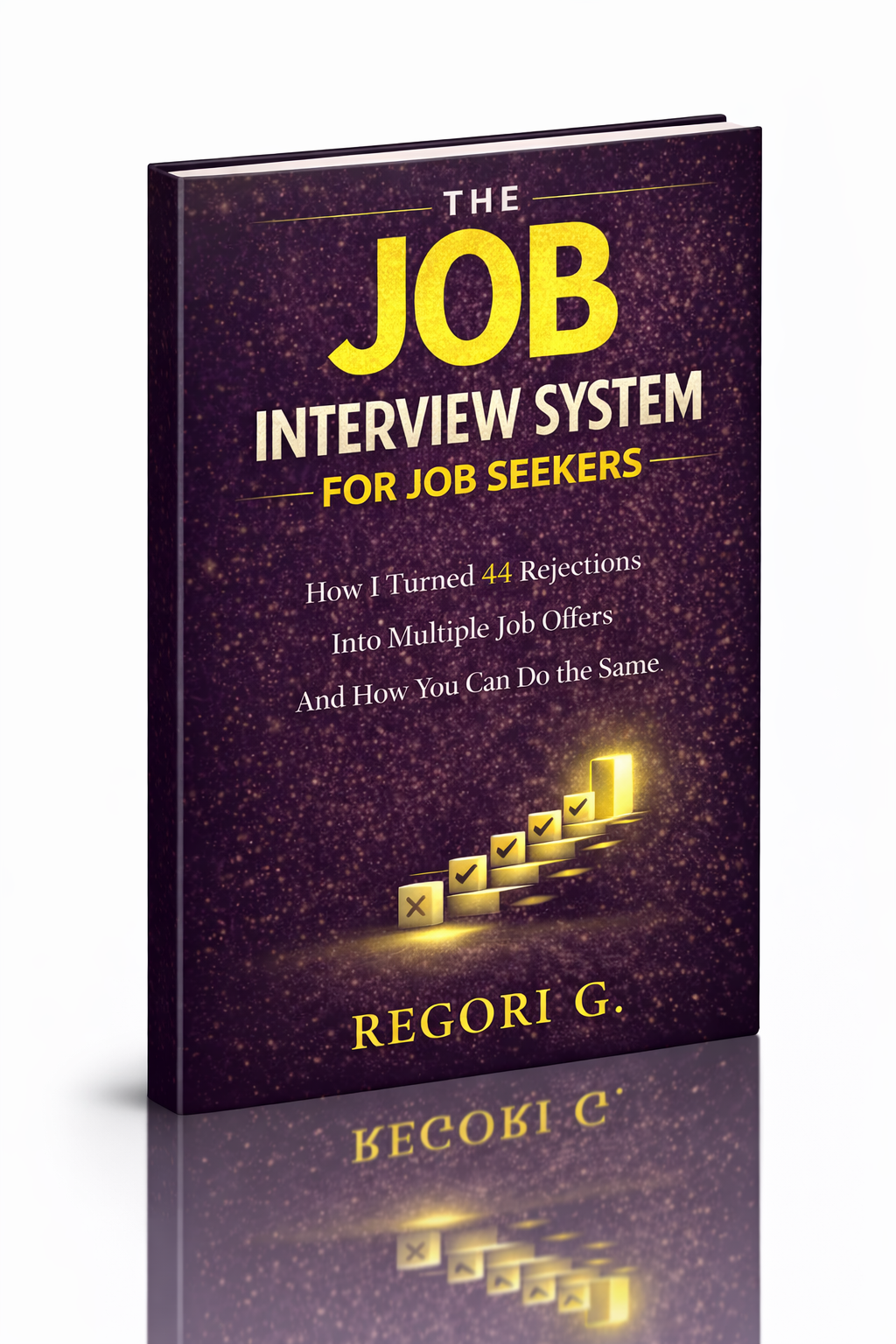
Guide 01
The Job Interview System
Step-by-step interview prep that turns nerves into confidence.
Get it →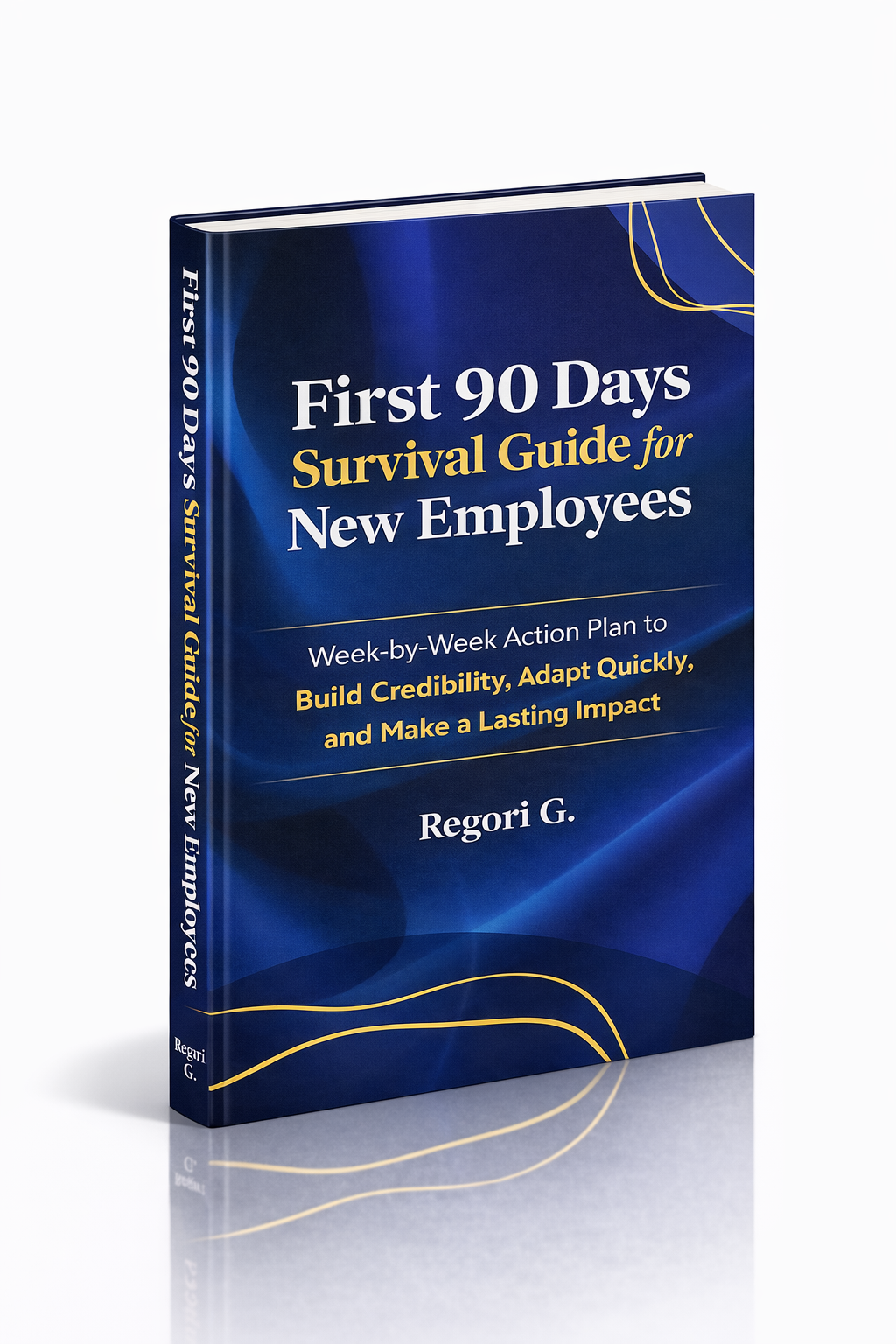
Guide 02
First 90 Days Survival Guide
Hit the ground running and make your mark from day one.
Get it →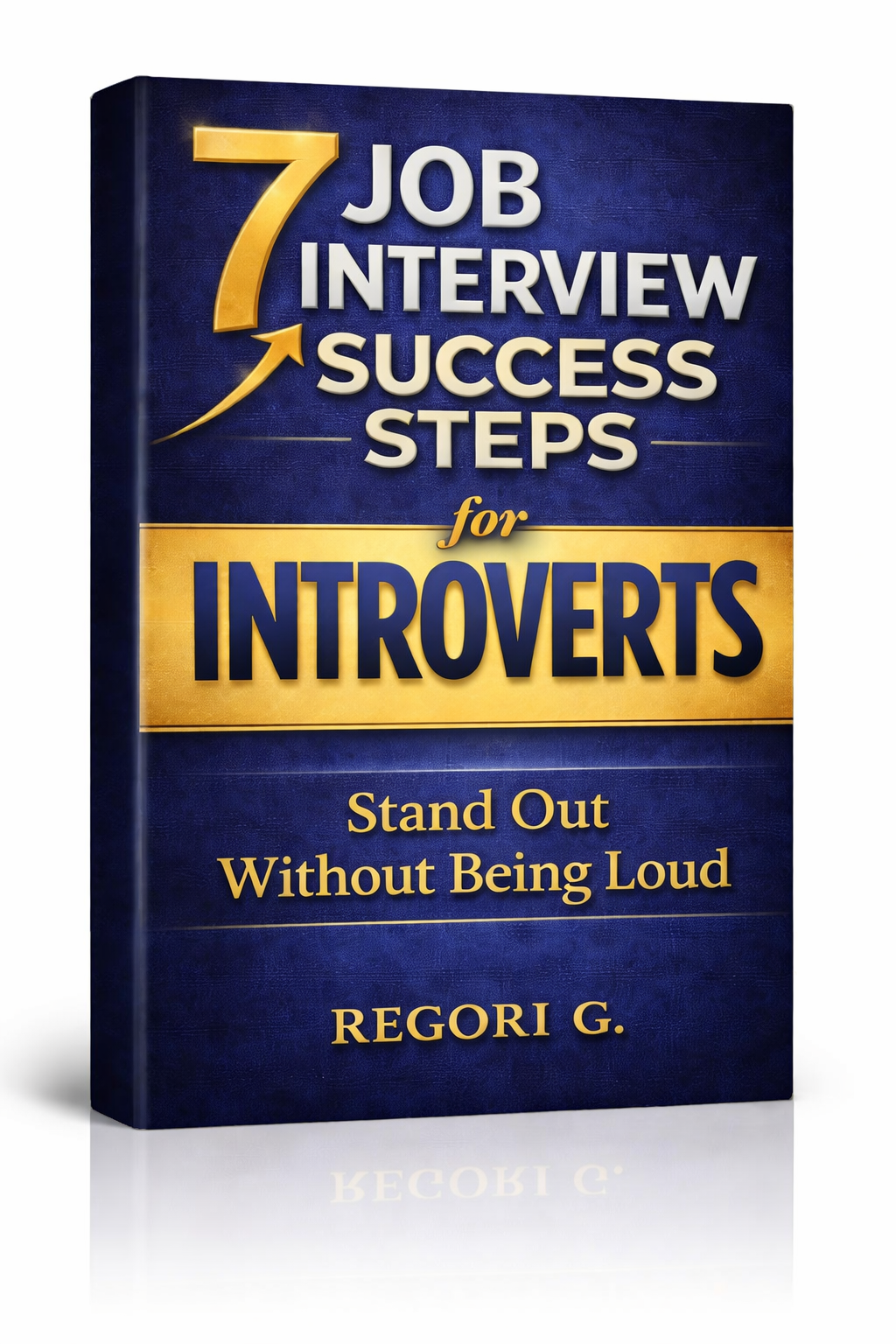
Guide 03
Interview Success for Introverts
7 proven steps to shine in interviews — even if you hate the spotlight.
Get it →