

The 5 Interview Mistakes That Cost You the Job
What's silently killing your chances — and what top candidates do instead. Delivered instantly to your inbox.
No spam. Unsubscribe anytime. Privacy Policy & Terms
- Why "I'm a hard worker" destroys your chances
- What interviewers decide in the first 90 seconds
- How to handle tough questions with confidence
- The salary mistake almost every candidate makes
How to Measure Your Own Productivity When Working Remotely
Working remotely offers flexibility, but measuring your productivity can be challenging. To ensure you’re making the most of your time and staying on track, it’s essential to implement methods that help you evaluate your performance effectively.
One of the first steps in measuring your productivity is to set clear and achievable goals. Use the SMART criteria—Specific, Measurable, Achievable, Relevant, and Time-bound. This approach keeps your objectives direct and actionable. For example, instead of saying, “I want to complete my project,” you could say, “I will complete the first draft of my project by the end of the week.” This clarity helps you gauge your progress more accurately.
Next, consider employing a time-tracking tool. There are many applications available, such as Toggl, Harvest, or Clockify, which can help you track how much time you spend on various tasks. By reviewing your logged hours, you can identify patterns and see where you might be wasting time or where you excel. This insight is crucial for refining your work habits.
Another effective method is to create a daily or weekly productivity log. A simple spreadsheet would work well for this. Your log could include:
- Date
- Tasks completed
- Time spent on each task
- Any distractions encountered
- Your overall productivity rating
Tracking these elements allows you to visualize your performance over time. You might notice that certain types of tasks take longer than expected or that you’re consistently distracted at specific times of the day.
Utilizing productivity frameworks can also provide valuable insights into your work habits. For example, the Pomodoro Technique encourages working in short bursts of focused time followed by a brief break. After several sessions, reflect on how much you accomplished during each cycle. Learn more about the Pomodoro Technique here.
Consider adding an evaluation component to your end-of-day routine. At the end of each workday, take a few minutes to review what you achieved versus what you intended to accomplish. Ask yourself:
- Did I meet my goals for the day?
- What challenges did I face?
- How can I improve tomorrow?
This nightly reflection helps reinforce productive habits and keeps you accountable. It’s also a time to celebrate the successes, no matter how small, to maintain motivation.
In addition to tracking your task completion, evaluate the quality of your work. Regularly ask for feedback from colleagues or supervisors. Constructive feedback can help you enhance your performance and highlight areas for improvement that might not be visible through self-assessment alone.
Another important aspect when measuring productivity is to minimize distractions. Create a dedicated workspace that is separate from your personal space, if possible. Limit social media and turn off notifications during your working hours. You might also consider setting boundaries with family or roommates about your working hours to reduce interruptions.
Ensure you take regular breaks and incorporate some movement into your day. A well-rested mind is more productive. Implementing a routine that includes breaks for physical activity can boost your focus and creativity. Resources like MindTools guide you on how to integrate breaks effectively into your schedule.
By using these strategies to monitor your productivity while working remotely, you can better understand your work patterns and areas for growth. Tracking goals, employing time management techniques, reflecting on your performance, and creating a structured work environment can lead to increased efficiency and satisfaction in your remote work life.
Setting Realistic Goals: A Guide for Remote Workers
Setting realistic goals is essential for remote workers who want to maintain productivity and achieve their objectives. Working from home can come with its set of distractions, and without a clear plan, you may find it challenging to stay focused. This guide will walk you through practical steps to establish achievable goals that keep you on track while working remotely.
Understanding the Importance of Realistic Goals
Realistic goals help you clarify what you want to achieve and identify the steps needed to get there. Here are some reasons why setting these goals is crucial:
- Enhances Focus: Clear goals provide direction, allowing you to prioritize tasks effectively.
- Boosts Motivation: Achieving small, realistic goals can give you a sense of accomplishment, encouraging you to pursue larger objectives.
- Reduces Overwhelm: Chunking tasks into smaller goals can make projects feel less daunting.
- Improves Time Management: Setting deadlines for your goals can help you allocate time wisely.
Steps to Setting Realistic Goals
Follow these steps to create achievable goals that fit within your remote working schedule:
1. Define Your Objectives
Start by clearly defining what you want to accomplish. Consider your long-term aspirations and break them down into manageable parts. Your goals could range from completing a project to enhancing your skills. Be specific.
2. Use the SMART Criteria
Ensure your goals are:
- Specific: Clearly describe what you want to achieve.
- Measurable: Quantify your goals to track progress.
- Achievable: Set realistic targets based on your capabilities and resources.
- Relevant: Align your goals with your overall career and personal aspirations.
- Time-bound: Set deadlines to create urgency.
3. Break Down Your Goals
Large goals can feel overwhelming. Break them into smaller, actionable steps. For example:
Goal: Improve your coding skills.
Breakdown:
- Complete an online coding course by the end of the month.
- Dedicate 30 minutes daily to practice coding exercises.
- Participate in a coding project within the next three months.
4. Create an Action Plan
Once you have defined your goals, create a detailed action plan. This plan should include:
- The specific steps you need to take.
- Resources needed (tools, courses, mentors).
- Deadlines to keep you accountable.
- A method for tracking progress.
5. Review and Adjust Regularly
In a remote work setting, circumstances can change rapidly. Regularly review your goals and adjust them as necessary. Ensure that they remain relevant to your changing priorities and time constraints.
Tools to Help You Set and Track Goals
Utilizing tools can simplify the goal-setting process. Consider using:
- Trello to organize and visualize your tasks.
- Asana for managing tasks and team collaborations.
- Notion for customizable goal tracking.
Accountability and Support
Sharing your goals with a colleague or a friend can provide the accountability needed to stay on track. You might also consider joining a remote work community for additional support and motivation. These groups can offer valuable feedback and insights, enhancing your productivity.
Wrapping Up
Setting realistic goals is more than just a task list; it’s a roadmap for success while working remotely. By taking the time to define, break down, and track your goals, you empower yourself to achieve your best work from anywhere. Remember, success is a journey shaped by the goals you set and the actions you take along the way.
For further reading on goal-setting and productivity, visit Mind Tools and explore a wealth of resources that can help you refine your approach.
The Importance of Time Management in a Remote Work Environment
In the evolving landscape of remote work, mastering time management is essential for both productivity and job satisfaction. Working from home comes with its own set of distractions, making it imperative to effectively allocate your time to get tasks done efficiently.
One of the first steps in managing your time effectively is to establish a consistent work schedule. This creates a structured environment and offers a sense of normalcy. Here are some tips to create your ideal remote work schedule:
- Set clear work hours: Identify when you work best and stick to those hours.
- Include breaks: Schedule regular breaks to recharge and avoid burnout.
- Use a calendar: Utilize digital calendars like Google Calendar to keep track of your work commitments and deadlines.
Once you have a schedule, prioritize your tasks. Start each day by making a list of your assignments, allowing you to focus on what is most important. Effective prioritization can be achieved through methods such as the Eisenhower Box, which divides tasks into four quadrants:
| Quadrant | Description | Action |
|---|---|---|
| Urgent and Important | Tasks that require immediate attention | Do these tasks first |
| Important but Not Urgent | Tasks that are important but can wait | Schedule these tasks |
| Urgent but Not Important | Tasks that are urgent but not critical | Delegate or minimize time spent |
| Not Urgent and Not Important | Tasks that have little impact | Consider eliminating |
Another crucial aspect of time management is avoiding multitasking. While it may seem efficient to juggle various tasks at once, studies show that multitasking can actually reduce productivity. Focus on one task at a time to complete it more efficiently. Once you finish that task, move on to the next item on your list.
Utilizing technology can significantly improve your time management skills. There are numerous apps designed to help you stay organized and focused. Some popular choices include:
- Trello: A project management tool to track tasks visually.
- Evernote: A note-taking app that helps to keep your ideas organized.
- Pomodoro Timer: A technique that breaks work into intervals, followed by short breaks.
Moreover, maintaining an organized workspace can contribute to better time management. A clutter-free environment reduces distractions and helps foster focus and creativity. Take time each week to tidy your space and ensure that everything is in its rightful place.
Effective communication with your team is also fundamental when managing time remotely. Ensure that you regularly check in with your colleagues and supervisors. Tools like Slack or Microsoft Teams facilitate seamless communication and help keep everyone on the same page. Regular updates on your progress can also prevent misunderstandings and ensure that you are on track to meet your goals.
It’s important to remember that it’s okay to set boundaries between work and personal life, especially when working from home. Learn to say no when you are already occupied with tasks. Ensuring that your work doesn’t spill into your personal time is crucial for maintaining balance, which in turn boosts your productivity.
Tracking your time can uncover areas where you can improve your productivity. Tools like Toggl or RescueTime can help you analyze how your time is spent and identify distractions. By understanding these patterns, you can make more informed decisions about managing your time effectively.
Time management is not just a skill but an essential practice for anyone working remotely. By setting a clear work schedule, prioritizing tasks, avoiding multitasking, utilizing the right tools, maintaining communication, and regularly assessing your progress, you can greatly enhance your productivity. For further insights on time management and productivity, visit Forbes or The Balance Careers.
Tools and Apps to Track Your Productivity Effectively
In the age of remote work, tracking your productivity is essential for maintaining focus and achieving your goals. With numerous tools and apps available, it can be overwhelming to choose the right ones for your needs. The following list highlights some of the most effective tools you can utilize to monitor your productivity while working remotely. Each tool offers unique features to help you stay on track and optimize your work habits.
Time Tracking Tools
Time tracking tools are fundamental for understanding where your hours go. Here are some of the top options:
- Toggl – A user-friendly app that allows you to track time easily and generates insightful reports.
- Clockify – A free tool that provides an overview of your work hours while offering optional paid features for deeper insights.
- Harvest – A robust time tracking and invoicing tool ideal for freelancers and teams alike.
Task Management Applications
Managing tasks is critical for enhancing productivity. These apps can help you prioritize and organize your workload:
- Todoist – A versatile task management tool that supports project organization and collaborative features.
- Asana – An intuitive platform that lets you manage tasks, projects, and team collaborations seamlessly.
- Trello – A visually-driven tool that organizes tasks using boards, lists, and cards to track your progress.
Pomodoro Technique Apps
The Pomodoro Technique is excellent for breaking work into focused intervals. Apps that support this method include:
- Pomofocus – A simple timer that lets you create custom Pomodoro sessions to boost your productivity.
- Focus Booster – A dedicated application that helps you implement the Pomodoro Technique effectively with detailed reports.
- Marinara Timer – An easy-to-use online timer for Pomodoro sessions, allowing easy adjustment of work intervals.
Focus Tools
Maintaining focus can sometimes be challenging. These apps help minimize distractions and enhance your concentration:
- Forest – A unique app that helps you stay focused by growing virtual trees when you don’t use your phone.
- Cold Turkey – A tool that allows you to block distracting websites or apps, keeping you focused on your work.
- Focus@Will – A productivity music service that offers scientifically optimized music tracks to boost your focus.
Goal-Setting Apps
Tracking productivity goes hand-in-hand with setting and achieving goals. Consider these apps to keep your ambitions in check:
- Strides – A goal-setting app that helps you track progress on multiple objectives using a fun interface.
- Goalsetter – This app focuses on personal and financial goals, providing visual progress tracking.
- Fabulous – A habit tracker that blends personal development with productivity strategies to achieve your goals.
These tools into your daily routine can significantly enhance your productivity, especially while working remotely. Each tool brings its own unique set of features, allowing you to choose the ones that align best with your personal workflow. By utilizing these productivity apps, you can ensure that you’re not only staying on top of your work but also creating a balanced, engaged work-life atmosphere.
Remember, experimenting with different tools will lead you to find the perfect combination that suits your specific working style. Happy tracking!
Identifying Distractions and Creating a Focused Workspace
When working from home, distractions can quickly derail your productivity. Identifying these distractions is the first critical step in creating a focused workspace. Understanding your environment and how it affects your work habits can empower you to set boundaries and improve your concentration.
Recognizing Common Distractions
Below are some common distractions that remote workers often face:
- Social Media: Platforms like Facebook and Twitter can pull your focus away from work. The urge to check notifications can be continuous.
- Household Chores: Tasks like laundry, dishes, or tidying up can interrupt your workflow if you let them.
- Friends and Family: While social interaction is important, well-meaning interruptions can be detrimental to your concentration.
- Television and Streaming Services: The temptation to binge-watch your favorite show can be strong, especially during breaks.
- Mobile Devices: Notifications from apps can disrupt your focus, pulling you away from tasks.
Creating a Focused Workspace
Once you’ve identified your distractions, the next step is to create a workspace that minimizes them. Here are effective strategies to achieve a focused work environment:
- Designate a Specific Work Area: Choose a quiet place in your home where you only work. This helps in conditioning your brain to associate that space with work.
- Invest in Appropriate Equipment: A comfortable chair and a good desk setup can significantly enhance your focus. Ergonomic furniture also helps in reducing physical discomfort.
- Limit Noise: Consider using noise-canceling headphones or playing soft background music to drown out distractions.
- Declutter Your Workspace: A tidy environment can help clear your mind. Remove items that don’t belong in your workspace.
- Set Clear Boundaries: Communicate with those at home about your availability to reduce interruptions.
Utilizing Time Management Techniques
To further bolster your focus, incorporate time management techniques that can help keep you productive:
| Technique | Description |
|---|---|
| Pomodoro Technique | Work for 25 minutes, then take a 5-minute break. This method helps maintain concentration throughout the day. |
| Time Blocking | Allocate specific blocks of time for different tasks, reducing the chance of distractions. |
| Task Batching | Group similar tasks together to complete them more efficiently without switching between different types of work. |
Implementing Digital Tools
There are various digital tools designed to enhance focus and minimize distractions. Consider these options:
- Focus@Will: A music service that provides tracks specifically designed to improve concentration.
- Forest App: This app encourages you to stay off your phone by growing virtual trees as you work.
- Freedom: A site-blocking tool that can help you stay offline during work hours by blocking distracting websites.
The Role of Mindfulness
Mindfulness into your daily routine can be beneficial for maintaining focus. Simple practices include:
- Meditation: Spend a few minutes meditating daily to clear your mind.
- Deep Breathing: Periodic deep-breathing exercises can help refresh your focus.
- Mindful Breaks: Step away from work periodically to engage in brief, mindful activities, allowing your mind to reset.
By identifying distractions and creating a focused workspace, you can enhance your productivity while working remotely. Remember, it’s about finding what works best for you and tailoring your environment accordingly. For more tips on improving productivity and focus, consider visiting Productivity Hub or Focus Time.
The Role of Regular Breaks in Enhancing Remote Productivity
In the fast-paced world of remote work, maintaining productivity can often feel like a juggling act. One of the most effective strategies to enhance focus and output is embracing the power of regular breaks. Understanding how to incorporate breaks into your work routine can lead to improved concentration, reduced fatigue, and higher overall efficiency.
Understanding the Science Behind Breaks
Studies show that taking regular breaks helps our brains reset after periods of intense focus. When working on a task for an extended time, your cognitive resources begin to deplete. Taking a breather allows your mind to recuperate and can lead to greater productivity. Here are some scientific benefits of regular breaks:
- Enhanced Creativity: Stepping away from tasks gives your brain a chance to process information, leading to fresh ideas and solutions.
- Improved Focus: Short breaks help reduce mental fatigue, enabling you to concentrate better when you return to your tasks.
- Better Physical Health: Frequent breaks can reduce the risk of chronic health issues stemming from prolonged sitting.
Types of Breaks to Consider
Not all breaks are created equal. Different types of breaks can serve various purposes:
- Microbreaks: These are short, 1-5 minute pauses taken every 25-30 minutes of focused work. Stretching or walking around can provide a quick recharge.
- Short Breaks: A 5-15 minute break after an hour of work can allow for a complete mental shift. This could include grabbing a snack or a quick chat with a colleague.
- Extended Breaks: Taking a longer break for lunch (30-60 minutes) is crucial. This longer pause helps reset your focus for the remainder of the day.
Making the Most of Your Breaks
To truly enhance productivity through breaks, aim to utilize them strategically:
- Set a Timer: Use a timer or app to remind you to take breaks. This system keeps you accountable and ensures your productivity rhythm isn’t interrupted.
- Engage in Physical Activity: Simple exercises, like stretching or short walks, can rejuvenate you physically and mentally.
- Meditation and Mindfulness: mindfulness practices during breaks can help clear your mind and reduce stress levels.
- Social Interactions: Use breaks to engage with colleagues through messages or video calls to maintain workplace connections.
Developing a Break-Friendly Routine
Creating a consistent break routine can lead to sustainable productivity boosts. Here’s a simple framework to develop your routine:
| Time Intervals | Type of Work | Break Type |
|---|---|---|
| 25 minutes | Focused Work | Microbreak (1-5 minutes) |
| 60 minutes | Deep Work | Short Break (5-15 minutes) |
| 3-4 hours | Cumulative Work | Extended Break (30-60 minutes) |
Crafting Your Home Office Space
Your physical workspace plays a significant role in your productivity. Ensure that your home office is conducive to taking regular breaks. Consider the following:
- Comfortable Setup: Invest in a good chair and desk that supports your posture to mitigate physical strain during long work sessions.
- Defined Spaces: Create specific areas for work and breaks. This separation can help your brain switch contexts more effectively.
- Distraction-Free Environment: Minimize distractions in your workspace to maintain focus when you are working and enjoy your breaks without interruption.
Regular breaks are not just a luxury; they are a vital component of an effective remote working strategy. Embracing them can lead to enhanced productivity while promoting overall well-being. For further insights on enhancing productivity remotely, explore resources at MindTools or check out ThoughtCo for techniques that can keep you engaged and efficient.
Evaluating Your Progress: Monthly Reviews and Adjustments
Regularly evaluating your progress is a vital component of achieving your personal and professional goals. Monthly reviews provide a structured opportunity to reflect on successes, identify areas for improvement, and make necessary adjustments. This process can enhance your productivity, particularly in a remote work environment where distractions abound.
To conduct effective monthly reviews, follow these steps:
- Set Clear Objectives: Before you can evaluate your progress, you need to have specific, measurable, attainable, relevant, and time-bound (SMART) objectives. Ensure these goals align with both your personal aspirations and your broader work responsibilities.
- Gather Data: Collect relevant data related to your monthly goals. This might include project timelines, task completion rates, and feedback from colleagues. Tools like Trello or Asana can help in tracking your progress.
- Analyze Your Achievements: Reflect on what you accomplished during the month. Celebrate wins, no matter how small. This not only boosts morale but also reinforces the behaviors that lead to success.
- Identify Roadblocks: Look critically at what you failed to achieve. Was it due to a lack of resources, time management issues, or perhaps personal distractions? Identifying these roadblocks is crucial for improvement.
- Make Adjustments: Based on your analysis, consider how you can modify your approach for the coming month. This may involve reallocating time, seeking additional training, or adjusting your objectives entirely.
Tracking progress over time can also help you recognize patterns in your performance. You may use tools like spreadsheets or productivity software to monitor your advancements. Here’s a simple layout you can consider:
| Goal | Progress This Month | Challenges Faced | Adjustments Needed |
|---|---|---|---|
| Increase client engagement | 75% | Exceeded time set for client meetings | Limit meetings to 30 minutes |
| Complete project X | 50% | Resource constraints | Request assistance from team members |
| Improve work-life balance | 60% | Distractions at home | Set clearer boundaries with family |
Furthermore, it’s helpful to incorporate feedback into your monthly reviews. Soliciting input from colleagues can provide fresh perspectives. This peer feedback can help you identify blind spots and enhance your progress towards your goals. Consider using platforms like SurveyMonkey for gathering anonymous feedback.
Remember to celebrate your achievements, both big and small. Providing yourself with a moment of recognition can motivate you to tackle the following month’s challenges with renewed vigor. Positive reinforcement plays a significant role in maintaining productivity and motivation, especially when working remotely.
To enhance your learning and growth through this process, consider using resources such as Mind Tools, which offers tools and techniques for effective goal setting and review. Additionally, productivity blogs and newsletters often feature insights into effective monthly reviews, providing you with new ideas and strategies.
By committing to a structured monthly review process, you will not only gain clarity on your accomplishments and challenges but will also create a culture of accountability for yourself. Embrace the opportunity to adjust and elevate your productivity, ensuring personal and professional growth. Consistent evaluation is key to staying on track and achieving your remote working ambitions.
Key Takeaway:
In today’s fast-paced and ever-evolving landscape of remote work, measuring your productivity is vital for maintaining a healthy work-life balance and ensuring you meet your goals. This article highlights several key strategies to help you evaluate and enhance your productivity while working from home.
Firstly, setting realistic goals is the cornerstone of effective productivity measurement. Instead of overwhelming yourself with lofty expectations, break your objectives into smaller, manageable tasks. This allows you to track progress easily and motivates you to stay on course.
Time management also plays a crucial role in your productivity levels. By defining specific work hours and sticking to them, you create a routine that cultivates discipline. Tools like digital calendars and time-tracking apps can help dynamically allocate your hours and ensure important tasks receive the attention they deserve.
To measure productivity accurately, consider integrating various tools and apps designed specifically for this purpose. Applications such as Trello or Asana can help you visualize and track your tasks while keeping you accountable. Additionally, some tools allow you to measure the time spent on specific projects, giving you insights into where your efforts are well-spent and where they may need adjustment.
Identifying distractions is another essential aspect of measuring your productivity. By creating a focused workspace and setting clear boundaries, you can minimize interruptions. Designate a specific area for work and establish routines that signal the beginning and end of your workday.
Don’t underestimate the importance of taking regular breaks. They allow you to refresh your mind and avoid burnout, ultimately boosting your overall output. Plan short breaks throughout your work sessions to recharge.
Regularly evaluating your progress through monthly reviews helps you stay aligned with your goals. This allows you to assess what strategies are effective and which need tweaking. By conducting these evaluations, you create a feedback loop that enhances your productivity continuously.
Measuring your productivity when working remotely involves a combination of setting realistic goals, effective time management, utilizing productivity tools, managing distractions, taking regular breaks, and performing periodic evaluations. By implementing these strategies, you can foster a productive and fulfilling remote work experience.
Conclusion
Measuring productivity while working remotely is essential for achieving personal and professional goals. By setting realistic targets, you create a clear path that guides your daily efforts and keeps you motivated. Effective time management plays a crucial role in ensuring that you not only meet these targets but also maintain a healthy work-life balance.
Utilizing various tools and apps can simplify the process of tracking your productivity, offering insights that can lead to better decision-making. These digital resources allow you to identify time sinks and highlight areas requiring improvement. Moreover, recognizing distractions and establishing a focused workspace help you stay on track and minimize interruptions.
Regular breaks into your schedule can significantly enhance your overall productivity. Short periods of rest allow your mind to recharge, leading to better focus and creativity when you return to work.
It is important to regularly evaluate your progress through monthly reviews. Reflecting on what you’ve accomplished and adjusting your strategies accordingly enables you to stay agile and responsive to the dynamic challenges of remote work. By implementing these strategies and being proactive in your approach, you can fine-tune your productivity levels and enjoy a more satisfying remote work experience. With dedication and the right tools, you can optimize your output and ultimately achieve your objectives.
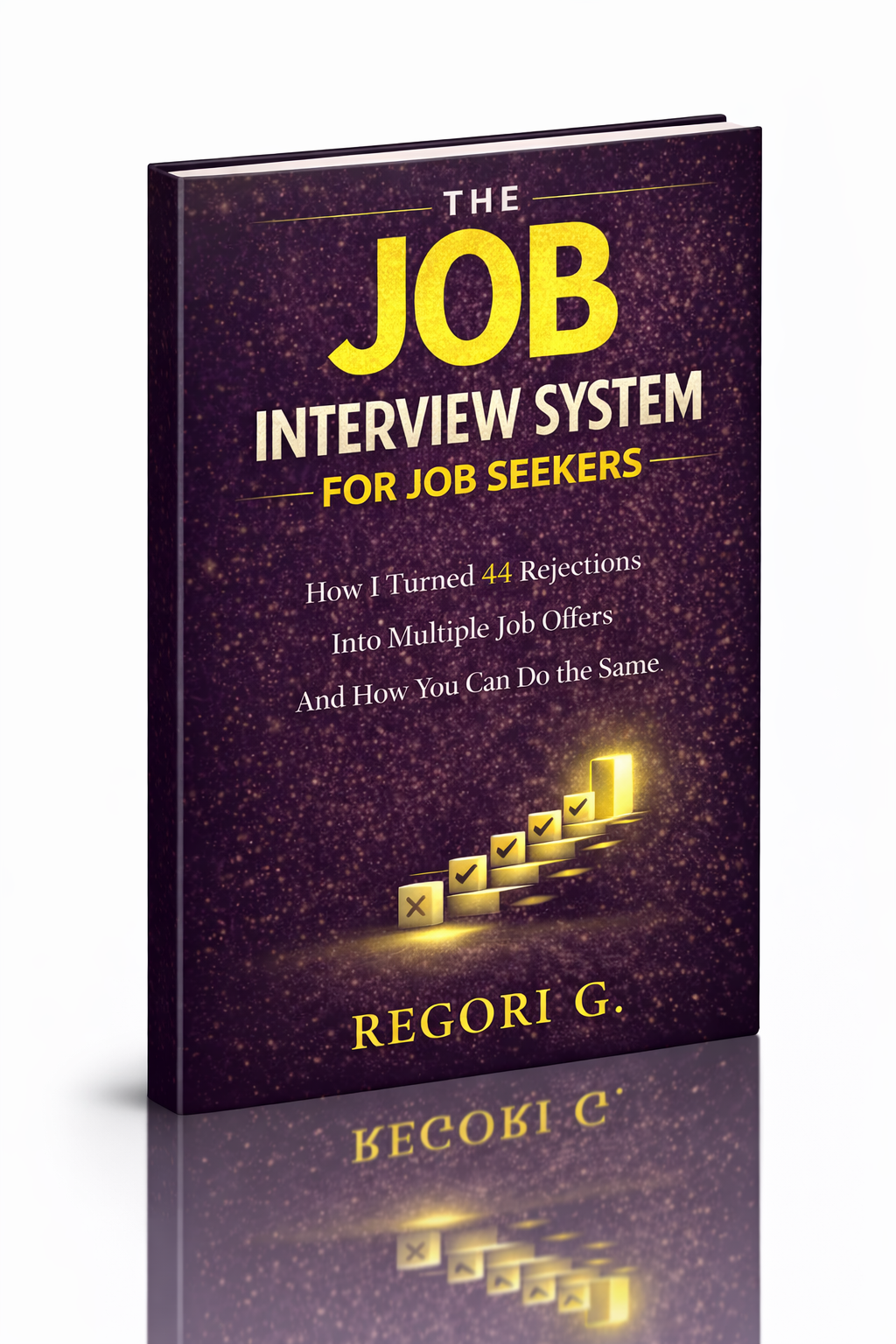
visit The Job Interview System for Job Seekers on Gumroad. A practical guide built for people who are serious about landing the job they want. For more interview guides, career tips, and job search resources, visit the Love PDF Guides home page.
Your Next Chapter
Starts with the Right Guide
Three straight-talking PDF guides to help you win interviews, beat the first 90 days and thrive as an introvert. Instant download on Gumroad.
Guide 01
The Job Interview System
Step-by-step interview prep that turns nerves into confidence.
Get it →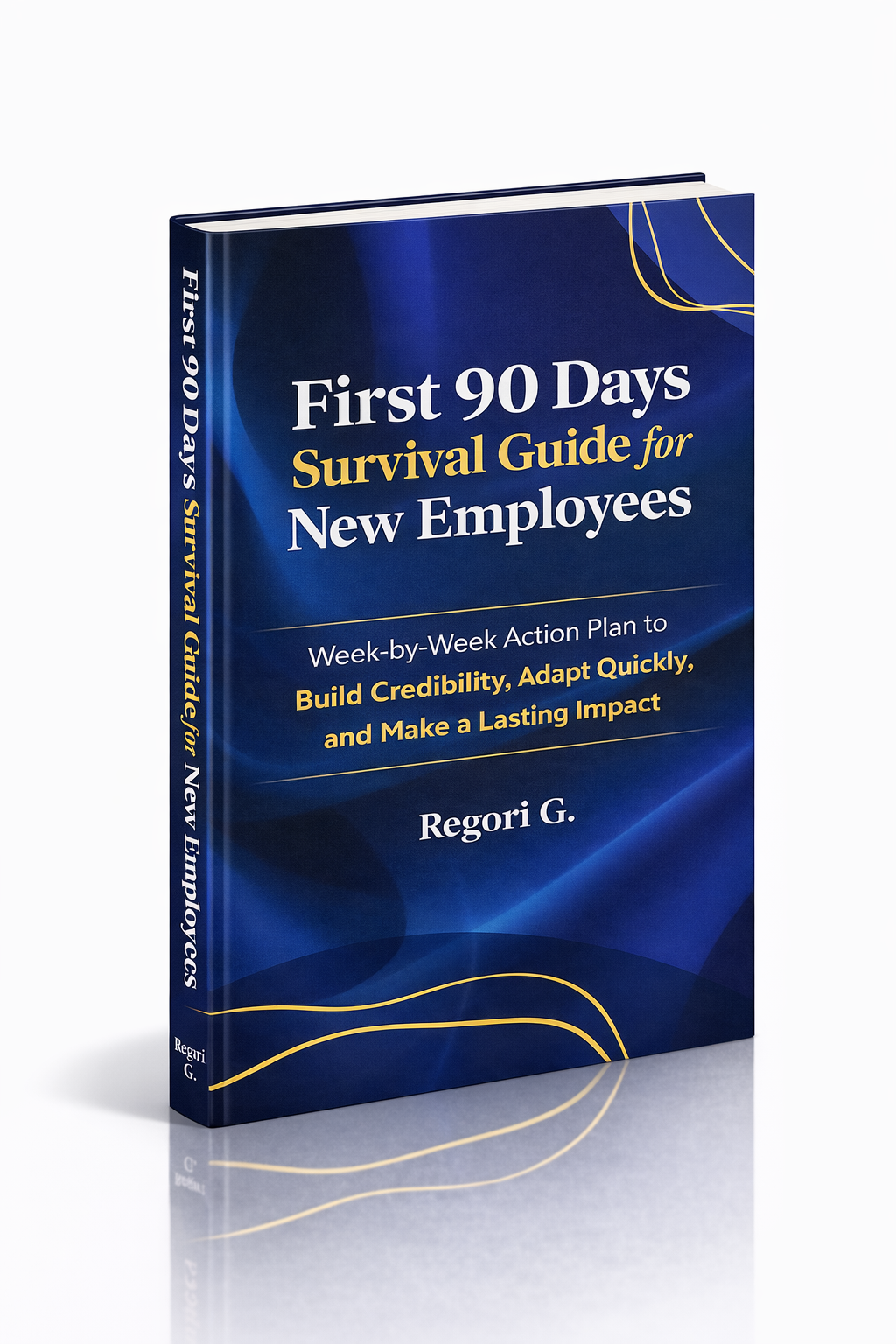
Guide 02
First 90 Days Survival Guide
Hit the ground running and make your mark from day one.
Get it →
Guide 03
Interview Success for Introverts
7 proven steps to shine in interviews — even if you hate the spotlight.
Get it →