

The 5 Interview Mistakes That Cost You the Job
What's silently killing your chances — and what top candidates do instead. Delivered instantly to your inbox.
No spam. Unsubscribe anytime. Privacy Policy & Terms
- Why "I'm a hard worker" destroys your chances
- What interviewers decide in the first 90 seconds
- How to handle tough questions with confidence
- The salary mistake almost every candidate makes
How to Deal With Zoom Fatigue at Work
As remote work becomes more common, many of you are experiencing Zoom fatigue. This fatigue comes from lengthy video calls that can drain your energy and focus. Tackling this issue is crucial for maintaining productivity and mental well-being. Here are some effective strategies to help you cope with Zoom fatigue while staying engaged and effective in your work environment.
Be Selective About Meetings
Not every discussion requires a video call. Before jumping into scheduling a Zoom meeting, consider:
- Can this conversation be an email or chat? If a quick exchange of information will suffice, opt for that.
- Am I necessary for this meeting? If your presence isn’t critical, feel free to skip it.
- Is this meeting essential? Evaluate if a meeting truly serves a purpose or can it be replaced by collaborative tools like Slack or Trello?
Limit Video Call Duration
Consider implementing mandates for shorter meetings. Meetings ideally should not exceed 30 minutes. Here’s how you can do this:
- Schedule 25-minute meetings: This leaves time for a break before the next call.
- Set a timer: When the time runs out, wrap up discussions and end the meeting promptly.
- Drive focused agendas: Create a list of talking points to maximize efficiency while keeping discussions on track.
Encourage Breaks Between Meetings
Taking regular breaks is essential for mental clarity. Here are some tips:
- Add buffer time: Schedule 5-10 minute breaks between calls.
- Utilize breaks: Stand up, stretch, or take a short walk to recharge your mind.
- Practice mindfulness: Engage in deep breathing exercises to alleviate stress before your next meeting.
Turn Off Video When Possible
Sometimes, turning off your camera can help reduce fatigue. Here’s why:
- Less pressure: Not worrying about your appearance can relieve stress.
- Focus on listening: This encourages active listening without visual distractions.
- Alternative engagement: Engage with meeting notes or action items while still participating.
Promote Active Engagement
Zoom meetings can often feel stagnant. To keep energy levels up, consider:
- Interactive tools: Utilize features such as polls and breakout rooms to keep everyone involved.
- Encourage discussions: Invite participants to share their input actively.
- Rotate meeting roles: Assign different individuals to lead discussions, making everyone accountable.
Set a Routine
A consistent routine can help manage expectations and maintain energy levels. Think about implementing these strategies:
- Regular hours: Stick to a standard work schedule to maintain work-life balance.
- Designate workspaces: Create a dedicated area in your home for work to help maintain focus.
- Schedule downtime: Establish hours specifically for relaxation or personal projects to recharge.
Prioritize Well-Being
Your mental health should always come first. Here are some ways to nurture it:
- Stay hydrated: Keep a water bottle nearby to stay refreshed.
- Exercise regularly: Aim for daily physical activity to boost mood and energy.
- Maintain social connections: Schedule informal chats with coworkers to foster camaraderie outside of formal meetings.
Zoom fatigue is a real challenge, but manageable with some simple strategies. Try implementing these tips and see how they enhance your work experience. For further insights into remote work best practices, visit Forbes and Harvard Business Review.
Recognizing the Signs of Virtual Burnout
In the age of remote work and virtual meetings, many individuals are expressing feelings associated with virtual burnout. Understanding its signs can help you address the issue before it takes a toll on your mental and physical health.
Signs of Virtual Burnout
Recognizing when you are experiencing virtual burnout is the first step towards managing it. Here are several signs to look for:
- Increased Fatigue: If you find yourself feeling exceptionally tired, even after a good night’s sleep, this may indicate burnout. Virtual meetings require high levels of focus and engagement, which can be more draining than in-person interactions.
- Reduced Motivation: A decrease in enthusiasm for projects or tasks is a common sign. You may feel less inclined to participate in video calls or find yourself lacking interest in completing assignments.
- Difficulty Concentrating: Struggling to focus during meetings or work tasks can stem from an overload of screen time. If you find your mind wandering often, this could be a pivotal warning sign.
- Physical Symptoms: Virtual burnout often manifests physically through headaches, eye strain, or even neck and back pain caused by prolonged sitting. These symptoms shouldn’t be ignored as they can become chronic if not addressed.
- Increased Irritability: Feeling more irritable or frustrated than usual could be linked to the stress surrounding constant virtual interactions. This irritability might also affect your relationships with colleagues and family.
Factors Contributing to Virtual Burnout
Understanding the causes of virtual burnout can assist you in addressing and mitigating its effects. Here are some common contributors:
| Factors | Impact |
|---|---|
| Extended Screen Time | Can lead to eye strain, fatigue, and reduced productivity. |
| Lack of Social Interaction | May cause feelings of isolation and decrease morale. |
| Unclear Work Boundaries | Can make you feel as if you are always “on,” leading to heightened stress. |
| Poor Work-Life Balance | Creates an overwhelming workload that can drain your energy. |
How to Recharge and Prevent Virtual Burnout
To combat virtual burnout, it’s essential to take proactive steps to recharge your mental and physical well-being.
- Limit Screen Time: Set limits on your daily screen usage, especially outside of work. Consider using tools that monitor your time.
- Schedule Breaks: Take regular breaks during your workday. Five to ten minutes every hour can do wonders for your focus.
- Engage in Physical Activities: Incorporate physical movement into your routine. Simple exercises can help alleviate fatigue and stress.
- Stay Connected: Regularly engage in personal conversations with colleagues or friends. This social connection can help break the feelings of isolation.
- Establish Work Boundaries: Clearly define your work hours and communicate these boundaries to your team to create a healthy balance.
Recognizing and addressing the signs of virtual burnout is essential for maintaining your well-being during challenging times. For more detailed guidance on managing virtual burnout, visit sites like Forbes or MentalHealth.gov where experts share valuable insights on promoting healthier working habits.
Ultimately, staying proactive about your mental health in a virtual work environment will not only enhance your productivity but also contribute to a happier, healthier you.
The Impact of Screen Time on Productivity
The rise of remote work and digital communication has fundamentally transformed how we engage with our tasks. As a result, understanding the impact of screen time on productivity is crucial. Excessive screen time can lead to several challenges that negatively affect your ability to perform well at work. Let’s delve into various aspects of how screen time can influence your productivity levels and offer practical solutions to enhance your work experience.
The Relationship Between Screen Time and Focus
High screen time can severely hinder your ability to concentrate. Studies have shown that prolonged exposure can lead to mental fatigue, making it harder to focus on tasks. When you’re on a screen for too long, your brain becomes overwhelmed. Here are some effects:
- Reduced attention span
- Increased distractions from notifications
- Difficulty retaining information
- Lower creativity levels
To combat these effects, you may want to implement the “Pomodoro Technique”, which encourages you to work for 25 minutes and then take a 5-minute break. This method can help increase your focus and give your eyes a much-needed break from the screen.
Screen Time and Health Consequences
In addition to affecting productivity, excessive screen time can lead to various health issues. Sitting for long periods can result in:
- Eye strain (often termed as “computer vision syndrome”)
- Headaches and migraines
- Poor posture and back pain
- Increased anxiety and stress levels
Taking regular breaks can reduce these risks. Consider using tools like f.lux to adjust your screen brightness according to the time of day, which helps reduce eye strain.
The Role of Digital Communication Tools
Throughout the workday, you may find yourself juggling multiple digital communication tools that can increase your screen time. Platforms like Zoom, Slack, and email can be excellent for collaboration, but they can also contribute to screen fatigue. Keep these strategies in mind:
- Limit video meetings when possible; consider audio calls instead.
- Set specific times to check emails or messages to avoid constant interruptions.
- Utilize asynchronous communication methods for non-urgent matters.
Strategies for Managing Screen Time
To mitigate the adverse effects of excessive screen time, consider integrating the following strategies into your daily routine:
- Schedule Breaks: Use reminders or apps to ensure you take regular breaks. Aim for a 5-minute break every half hour.
- Adjust Your Screen Settings: Dark mode or reading modes can reduce the glare from your screen, making it easier on your eyes.
- Create a Comfortable Workspace: Ensure your chair and screen are ergonomically set up to promote better posture and reduce stress on your body.
- Prioritize Tasks: Focus on high-value tasks when your energy levels are highest, typically earlier in the day.
Balancing Screen Time with Off-Screen Activities
It’s vital to balance your screen-related activities with off-screen time. Engaging in physical activities, hobbies, and spending time outdoors can rejuvenate your mind and body. You could try:
- Taking short walks during breaks to refresh your mind.
- Practicing mindfulness or meditation for relaxation.
- Engaging in hobbies like reading or crafting that do not involve screens.
These practices into your daily routine will not only improve your productivity but also enhance your overall well-being.
Understanding and managing your screen time is crucial in today’s fast-paced work environment. By becoming aware of its effects on your productivity and taking proactive measures, you can create a more effective and healthier work routine. For more insights on staying productive in a digital age, visit Healthline and Forbes. Both websites offer valuable information that can help you navigate the challenges of screen time more effectively.
Strategies for Effective Online Meetings
In the digital age, online meetings have become an essential part of how organizations operate. However, conducting effective online meetings can be challenging. Here are some proven strategies to help you make your virtual gatherings productive and engaging.
Set Clear Objectives
Before scheduling a meeting, it’s important to define its purpose. Ask yourself what you hope to achieve. Whether it’s problem-solving, brainstorming, or project updates, having clear objectives will help keep the meeting focused. Share these goals with participants in advance so everyone is aligned.
Choose the Right Technology
The platform you select for your online meeting plays a crucial role in its success. Ensure that it supports video and audio capabilities, screen sharing, and has a user-friendly interface. Popular options include:
Test the technology beforehand to resolve any technical issues. Ensuring that all participants are comfortable with the tools can significantly reduce distractions during the meeting.
Establish Ground Rules
Setting ground rules can promote respect and involvement during the meeting. Here are a few essential rules to consider:
- Be punctual.
- Keep your camera on to enhance engagement.
- Mute yourself when not speaking to minimize background noise.
- Use the chat feature to ask questions without interrupting the speaker.
These guidelines ensure an organized atmosphere where participants feel comfortable sharing their insights.
Encourage Participation
Active participation leads to more meaningful and productive discussions. To encourage involvement, ask open-ended questions. Also, consider using breakout rooms for larger groups to facilitate smaller group discussions before reconvening as a whole. Here’s how you can actively engage participants:
- Utilize polls or surveys during the meeting.
- Ask specific team members for their input.
- Incorporate ice-breakers at the beginning to create a relaxed environment.
Utilize Visual Aids
Visual aids can help keep participants engaged and make information more digestible. Incorporate slides, documents, or videos to illustrate key points. Sharing your screen can also make your presentations more interactive. Ensure that all materials are shared beforehand so participants can follow along easily.
Stay on Schedule
Time management is vital during online meetings. Set a clear agenda with specified time slots for each topic. This helps keep the discussion on track and prevents rambling. A well-structured meeting can accommodate all necessary points without wasting anyone’s time. Consider using a timer to stay mindful of the clock.
Follow Up
After the meeting, send out a summary of what was discussed along with any action items. This not only reinforces what was covered but also provides a reference point for attendees. Utilizing tools like Trello or Asana can help track these action items and keep everyone accountable.
| Best Practices | Description |
|---|---|
| Clear Objectives | Define what the meeting aims to achieve. |
| Right Technology | Choose user-friendly platforms that support desired features. |
| Ground Rules | Establish guidelines for participation and interactions. |
| Engagement | Utilize interactive elements to keep participants involved. |
| Visual Aids | Incorporate images, slides, and videos for clarity. |
| Time Management | Stick to the agenda to respect participants’ time. |
| Follow Up | Send a summary and action items to maintain accountability. |
Implementing these strategies can greatly improve the effectiveness of your online meetings. Remember that the key to success lies in preparation and engagement. Engaging your team and utilizing smart digital tools will lead to productive interactions. Stay connected and make your virtual meetings a powerful tool for collaboration.
The Role of Breaks in Combatting Video Call Fatigue
Creating a Comfortable Home Office Environment
Creating a comfortable home office environment is essential for enhancing productivity and well-being while working remotely. The right setup not only boosts efficiency but also keeps you motivated throughout the day. Here are some key elements to consider for your home office to ensure a pleasant working experience.
Prioritize Ergonomics
Investing in ergonomic furniture can make a significant difference in your comfort level. Here are a few essential items to consider:
- Office Chair: Choose a chair that offers lumbar support and adjustable features to suit your body type and preferences.
- Desk Height: Your desk should be at a height that allows your elbows to bend at about a 90-degree angle when typing.
- Monitor Position: Place your monitor at eye level to prevent neck strain. A monitor stand can help achieve the right height.
Optimize Your Lighting
Good lighting is crucial to avoid eye strain and maintain focus. Natural light is the best option, but if that’s not possible, consider these alternatives:
- Task Lighting: Use adjustable lamps that can direct light where you need it most.
- Color Temperature: Opt for fluorescent or LED bulbs with a color temperature between 3000K to 5000K to mimic daylight.
Create a Productive Atmosphere
Your home office should inspire productivity. Here are some ways to achieve that:
- Personalize Your Space: Add decorations that make you feel good, such as artwork, plants, or motivational quotes.
- Noise Control: Use noise-cancelling headphones or soundproofing materials if you’re in a noisy environment.
- Scent and Sound: Consider soothing scents like lavender or chamomile and soft background music to create a calming melody.
Minimize Distractions
Staying focused can be challenging with distractions around. Here are some tips to keep interruptions at bay:
- Set Boundaries: Communicate your work hours with family and friends to minimize interruptions.
- Declutter: Keep your workspace organized. A clean desk fosters a clear mind.
- Digital Focus: Limit notifications on your devices to stay on task.
Include Essential Supplies
Having the right supplies at your fingertips can reduce frustration and improve workflow.
- Stationery: Keep a supply of pens, notepads, and sticky notes handy for quick notes and ideas.
- Technology: Ensure you have reliable internet access and functional hardware like a printer or scanner.
- Comfort Items: Consider items like blankets or cushions for added comfort during long work hours.
Maintain a Balanced Schedule
A comfortable home office isn’t just about the physical space; your routine plays a crucial role too. Implement these strategies:
- Regular Breaks: Schedule short breaks every hour to stretch or walk around.
- Set a Start and End Time: Having specific work hours helps maintain a work-life balance.
- Healthy Lunch Options: Fuel your body with nutritious meals to keep your energy levels high.
Creating a comfortable home office environment can significantly enhance your productivity and overall job satisfaction. As you set up your home workspace, remember that comfort and organization are key components. Always ensure that your surroundings inspire you to work efficiently.
For further insights on optimizing your workspace, check out Enterprise Wi-Fi for tips on technology solutions, or look into The Human Factors and Ergonomics Society for ergonomic guidelines. These resources can help refine your home office setup with professional recommendations and best practices.
Balancing Asynchronous and Synchronous Communication
In today’s fast-paced work environment, the need for effective communication is more critical than ever. Balancing asynchronous and synchronous communication helps teams stay connected while maximizing productivity. Understanding how to blend these two communication styles can enhance collaboration and reduce misunderstandings.
Understanding Asynchronous Communication
Asynchronous communication occurs when messages are sent and received at different times. This form of communication allows individuals to respond at their convenience. Some common tools include:
- Project management platforms like Trello and Asana
- Slack messaging
- Recorded video messages
By utilizing asynchronous communication, team members can focus on deep work without constant interruptions. This flexibility is particularly beneficial for remote teams spread across various time zones.
Benefits of Asynchronous Communication
There are significant advantages to incorporating asynchronous methods into your workflow:
- Increased Flexibility: Team members can manage their own schedules and reply when they are most focused.
- Reduced Meeting Fatigue: Fewer real-time meetings help minimize weariness and allow for more time to complete tasks.
- Enhanced Documentation: Written discussions create a record that can be referenced later, ensuring accountability.
The Role of Synchronous Communication
Synchronous communication happens in real-time, such as during video calls or phone conversations. This communication style is essential for discussions requiring immediate feedback or consensus. Tools that facilitate synchronous communication include:
- Video conferencing tools like Zoom and Microsoft Teams
- Phone calls
- Webinars and live Q&A sessions
While valuable, synchronous communication can lead to fatigue if not managed carefully. Therefore, finding the right balance is crucial.
Combining Both Communication Styles
The key to successful workplace communication is to combine both asynchronous and synchronous methods based on the situation. Here are some strategies to achieve this balance:
- Assess Meeting Necessity: Determine whether face-to-face meetings are essential. If information can be shared efficiently through email or messaging platforms, opt for those instead.
- Set Clear Expectations: Communicate which communication style to use in various scenarios. For example, use asynchronous methods for project updates but reserve synchronous meetings for brainstorming.
- Limit Meeting Duration: Keep online meetings brief and focused. Consider using timers to maintain agenda adherence while promoting efficient conversations.
Tools for Effective Communication
Utilizing the right tools can bridge the gap between asynchronous and synchronous communication. Here are some noteworthy options:
| Tool | Type | Description |
|---|---|---|
| Zoom | Synchronous | A popular platform for video conferencing and webinars. |
| Slack | Asynchronous | A team communication tool that allows messaging and file sharing. |
| Trello | Asynchronous | A project management tool that helps organize tasks visually. |
| Microsoft Teams | Synchronous and Asynchronous | A platform for collaboration that supports both chat and video meetings. |
Final Thoughts
Mastering the balance between asynchronous and synchronous communication is vital for enhancing team productivity and ensuring smoother operations. By recognizing the strengths and limitations of each communication type, teams can foster a more engaged and efficient work environment. Implementing strategies, tools, and clear expectations will lead to a more harmonious workplace.
Invest in understanding how these communication styles work within your team structure, and watch as your entire team’s effectiveness grows. To dive deeper into effective communication methods, consider exploring this article on Forbes.
Key Takeaway:
Key Takeaway: Navigating Zoom Fatigue for Enhanced Productivity
In today’s remote work landscape, Zoom fatigue has emerged as a significant challenge for professionals. It’s crucial to recognize the signs of virtual burnout as they can severely impact both your productivity and overall well-being. Signs such as chronic tiredness, irritability, and a decline in work performance are indicators that it’s time for a change in how you approach virtual meetings and online communication.
The impact of screen time on productivity cannot be understated. Prolonged exposure to screens can lead to decreased focus and inefficiency. Therefore, it’s essential to implement strategies that enhance the effectiveness of online meetings. This includes having a clear agenda, inviting only the necessary participants, and defining specific roles during the call to keep discussions focused and productive.
Moreover, the role of breaks in combating video call fatigue is vital. Taking regular short breaks not only boosts your cognitive function but also helps prevent burnout. Use these breaks to stretch, hydrate, or step away from your workspace to refresh your mind and body. It’s important to schedule these intervals within your day, especially between back-to-back virtual meetings.
Creating a comfortable home office environment is another key aspect. Ensure that your workspace is ergonomically friendly, well-lit, and free of distractions. A conducive workspace can enhance your focus and productivity, minimizing the negative effects of extended screen time.
Additionally, balancing asynchronous and synchronous communication can help alleviate the pressure of constant video calls. Asynchronous methods, such as emails or messaging apps, allow for more flexibility and reduce the need for immediate responses. This not only decreases the number of video meetings but also respects individuals’ varying workloads and schedules.
To navigate Zoom fatigue effectively, adopt a holistic approach that incorporates recognition of its signs, strategic online meeting structures, essential breaks, a comfortable workspace, and balanced communication methods. Implementing these strategies can significantly mitigate the effects of virtual burnout and lead to a more productive, healthier work environment.
Conclusion
Dealing with Zoom fatigue at work requires a proactive approach and understanding. Recognizing the signs of virtual burnout is crucial; if you feel drained after multiple video calls, it’s time to reassess your schedule. The impact of excessive screen time on productivity is undeniable, as it can hinder your focus and overall efficiency. Implementing strategies for effective online meetings can help make these interactions more engaging and purposeful.
Regular breaks into your routine is a simple yet powerful way to combat video call fatigue. Short pauses give your mind a chance to rest and recharge, making you more attentive during meetings. Creating a comfortable home office environment is also essential; ergonomic furniture and a well-organized workspace can dramatically affect your comfort and concentration levels.
Balancing asynchronous and synchronous communication ensures that you are not overwhelmed by instant calls and messages. By fostering a mix of both, you can maintain better control over your workday and choose when to engage deeply in discussions.
By making these adjustments, you can significantly reduce Zoom fatigue and enhance your productivity at work. Prioritizing your well-being and creating a more balanced digital work environment will lead to a healthier, happier work-life blend while harnessing the benefits of technology. Remember, it’s all about finding the right balance that works for you!
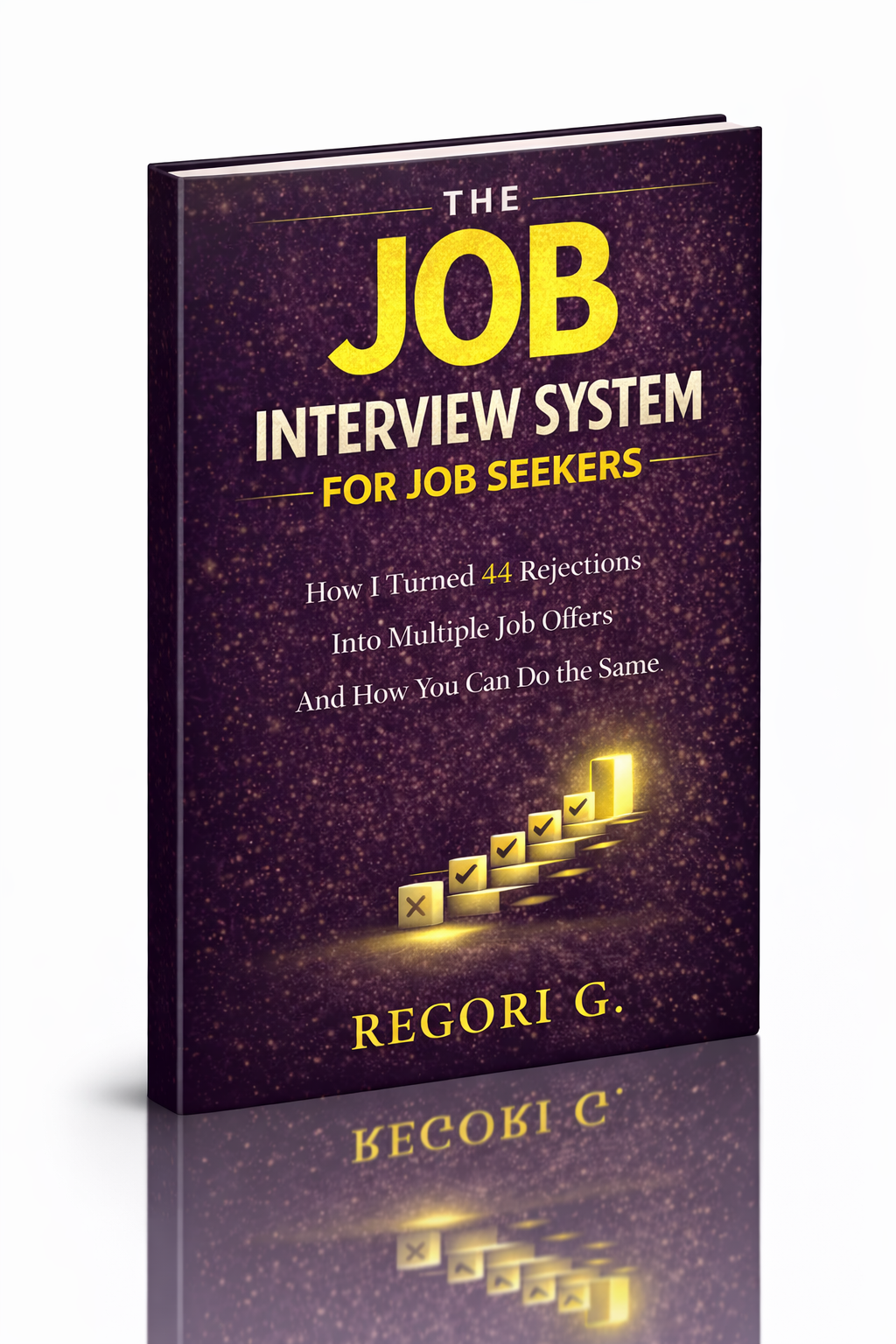
visit The Job Interview System for Job Seekers on Gumroad. A practical guide built for people who are serious about landing the job they want. For more interview guides, career tips, and job search resources, visit the Love PDF Guides home page.
Your Next Chapter
Starts with the Right Guide
Three straight-talking PDF guides to help you win interviews, beat the first 90 days and thrive as an introvert. Instant download on Gumroad.
Guide 01
The Job Interview System
Step-by-step interview prep that turns nerves into confidence.
Get it →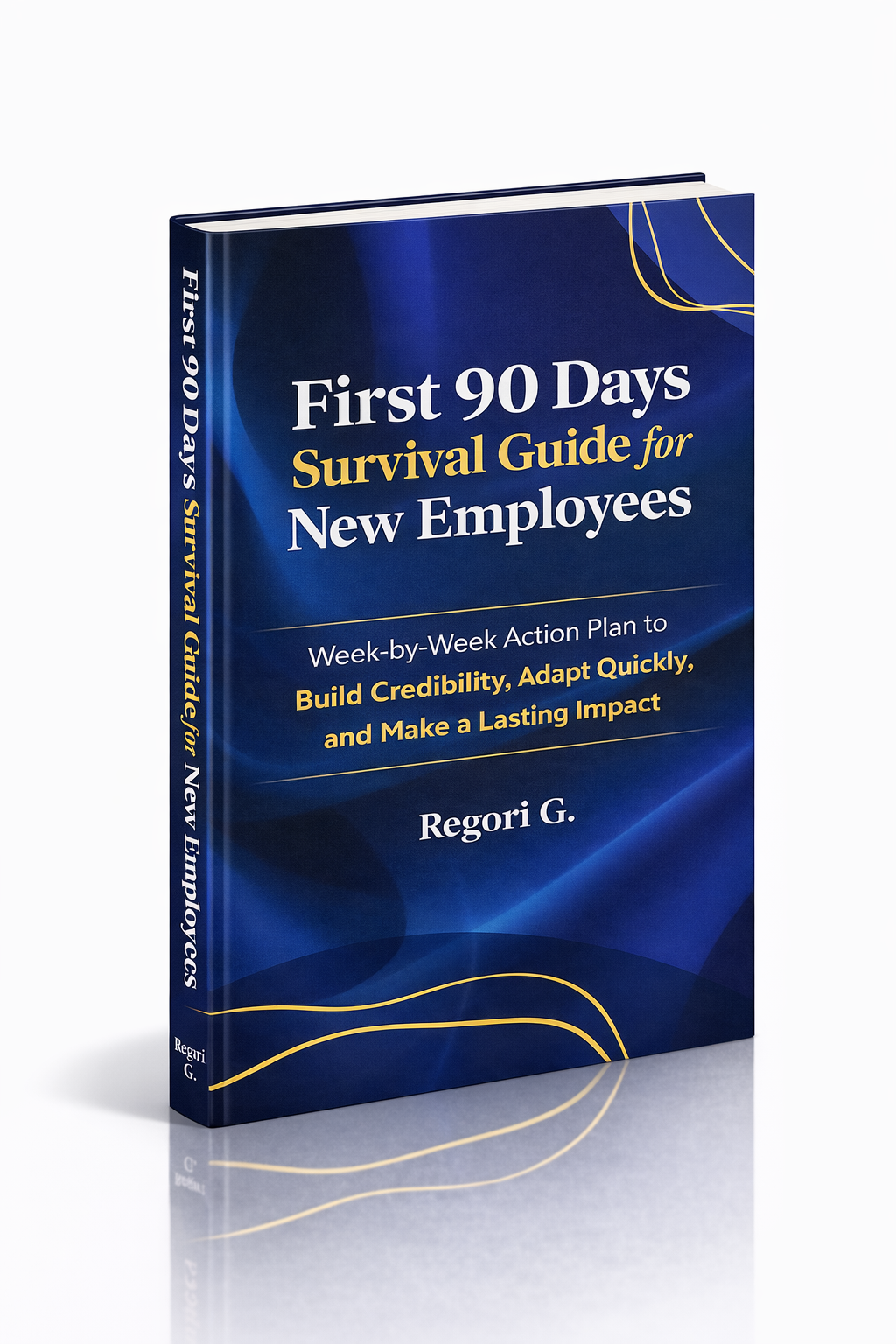
Guide 02
First 90 Days Survival Guide
Hit the ground running and make your mark from day one.
Get it →
Guide 03
Interview Success for Introverts
7 proven steps to shine in interviews — even if you hate the spotlight.
Get it →