

The 5 Interview Mistakes That Cost You the Job
What's silently killing your chances — and what top candidates do instead. Delivered instantly to your inbox.
No spam. Unsubscribe anytime. Privacy Policy & Terms
- Why "I'm a hard worker" destroys your chances
- What interviewers decide in the first 90 seconds
- How to handle tough questions with confidence
- The salary mistake almost every candidate makes
visit The Job Interview System for Job Seekers on Gumroad. A practical guide built for people who are serious about landing the job they want. For more interview guides, career tips, and job search resources, visit the Love PDF Guides home page.
How to Run a Meeting That People Actually Find Useful
Holding a meeting that is genuinely useful can turn the tide on how your team collaborates and achieves goals. Too often, meetings are seen as a waste of time. However, with the right approach, you can create gatherings that promote engagement and productivity. Here are tips to help you run effective meetings that your attendees will appreciate.
Set Clear Objectives
Every meeting should have a purpose. Before you even send out an invitation, ask yourself:
- What do I hope to achieve?
- What decisions need to be made?
- Is this meeting necessary?
Defining clear objectives will allow participants to prepare adequately and know the meeting’s focus. Share these objectives in your meeting invite so everyone is on the same page.
Invite the Right People
When setting up your meeting, consider who truly needs to be involved. Ideally, only invite those who are relevant to the topics on the agenda. Too many attendees can lead to distractions and extended discussions. Narrowing down the list encourages focused conversations.
Prepare an Agenda
An agenda is a roadmap for your meeting. It keeps things organized and helps to stay on track. Here’s how to create a useful agenda:
- List the topics to be discussed, in order of importance.
- Assign a time limit for each topic.
- Designate a leader for each agenda item to keep the discussion focused.
Share the agenda ahead of time, allowing participants to prepare their thoughts and contributions. For more tips on creating effective agendas, check out resources from Mind Tools.
Encourage Participation
A productive meeting requires active participation from attendees. Here are ways to foster engagement:
- Ask open-ended questions to stimulate conversation.
- Encourage sharing of ideas and perspectives.
- Utilize breakout sessions for smaller group discussions.
- Use tools like polls or surveys to gather opinions.
By making everyone feel included, you create an environment that nurtures creativity and collaboration.
Stick to the Schedule
Time management is crucial in a meeting. Respecting the schedule helps maintain attention and energy levels. Consider these strategies:
- Start and end on time.
- Use a timer to manage discussions within each agenda item.
- Watch for tangents and gently steer the conversation back on track.
This ensures that the meeting remains efficient and participants remain engaged.
Capture Key Takeaways
During the meeting, designate someone to take notes or even record the meeting (with consent). Key points to note include:
- Decisions made
- Action items assigned, along with deadlines
- Any follow-up necessary
After the meeting, share these notes with all participants to ensure clarity and accountability.
Feedback and Improvement
After the meeting, consider gathering feedback from participants. This helps you gauge what worked well and what can be improved. You might ask:
- Did the meeting meet your expectations?
- What can we do differently next time?
Using feedback helps create more effective meetings in the future. For a structured approach to collecting feedback, explore resources from SurveyMonkey.
Make Follow-ups a Priority
Ensure there’s a follow-up to every meeting. This can include:
- Sending out a summary of the meeting
- Checking on progress of action items
- Setting dates for the next meeting, if necessary
A consistent follow-up helps maintain momentum and ensures that decisions made during the meeting translate into actual results.
Running a meeting that people find useful is all about preparation, participation, and follow-through. By applying these practices, you can create a culture where meetings are seen as valuable arenas for collaboration rather than just an obligation.
For more insights on effective meetings, check Harvard Business Review for articles and research that can enhance your skills in this area.
Key Components of an Effective Agenda
Having a well-structured agenda is crucial for running effective meetings. It serves as a roadmap, guiding participants through the discussion and ensuring that all essential topics are covered. Here’s a look at the key components that can help you create an agenda people will find beneficial.
Purpose of the Meeting
Clearly stating the purpose at the start of your agenda sets the tone for the meeting. You want everyone attending to understand why they are there and what the expected outcomes are. Keep it simple and direct. For example, you might write, “To discuss project updates and gather feedback.”
List of Topics
Provide a detailed list of topics to be discussed. This should be organized and prioritized based on importance. Here’s an effective approach:
- Project Updates
- Budget Concerns
- Team Performance
- Client Feedback
- Next Steps
This breakdown allows everyone to have an idea of what to anticipate and prepares them to contribute meaningfully.
Time Allocation
Assign time limits to each topic in your agenda. Doing so encourages efficient discussions and keeps the meeting focused. For example:
| Topic | Time (minutes) |
|---|---|
| Project Updates | 15 |
| Budget Concerns | 10 |
| Team Performance | 15 |
| Client Feedback | 10 |
| Next Steps | 10 |
This approach keeps discussions precise and guarantees that all issues are addressed within the allotted time.
Attendees
Including a list of attendees on the agenda can help ensure that the right people are present. This allows team members to prepare adequately and encourages participation. You might consider adding the following:
- Project Lead
- Finance Officer
- HR Representative
- Marketing Manager
Preparation Requirements
Make it clear if there are any materials or data attendees need to review before the meeting. Providing this information can save time and enhance the meeting’s productivity. You could mention:
- Review last month’s meeting notes
- Prepare a project report
- Bring feedback from teams
Ground Rules
Setting ground rules at the start of the meeting will encourage respectful and productive discussions. You might consider these rules:
- No interrupting when someone else is speaking.
- Keep comments concise.
- Stay on topic.
- Use technology wisely—mute phones and notifications.
Action Items
Detailing action items at the end of your agenda prepares team members for follow-up. Clearly indicate who is responsible for each task, and set deadlines to ensure accountability. For instance:
- Prepare Budget Report – Assigned to: Jane Doe, Due: Next Monday
- Client Feedback Analysis – Assigned to: John Smith, Due: Two Weeks
These elements into your meeting agenda can dramatically increase its effectiveness. To see more resources on how to create productive agendas, check out Meeting Wizard and Atlassian’s Meeting Agenda Playbook. Using the right components ensures your meetings will not only be efficient but will also leave participants feeling their time was valued.
Engaging Participants: Strategies for Encouraging Discussion
Running a meeting that keeps participants engaged can be challenging, but it is essential for productivity and collaboration. Here are some effective strategies to encourage discussion and make your meetings more interactive:
Set Clear Objectives
Before your meeting begins, ensure that you have clear objectives. These objectives should answer the question, “What do you want to achieve by the end of the meeting?” Share these with participants in advance. When attendees understand the purpose of the meeting, they are more likely to participate actively.
Encourage Participation from the Start
Kick off the meeting by opening the floor for immediate input. This could be as simple as asking everyone to share their thoughts on the agenda or their expectations for the meeting. Engaging participants at the beginning encourages them to stay involved throughout.
Create a Safe Space for Discussion
It’s essential to foster an environment where everyone feels comfortable sharing their ideas. Acknowledge all contributions positively and encourage an open-minded atmosphere. You can implement strategies such as:
- Establishing ground rules that promote respectful dialogue
- Thanking participants for their input to reinforce active participation
- Taking the time to connect individually with quieter members, encouraging them to speak up
Use Open-Ended Questions
Questions that require more than a simple “yes” or “no” response can dramatically increase engagement. Frame your questions in a way that encourages explanation and discussion. Here are a few examples:
- “What challenges have you faced with this project?”
- “How do you think we can improve our process?”
- “Can you elaborate on your perspective regarding this topic?”
Incorporate Interactive Activities
Utilizing interactive activities can transform a passive meeting into an engaging one. Here are some activities to consider:
- Breakout Groups: Divide participants into smaller groups to discuss a specific topic before sharing with the larger group.
- Live Polls: Use online tools to conduct live polls during the meeting, allowing attendees to express their opinions anonymously.
- Brainstorming Sessions: Allow time for collective brainstorming, letting everyone contribute ideas on sticky notes or a digital board.
Visual Aids to Enhance Discussion
Visual elements such as slides, infographics, or videos can capture attention and clarify topics. Use visuals to emphasize key points and facilitate discussion. For remote meetings, consider sharing your screen to engage participants more effectively.
Follow Up After the Meeting
Once the meeting is over, send out a follow-up email summarizing key takeaways and action items. This approach shows attendees that their contributions are valued and helps keep the momentum going. Including a brief survey can also gather feedback on how to improve future meetings.
Be Mindful of Length and Timing
Long meetings can lead to disengagement. Aim to keep your meetings concise and to the point. If necessary, schedule multiple shorter sessions rather than one lengthy meeting. Respecting your participants’ time will encourage them to engage more actively.
Creating a successful meeting that encourages discussion requires thoughtful planning and execution. By setting clear objectives, fostering a safe environment, and incorporating interactive elements, you can ensure that your meetings are informative and engaging.
For further insights into meeting strategies, you can explore resources provided by the Mind Tools website. Additionally, effective facilitation tips can be found at Capterra Meeting Software for maximizing engagement in your sessions.
Remember that the ultimate goal is to create a meeting atmosphere where participants feel valued, heard, and motivated to contribute. By implementing these strategies, you will foster an environment that leads to productive discussions and successful outcomes.
The Role of Technology in Modern Meetings
In today’s fast-paced world, technology plays a pivotal role in shaping the way we conduct meetings. The integration of various tools and platforms has transformed traditional meeting formats into more dynamic, efficient, and engaging experiences. From video conferencing to smart collaboration tools, each technological advancement contributes significantly to improving communication and productivity during meetings.
Enhancing Communication Through Video Conferencing
Video conferencing tools have become essential for modern meetings, especially in a remote or hybrid work environment. Platforms like Zoom, Microsoft Teams, and Google Meet allow participants to connect seamlessly, irrespective of their location. This fosters inclusivity, as team members can engage face-to-face, promoting a sense of connection that is often missing in email exchanges.
Here are some benefits of using video conferencing in meetings:
- Real-time engagement: Participants can communicate immediately, which enhances discussion flow.
- Visual cues: Non-verbal communication, like gestures and facial expressions, can be observed, making interactions more personal.
- Accessibility: Video calls can be recorded, allowing those who missed the meeting to catch up later.
Collaboration Tools Make a Difference
Collaboration technologies such as Slack, Trello, and Asana have introduced innovative ways for teams to work together. These tools allow participants to share files, ideas, and updates in real-time, creating a collaborative environment that extends beyond the meeting itself. When combined with meeting agendas, collaboration tools ensure that discussions stay focused and productive.
Key features of collaboration tools include:
- Task Assignment: Members can assign tasks directly during meetings, increasing accountability.
- Real-Time Editing: Documents can be updated instantly, ensuring everyone is on the same page.
- Cloud Storage: Teams can access files easily, minimizing the friction of sharing important documents.
Utilizing Meeting Management Software
Meeting management software, like Fellow or Meeter, helps streamline the meeting process from scheduling to follow-up. They provide functionalities that allow users to create agendas, take notes, and assign action items, which keeps everyone focused and accountable. These programs often integrate with calendar applications, making it easier for participants to prioritize their time effectively.
Here’s why meeting management software is invaluable:
- Structured Agendas: Well-defined agendas keep meetings on track, ensuring all topics are covered efficiently.
- Action Item Tracking: Follow-up on tasks assigned during meetings becomes easier, enhancing accountability and productivity.
- Feedback Collection: Some tools enable anonymous feedback, allowing for honest evaluations of the meeting process.
Encouraging Engagement With Interactive Tools
To keep attendees engaged, leveraging interactive tools such as polls, quizzes, and brainstorming platforms can be effective. Applications like Mentimeter or Miro encourage real-time participation, making meetings more participatory. This ensures that everyone has a voice and can contribute actively, rather than just listening passively.
Ensuring Technical Readiness
While technology can enhance meetings, technical difficulties can diminish their effectiveness. Ensuring that all participants are comfortable with the technology being used is essential. Providing a brief training session or resources on how to use the tools prior to the meeting can alleviate potential issues. Additionally, having a backup plan for technology failures, such as alternative communication methods, helps ensure continuity.
Technology into meetings is not merely about embracing change; it’s about optimizing the way teams collaborate and communicate. For more on meeting tools and best practices, check out resources from Zoom, Miro, or Trello.
By understanding and utilizing the wide array of technological tools available, you can run meetings that are not only more organized but also more productive and enjoyable for all participants. Embracing these innovations can lead to significant improvements in team dynamics, project outcomes, and overall workplace satisfaction.
Time Management Tips for Productive Meetings
Running effective meetings requires mastery of time management to ensure productivity. It’s crucial to utilize your meeting time wisely, allowing all participants to engage meaningfully. Here are several actionable tips to enhance the productivity of your meetings.
Set Clear Objectives
Every meeting should have a specific purpose. Begin by defining what you wish to achieve. Whether it’s brainstorming ideas, making decisions, or updating team progress, ensure everyone understands the meeting’s objective ahead of time. You might consider sending an email with the agenda, so all participants come prepared.
Choose the Right Participants
Invite only those who are essential to the discussion. A smaller group fosters more interaction and faster decision-making. Limiting attendees also reduces distractions and keeps the focus on the key contributors. Think about who can add the most value to the meeting and ensure they are present.
Establish a Time Limit
Time constraints encourage efficiency. Set a start time and stick to it. Additionally, you could implement a timer for each agenda item. This helps keep discussions on track and within designated timeframes. Here’s a simple outline to manage your meeting time:
| Agenda Item | Time Allotted | Actual Time |
|---|---|---|
| Welcome & Objectives | 5 mins | _________ |
| Updates from Team | 20 mins | _________ |
| Open Discussion | 25 mins | _________ |
| Next Steps | 10 mins | _________ |
Use an Agenda
Creating a detailed agenda can drastically improve the structure of your meetings. List all topics that will be tackled during the meeting, allocate time for each, and share this with attendees beforehand. Having a visual guide keeps everyone aligned and ready to contribute effectively.
Encourage Participation
Fostering an inclusive environment can drive better engagement. Invite feedback, encourage questions, and allow quiet participants the opportunity to speak. You might try roundtable discussions or breakout sessions where everyone shares their thoughts. This not only enriches conversations but also enhances team collaboration.
Designate a Timekeeper
Appointing a timekeeper helps maintain focus and discipline in adhering to the agenda. This role can rotate among team members with each meeting. The timekeeper will signal when it’s time to transition to the next topic, ensuring that all agenda items are covered.
Utilize Technology
In today’s digital age, leveraging tools can lead to more productive meetings. Platforms like Zoom or Microsoft Teams facilitate remote meetings effectively. Take advantage of features such as screen sharing, meeting recordings, and chat functions to streamline communications. Check out resources on tools like Zoom or Microsoft Teams for more information.
Follow Up After the Meeting
Once the meeting concludes, distribute meeting minutes and action items. This helps clarify responsibilities and ensures that agreed-upon tasks are followed through. Set deadlines for tasks and consider using project management tools like Trello or Asana to track progress.
Reflect and Improve
Take time to evaluate the effectiveness of your meetings. After each meeting, ask for feedback from participants about what worked well and what could be improved. This reflective practice can lead to continuous improvement in how you run meetings, optimizing every interaction.
These time management tips into your meeting strategy can transform the way you conduct business discussions. By ensuring timely, inclusive, and well-structured meetings, you set the stage for productive outcomes that benefit everyone involved.
Techniques for Following Up After Meetings
After you’ve wrapped up a meeting, the real work often begins. Following up effectively is essential for keeping momentum, ensuring accountability, and making sure that everyone is on the same page. Here are several techniques that can help you follow up after meetings in a way that benefits everyone involved.
1. Send a Recap Email
One of the most straightforward ways to follow up after a meeting is to send a recap email. This provides a written record of what was discussed and what action items were assigned. Here’s how you can enhance your recap emails:
- Be Clear and Concise: Sandwiched between vital details and unnecessary chatter, a clear recap focuses only on relevant information.
- Include Key Takeaways: Summarize the main points so participants know what to highlight.
- Assign Action Items: Clearly state who is responsible for what and set deadlines. This eliminates confusion later.
- Encourage Feedback: End your email by inviting participants to share their thoughts or address any overlooked issues.
For guidance on how to write effective recap emails, you can check Forbes.
2. Use Project Management Tools
Utilizing project management software can streamline the follow-up process. Tools like Trello or Asana allow you to track tasks and keep everyone informed of progress. Benefits of using these tools include:
- Visibility: Everyone can see the status of tasks and deadlines.
- Integration: These tools often integrate with email, Slack, and other platforms, so you don’t have to switch between apps.
- Standardization: Consistent formats for updates help keep everything organized and easily readable.
For more insights on project management tools, visit Wrike.
3. Schedule Follow-Up Meetings
Depending on the complexity of your discussions, scheduling a follow-up meeting can be very effective. This gives teams a chance to assess progress, address challenges, and brainstorm solutions together. To make these meetings valuable:
- Limit the Agenda: Focus only on topics related to the action items from the previous meeting.
- Set a Time Limit: Keep the meeting short and focused to maximize participation.
- Use a Reliable Meeting Platform: Ensure that the platform is user-friendly. Tools like Zoom or Microsoft Teams are popular choices.
4. Use Visual Aids
Visual aids into your follow-up communications can greatly enhance understanding. Consider using:
- Infographics: Summarize complex information visually.
- Charts and Graphs: Ideal for presenting progress in an easily digestible format.
- Flowcharts: Outline processes that stemmed from the meeting discussions.
For tips on creating impactful infographics, check out Venngage.
5. Continuous Learning
Following up is not just about accountability; it’s also about continuous improvement. Ask participants for feedback on the meeting itself. Here are a few questions to consider:
- What did you find most valuable during the meeting?
- Were there any points that needed further clarification?
- How can we improve future meetings?
This will also foster a culture of openness and collaborative spirit within your team, enhancing engagement in future discussions.
6. Track Progress
Regularly tracking progress on assigned tasks is vital. Create a follow-up schedule that checks in on the action items at specific intervals, keeping everyone accountable and engaged.
Refer to Mind Tools for additional strategies for effective meetings and follow-ups.
Implementing these techniques can help ensure that your meetings lead to actionable outcomes and keep your team aligned. By fostering effective communication post-meeting, you not only strengthen teamwork but also enhance productivity.
Evaluating Meeting Success: Metrics and Feedback
Evaluating the success of meetings is crucial for any organization looking to maximize productivity and enhance collaboration. To understand how useful your meetings are, it’s paramount to track specific metrics and gather meaningful feedback. This combination will provide insights that can drive future improvements.
Key Metrics for Meeting Evaluation
Measuring meeting success involves analyzing a variety of quantitative and qualitative metrics. Below are some critical areas to focus on:
- Attendance Rate: Measure how many invitees actually attend the meeting compared to how many were invited. Aim for a high attendance rate, as this reflects engagement with the meeting’s purpose.
- Time Spent: Track the duration of your meetings. Reviewing whether you stick to the scheduled time helps assess if discussions are effective or if they are veering off-topic.
- Action Items: Keep a record of action items generated during the meeting. Assess whether those tasks are completed on time to evaluate the meeting’s effectiveness in driving accountability.
- Follow-up Feedback: Immediately after meetings, solicit feedback through a quick poll or survey to gauge participant satisfaction and gather suggestions for improvement.
Gathering Participant Feedback
Feedback from participants is invaluable for measuring the effectiveness of meetings. Here are some effective ways to gather this feedback:
- Surveys: Create short anonymous surveys to assess participants’ views on the meeting’s content, duration, and organization. Tools like SurveyMonkey can streamline this process.
- One-on-One Conversations: Taking the time to speak with key participants individually can provide deeper insights that surveys might miss. Use these discussions to discover unfiltered thoughts about your meeting style.
Analyzing Feedback and Making Improvements
Once you’ve collected data and feedback, consider how to interpret this information meaningfully. It’s not just about gathering data; understanding it is essential.
Begin by categorizing the feedback. For example, comments about meeting structure, content, or leadership can provide a clear picture of the strengths and weaknesses in your meeting strategy. Use a simple three-point scoring system:
| Score | Description |
|---|---|
| 1 | Poor – Major changes are needed. |
| 2 | Average – Some improvements could enhance effectiveness. |
| 3 | Excellent – The meeting was highly productive and effective. |
Evaluate this feedback holistically. If the majority scores your meetings as “2” or “1,” focus on making specific improvements, such as better agenda setting or more engaging presentations.
Implementing Change
After evaluating metrics and feedback, take actionable steps to enhance your meeting effectiveness. This may include:
- Refining Agendas: Share meeting agendas in advance and stick to them to keep discussions focused.
- Encouraging Participation: Open the floor for questions and stimulate conversation to make participants feel valued and engaged.
- Following Up: After each meeting, send follow-up emails summarizing discussions, key decisions made, and action items assigned.
For further insights into improving meeting effectiveness, consider exploring resources such as MindTools or Harvard Business Review.
Evaluating meeting success involves a systematic approach of measuring attendance, gathering feedback, analyzing comments, and implementing changes. By prioritizing these elements, you can ensure meetings are not just routine gatherings, but productive sessions that contribute to your organization’s goals.
Key Takeaway:
Running a meeting that people actually find useful involves a blend of preparation, engagement, and follow-up that ensures participants leave feeling informed and valued. Here are some key takeaways based on essential components for conducting effective meetings.
Firstly, the foundation of a productive meeting lies in crafting an effective agenda. A well-structured agenda clearly outlines the purpose and objectives, which helps keep discussions focused. Specific topics should be assigned time allocations, so everyone is aware of the pacing and expectations. This ensures that all critical points are covered without running over time or digressing into unrelated topics.
Engaging participants is crucial in making meetings beneficial. Encourage discussion by implementing strategies such as asking open-ended questions and inviting insights from everyone. Creating a comfortable atmosphere where participants feel safe to share their thoughts is vital. Use small group discussions or brainstorming sessions to foster interaction, ensuring all voices are heard.
In our tech-driven world, technology plays a significant role in enhancing meeting effectiveness. Tools like video conferencing apps, collaborative software, and document-sharing platforms streamline communication and accessibility. Utilizing technology wisely can facilitate real-time feedback and create a more engaging meeting experience.
Time management is paramount. Determining how long to spend on each topic prevents meetings from dragging on unnecessarily. Start and end on time, respecting everyone’s busy schedules. This demonstrates efficiency and encourages participants to be punctual while fostering a culture of respect for each other’s time.
Following up after meetings allows for reinforcement of key points discussed. Sending out meeting minutes, action items, or even a summary helps keep the momentum going and ensures that agreed-upon tasks are completed. It also shows participants that their contributions matter and that you value their input.
Evaluating meeting success through metrics and feedback helps refine your approach for future gatherings. By soliciting participants’ opinions about what worked and what didn’t, you can make informed changes that enhance the value of future meetings. these elements not only elevates the quality of discussions but also fosters a culture that values collaboration, ultimately leading to more productive outcomes.
Conclusion
Running a meeting that people actually find useful requires careful planning, active engagement, and a commitment to continual improvement. By establishing a clear agenda, you set the stage for focused discussions that directly address important topics. Engaging participants is essential; create an atmosphere where everyone feels comfortable sharing their thoughts. Utilize strategies like open-ended questions and breakout discussions to foster participation, making the meeting feel more collaborative and less routine.
Today’s technology plays a crucial role in enhancing the meeting experience. Use tools that facilitate collaboration and streamline communication, ensuring that every participant can contribute meaningfully, whether they are in the room or attending remotely. Equally important is effective time management. Start and end your meetings on time, and allocate specific durations to each agenda item to keep the discussions productive and on track.
Following up after the meeting can be the difference between a discussion and actionable outcomes. Send out summaries, key takeaways, and assigned tasks promptly to maintain momentum. evaluating the success of your meetings through metrics and feedback from attendees helps you understand what works and what needs improvement. By continually refining your approach, you’ll make your meetings more engaging and productive, ensuring that attendees leave with a sense of value and clarity. Remember, the goal is to create an environment where discussions translate into actionable insights that benefit everyone involved.
Your Next Chapter
Starts with the Right Guide
Three straight-talking PDF guides to help you win interviews, beat the first 90 days and thrive as an introvert. Instant download on Gumroad.

Guide 01
The Job Interview System
Step-by-step interview prep that turns nerves into confidence.
Get it →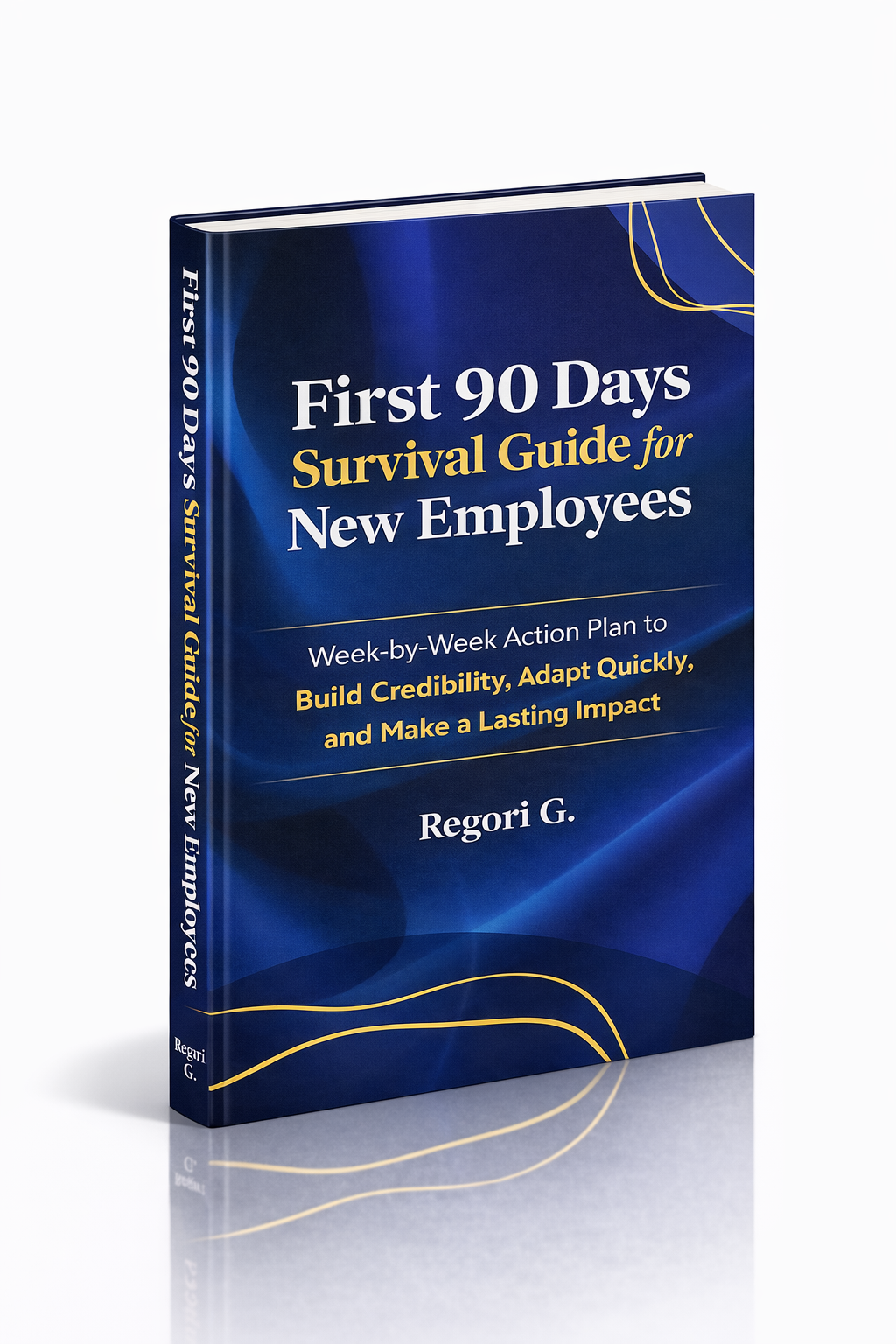
Guide 02
First 90 Days Survival Guide
Hit the ground running and make your mark from day one.
Get it →
Guide 03
Interview Success for Introverts
7 proven steps to shine in interviews — even if you hate the spotlight.
Get it →