

The 5 Interview Mistakes That Cost You the Job
What's silently killing your chances — and what top candidates do instead. Delivered instantly to your inbox.
No spam. Unsubscribe anytime. Privacy Policy & Terms
- Why "I'm a hard worker" destroys your chances
- What interviewers decide in the first 90 seconds
- How to handle tough questions with confidence
- The salary mistake almost every candidate makes
How to Use LinkedIn Notifications to Stay on Your Network’s Radar
LinkedIn has grown from a simple job-hunting platform into a powerful networking tool, making it essential for professionals looking to maintain relationships and create new opportunities. One of the most underutilized features of LinkedIn is its notifications, which can be a game-changer in keeping you on your network’s radar. Understanding how to effectively use these notifications can enhance your engagement and relationships within your professional network.
Understanding LinkedIn Notifications
LinkedIn notifications inform you about significant updates and activities of your connections. These updates may include:
- Connection requests
- Milestones and work anniversaries
- Job changes and promotions
- Comments and likes on your posts
- Interaction with shared content
By paying attention to these notifications, you can engage meaningfully with your network and stay relevant in their professional lives.
Engaging with Notifications
When you receive a notification, it’s a golden opportunity to reach out and engage. Here are some strategies to make the most of these notifications:
- Congratulate Connections: When you see that someone in your network just landed a new job, send a quick message congratulating them. This gesture shows that you’re paying attention and care about their success.
- Engage with Content: If a connection shares an article or post, take a moment to comment or share your thoughts. This interaction not only keeps you on their radar but also adds value to your relationship.
- Attend Events: Notifications often provide information on professional events hosted by your connections. Joining these events can strengthen your professional ties.
Setting Up Notifications
To leverage notifications effectively, ensure you have them set up correctly. Here’s how you can customize your LinkedIn notifications:
- Log in to LinkedIn and navigate to Settings & Privacy.
- Select the Communications tab.
- Under Notification settings, you can choose what types of notifications you want to receive.
By tailoring notifications to suit your preferences, you’ll receive updates that matter most to you, ensuring you don’t miss essential information.
Using Notifications for Networking
Notifications can serve as effective conversation starters. Here’s how you can use them to network effectively:
| Notification Type | Actionable Response |
|---|---|
| Job Change | Send a congratulatory message and inquire about their new role. |
| Content Engagement | Comment on their post or share with a personalized message. |
| Milestones | Celebrate with a quick note or give a thumbs-up on their post. |
| Event Invites | RSVP and engage in discussions before and after the event. |
These actions demonstrate that you are engaged and interested in your connections’ lives, establishing a deeper relationship over time.
Keeping Your Profile Active
Regularly engaging with notifications prompts you to keep your LinkedIn profile active as well. An active profile will attract more notifications, leading to increased interactions. Share relevant articles, engage in discussions, and post updates about your professional journey. The more active you are, the more your connections will pay attention to you.
Final Thoughts
Using LinkedIn notifications effectively is a simple yet powerful way to ensure you stay visible in your network. By personalizing your notifications, engaging thoughtfully, and being active in your professional life, you will develop lasting connections. Remember that networking is a two-way street; the more you engage, the more likely others will think of you for opportunities.
For further information on elevating your LinkedIn game, consider checking out LinkedIn Help Center for tips and guides to optimize your networking strategy. Another resource is HubSpot, where you can find various articles on digital marketing and social networking.
Engaging with Connections: The Power of Timely Responses
Staying connected with your network on LinkedIn can significantly contribute to your professional growth and opportunities. One effective way to maintain these connections is through timely responses to notifications. Engaging promptly with your connections not only shows your attentiveness but also helps in sustaining valuable relationships. Here’s how you can leverage notifications from LinkedIn to keep your presence felt and stay relevant in your network.
Every time someone in your network makes a new post, shares a significant milestone, or even changes job positions, LinkedIn sends you notifications. These updates provide an excellent opportunity to interact meaningfully:
- Comment on Posts: When connections share their achievements or insights, take a moment to comment. A thoughtful comment can show genuine interest and foster deeper relationships.
- Send a Message: If someone just landed a new job, consider sending them a congratulatory message. This personal touch creates a memorable interaction.
- Share Their Content: If you find a connection’s post enlightening, share it with your audience. Acknowledging their contributions increases your visibility and strengthens your bond.
Another key aspect of engagement is the speed at which you respond. Quick answers to messages or comments can enhance your reputation as an engaged member of your network. Here are some benefits of being timely:
- Increases Visibility: Quick responses ensure you stay on top of your connections’ minds. They’re likely to think of you in future job opportunities or collaborations.
- Builds Trust: Regular, timely interactions can establish you as a reliable contact within your professional circle.
- Paves the Way for Future Opportunities: When you engage actively, you increase the chances of others reaching out for advice, partnerships, or information.
To make the most of your LinkedIn notifications, set aside time each day to check for updates. This doesn’t have to be a long process; a few minutes dedicated to engaging with your network can yield significant results. Consider using a notification schedule, such as:
| Time of Day | Activity |
|---|---|
| Morning | Check notifications and respond to new posts or messages. |
| Afternoon | Engage with connections by commenting or sharing their content. |
| Evening | Follow up on any ongoing conversations. |
Engagement goes beyond just liking a post. Asking questions or initiating conversations can be especially impactful. When someone shares an article, instead of merely liking it, ask what insights they gained from it. This not only stimulates conversation but also enriches your professional relationship.
Another effective strategy is to personalize your engagement. When you comment or send messages, adding a personal touch can strengthen your connections. Here are some personalization tips:
- Use their name when addressing them.
- Reference specific points they mentioned in their posts to demonstrate your attention.
- Relate your experiences briefly to create a connection.
It’s also vital to be strategic about your engagement. Instead of spreading yourself thin across multiple connections, focus on a select group of key individuals that you would like to work with or learn from. This targeted approach ensures meaningful interactions without overwhelming you.
Moreover, keep an eye on your notifications regularly. Occasionally, LinkedIn might notify you of updates that might not seem relevant but may hold exciting opportunities. This could include job openings, group discussions, or industry news that align with your interests. By keeping an updated profile and engaging with posts and articles, you effectively position yourself as a thought leader within your domain.
Using LinkedIn notifications to engage proactively with your connections is a powerful strategy to remain on their radar. By being timely in your responses and creating meaningful conversations, you cultivate relationships that can lead to future opportunities.
For more on the importance of networking on LinkedIn, check out LinkedIn Help for tips on effective engagement and connection management.
Leveraging Content Sharing for Increased Visibility
In today’s digital world, sharing content effectively can significantly boost your visibility. When you leverage the power of social media, especially platforms like LinkedIn, you create opportunities for engagement and connection that can lead to successful networking. Understanding how to share content correctly is key to enhancing your online presence while establishing credibility in your industry.
One powerful way to engage your audience is by sharing relevant articles, blog posts, or even quick status updates that reflect your insights. Each share you make has the potential to reach broader audiences, helping you stay in touch with your network and attracting new connections.
Why Content Sharing Matters
Effective content sharing allows you to showcase expertise, drive interaction, and build a community around your professional persona. Here are a few benefits:
- Increased Reach: Every piece of content you share can be seen by your connections and their connections, expanding your visibility.
- Enhanced Credibility: By sharing valuable content, you position yourself as an authority in your field.
- Stronger Connections: Engaging with your network shows that you value their insights and contributions.
Strategies for Sharing Content on LinkedIn
When sharing content, consider these advanced strategies to maximize your profile’s reach:
Curate High-Quality Content
Select articles, infographics, or videos that add real value to your audience. Resources like Forbes and Harvard Business Review offer insightful articles you can share with your network, providing them with useful information and insights.
Utilize Visuals
People are generally more attracted to visuals. Use images, infographics, or even videos when sharing. Posts with visuals are often shared more, enhancing your engagement levels. Data from Buffer suggests that posts with visuals receive 94 percent more views than those without.
Engage Actively
Don’t just share; engage! Ask questions or encourage comments when you post. This not only boosts interaction but also helps you to gauge what resonates with your audience. Prompting discussions can lead to deeper connections within your network.
Best Times to Share Content
Sharing your content at optimal times can significantly impact visibility. Here’s a table of suggested sharing times, according to research from LinkedIn and other studies:
| Day | Best Time (EST) |
|---|---|
| Tuesday | 10 AM – 12 PM |
| Wednesday | 12 PM – 2 PM |
| Thursday | 10 AM – 12 PM |
| Friday | 10 AM – 12 PM |
Use Hashtags Wisely
Hashtags help categorize your content and make it discoverable. Use relevant hashtags related to your industry or the topic of the content you share. Tools like Hashtags.org can assist you in finding trending hashtags.
Monitor Engagement Metrics
After sharing, keep a close eye on how your audience is engaging with your content. Monitor likes, shares, comments, and overall views. This feedback will guide your future sharing strategies, allowing you to fine-tune what works best for your audience.
Sharing Personal Insights
Your unique perspective adds depth to shared content. Don’t shy away from sharing personal experiences or lessons learned as you share articles. Combine your own thoughts with the curated content to provide a richer context and strengthen your connection with your audience.
Staying on your network’s radar requires intentional effort. By thoughtfully sharing content that adds value, engaging with your audience, and monitoring your impact, you successfully leverage content sharing to increase visibility within your professional network. Embrace this practice not only to enhance your online presence, but to become a trusted voice in your field.
How to Craft Meaningful Comments on Your Network’s Updates
Engaging with your network on LinkedIn is crucial for building relationships and expanding your reach within your professional community. One of the most effective ways to achieve this is by crafting meaningful comments on your network’s updates. Thoughtful comments can help you stand out, foster connections, and even create opportunities for collaboration.
Understanding the Value of Comments
Every time someone shares an update, they are inviting engagement from their network. Comments provide a platform to express your thoughts, opinions, and insights. When you comment meaningfully, you demonstrate that you value the person’s content and perspective. This can strengthen your relationship and keep you on their radar. Here are several benefits of leaving thoughtful comments:
- Showcases Your Expertise: Sharing knowledgeable insights can position you as a thought leader in your industry.
- Encourages Interaction: Thoughtful comments invite further discussion, enhancing your visibility within your network.
- Builds Relationships: Expressing genuine interest in a friend’s or colleague’s post can foster deeper connections.
How to Craft Meaningful Comments
Here are some proven strategies to help you write comments that resonate:
- Be Authentic: Your comment should reflect your true thoughts and personality. Authenticity builds trust.
- Ask Questions: Engaging with questions encourages the post owner and others to respond, deepening the conversation.
- Share Related Experiences: By adding personal anecdotes relevant to the update, you create a richer dialogue.
- Acknowledge Achievements: If the update highlights a success or milestone, recognize it. Celebrate others’ achievements to strengthen bonds.
- Offer Constructive Feedback: If appropriate, provide suggestions or insights that can add value. Just ensure your feedback is positive and respectful.
Examples of Meaningful Comments
To help you envision how these strategies can be effectively utilized, consider these examples:
- On a post about a recent project launch: “Congratulations on the successful launch! I really appreciate the insight you shared regarding your approach to stakeholder engagement. It’s definitely something I can incorporate into my future projects.”
- On a post discussing industry trends: “Great points about AI integration in our field! I recently worked on a project that utilized AI for data analysis, and I noticed similar patterns. Have you also experienced challenges in adaptation?”
- In response to a colleague’s achievement: “Fantastic news about your promotion! Your dedication is inspiring, and it’s great to see your hard work recognized. What’s been your most valuable lesson through this journey?”
Maintaining Consistency
Consistency is key to staying engaged with your network. Here are some methods to keep you on track:
- Set a Schedule: Allocate specific times during the week to engage on LinkedIn, ensuring that commenting becomes a habit.
- Use Notifications: Turn on notifications for important connections so you don’t miss their updates.
- Prioritize Your Connections: Focus on comments for posts from individuals whose work you respect and want to support.
Tools to Enhance Your Commenting Strategy
Consider utilizing certain tools to streamline your commenting process:
- LinkedIn Alerts: Use LinkedIn’s notification features to stay updated on your connections’ activities.
- Engagement Tracking: Tools like Buffer can help you manage post engagement and track interactions.
By investing time to write thoughtful comments, you build rapport and strengthen your professional network. Each comment is an opportunity to engage and extend your influence. Engage with authenticity, contribute value, and watch your network flourish.
For more insights on networking and engagement strategies, check out Forbes and Hootsuite.
Utilizing LinkedIn Groups for Enhanced Networking Opportunities
LinkedIn Groups present invaluable opportunities for networking and professional growth. By actively engaging in these groups, you can connect with industry peers, share insights, and establish yourself as a thought leader. Here’s how you can make the most out of your LinkedIn Groups.
Identifying Relevant Groups
Finding the right groups tailored to your interests, profession, or industry is the first step towards enhanced networking. Start by:
- Using specific keywords related to your industry in the LinkedIn search bar.
- Exploring group recommendations based on your connections and interests.
- Checking the group size and activity level to ensure a vibrant community.
Engaging in Meaningful Discussions
Active participation is key to gaining visibility. Here’s how you can engage meaningfully:
- Ask Questions: Initiate discussions by posing thought-provoking questions. This invites responses and demonstrates your interest in others’ opinions.
- Share Valuable Insights: Post articles, infographics, or videos that provide value to group members. Ensure the content is relevant to their interests.
- Comment on Others’ Posts: Take the time to read and comment on other people’s posts. This not only shows your engagement but also helps build relationships.
Building Your Brand
LinkedIn Groups are an excellent platform for self-promotion when done tactfully. Here are some strategies to consider:
- Update Your Profile: Ensure your LinkedIn profile is up to date and reflects your professional journey accurately.
- Showcase Your Expertise: Use the opportunity to share your achievements or industry knowledge without overtly selling yourself.
- Connect with Group Members: After interacting with members in the group, consider sending connection requests with a personalized note highlighting your discussions.
Networking with Intent
While participation is crucial, networking should be strategic. Keep these points in mind:
- Follow Up: After meaningful interactions, follow up with a connection request or private message to deepen the relationship.
- Attend Group Events: Many groups host webinars, meetups, or conferences. Participate in these to expand your network further.
- Be Professional: Maintain professionalism in all communications. This fosters a respectful atmosphere and enhances your credibility.
Using Group Features
LinkedIn Groups come with features that can enhance your networking experience:
- Polls: Create polls to encourage interaction on various topics. This not only garners engagement but also shows your leadership.
- Events: Utilize the events feature to promote any gatherings or webinars you’re hosting or participating in.
- Resources Section: Many groups have a resources section where you can share valuable files or documents related to your industry.
Maintaining a Consistent Presence
To remain on your network’s radar, consistency is key. Aim to participate regularly, whether it’s daily or weekly. Set aside time for:
- Daily check-ins to respond to posts and comments.
- Weekly content sharing to provide continuous value.
- Monthly evaluations of group participation to ensure you are benefiting from your involvement.
Measuring Your Success
Assessing the impact of your LinkedIn Group involvement is essential:
- Engagement Metrics: Track likes, comments, and shares on your posts to gauge interest.
- Connection Growth: Monitor new connections stemming from your group interactions.
- Opportunities Created: Evaluate if participation leads to job offers, freelance work, or collaborations.
Leveraging LinkedIn Groups can significantly boost your networking opportunities. By identifying relevant groups, engaging purposefully, maintaining consistency, and measuring your success, you foster meaningful relationships that can lead to professional growth.
For more information on enhancing your LinkedIn networking skills, check out LinkedIn’s official blog or Harvard Business Review for tips on effective networking strategies.
Best Practices for Managing Your LinkedIn Notifications
LinkedIn is a powerful platform for professionals, and managing your notifications effectively can keep you connected with your network and engaged with industry updates. Here are best practices for managing your LinkedIn notifications to maximize your presence on the platform.
Stay Updated on Important Connections
Logging into LinkedIn regularly is essential to maintain your network. Notifications alert you about your connections’ activities, such as job changes, work anniversaries, and new connections. These updates help you to reach out and congratulate them, thereby strengthening your relationships. Make a habit of reviewing notifications at least once a day to stay on top of your network’s movements.
Customize Your Notification Preferences
LinkedIn allows you to tailor your notification settings. You can choose what type of alerts you receive. Follow these steps to customize your notifications:
- Go to your LinkedIn settings.
- Select the “Communications” tab.
- Adjust notifications for messages, connections, activities, and more.
Customizing these settings helps you prioritize what matters most and reduces unnecessary distractions.
Utilize Notifications for Engagement
Notifications provide excellent opportunities for engagement. When you receive an alert about a connection’s article, comment, or post, take a moment to interact. Commenting or liking shows you value their contributions. This can lead to deeper conversations and can enhance your visibility within your network.
Respond Promptly to Messages
Responding to messages quickly is vital in maintaining active connections. When you receive a notification about a message, try to reply within 24 hours. This shows your connections that you value their input and are interested in what’s happening in their professional lives. If you’re busy, consider setting aside specific times each day to check and respond to messages.
Monitor Job Alerts and Industry News
LinkedIn notifications can also keep you informed about job opportunities and industry news. Turn on alerts for job postings in your field to capitalize on potential openings. This can be key for both job seekers and those looking to stay informed about their industry trends. Set reminders for when best to check these alerts, perhaps weekly or bi-weekly, to streamline your job search process.
Use Notification Insights for Networking
Leveraging notification insights can enhance your networking strategy. If several notifications mention a specific individual or subject, it may indicate a trending topic or connection worth exploring further. Engage with that content and consider reaching out to those involved.
Take Note of Event Invitations
LinkedIn often sends notifications regarding upcoming events in your field. Engaging in webinars, seminars, and conferences can be immensely beneficial. Not only does it expand your knowledge, but it also enhances your network. Keep an eye on these invitations and mark your calendar to ensure you participate.
Consider Using LinkedIn Premium
Investing in LinkedIn Premium can enhance your notification experience. Premium members receive more detailed insights about who’s viewed their profile and can initiate more messages with members outside their network. This can lead to better outreach opportunities and feedback. Check [LinkedIn Premium](https://www.linkedin.com/premium) for details on available features.
Regularly Clean Up Your Connections
It’s essential to maintain a curated network. From time to time, review your connections. If certain connections are not engaging with your updates or vice versa, consider unconnecting. Fewer but more meaningful connections often yield better engagement and networking opportunities.
Utilize Third-Party Tools
If managing LinkedIn notifications starts to overwhelm you, consider using third-party tools that can help you streamline your activities. Tools like [Hootsuite](https://www.hootsuite.com) can help manage multiple social media accounts, including scheduling posts and monitoring activity. This can make it easier to keep your LinkedIn profile active without constant manual checking.
By implementing these best practices, you can use LinkedIn notifications effectively to remain on your network’s radar while also establishing meaningful connections. Monitoring your notifications and actively engaging with your connections can significantly enhance your professional presence on LinkedIn.
Strategies for Personalizing Your Outreach on LinkedIn
When engaging on LinkedIn, personalizing your outreach can significantly improve your networking success. A tailored approach helps you stand out in a sea of generic messages. Personalizing your outreach not only increases the chances of a positive response, but it also helps build lasting professional relationships. Here are some effective strategies to make your outreach on LinkedIn more personal and impactful.
Create a Strong Profile
Your LinkedIn profile should be polished and professional. Including a clear profile picture and an informative summary will set the stage for meaningful conversations. Consider these elements to enhance your profile:
- Professional Photo: A high-quality image builds trust.
- Compelling Headline: Go beyond your job title. Include your expertise or how you help others.
- Detailed Summary: Share your journey, values, and what you can offer.
- Skill Endorsements: Highlight your top skills to showcase your expertise.
Research Your Connections
Before reaching out, take time to research potential connections. Understanding their background can help you tailor your message more effectively. Use the following steps:
- Check Their Profile: Note mutual connections, interests, and accomplishments.
- Read Their Posts: Engaging with your prospects’ content helps you gain insights into their views.
- Look for Commonalities: Identify shared interests or experiences to foster stronger bonds.
Customize Your Message
Generic messages can feel insincere. Instead, craft thoughtful outreach messages that reflect your research. Here’s how to do it effectively:
- Start with Their Name: Always address your connection by name to add a personal touch.
- Mention Common Ground: Reference mutual connections or shared interests that can open a dialogue.
- Ask Open-Ended Questions: Stimulate discussion by posing thoughtful questions based on their profile.
- Share Value: Explain how connecting can be beneficial for them, not just for you.
Engage with Content
One of the best ways to show you’re interested in your network is by engaging with their content. Here are some ways to do it:
- Comment Thoughtfully: Post insightful comments on your connections’ articles and posts to show genuine interest.
- Share Their Content: Amplify their messages and provide your insights or opinions.
- Send a Message after Engagement: Reference your comment in a message to strengthen your connection.
Follow Up Strategically
After your initial outreach, don’t hesitate to follow up. A well-timed follow-up shows that you’re serious about building a connection.
- Wait a Week: Give them time to respond before following up.
- Be Respectful: Keep your tone friendly and open in your follow-up messages.
- Reiterate Benefits: Remind them of the value you can bring to their network.
Use LinkedIn Features
LinkedIn offers several features that can enhance your outreach efforts. Utilize the following tools:
- LinkedIn Groups: Join groups relevant to your industry and engage actively.
- InMail: Use this feature for personalized messages, especially if you don’t have a mutual connection.
- LinkedIn Stories: Share updates about your professional life, encouraging engagement from your network.
By implementing these strategies, you’ll not only enhance your outreach efforts but also strengthen your professional relationships on LinkedIn. Remember, the goal is to be genuine, engaging, and responsive. Personalization is key to staying on your network’s radar and fostering meaningful connections.
For more insights on networking and personal branding, visit Forbes and HubSpot.
Key Takeaway:
In today’s interconnected world, utilizing LinkedIn notifications effectively can elevate your professional networking and establish a robust online presence. The key takeaway from this article is that staying on your network’s radar requires proactive engagement and thoughtful interaction, supported by strategic content sharing and personalized outreach.
First and foremost, responding to LinkedIn notifications promptly helps you maintain meaningful connections. When a colleague or an acquaintance celebrates a work anniversary or shares a professional accomplishment, taking a moment to respond can make a significant difference. Not only does it demonstrate your attentiveness, but it also shows your willingness to support and engage with them, reinforcing your relationship.
Additionally, sharing relevant content can substantially increase your visibility among your network. When you share industry news, insights, or your achievements, it opens the door for others in your network to engage with you, fostering conversations. Engaging with the content your connections post and offering meaningful comments can further solidify your presence. It’s crucial to craft comments that add value, convey your thoughts, or ask insightful questions, as this encourages deeper interactions.
Participating in LinkedIn groups is another effective way to enhance your networking opportunities. Groups allow you to connect with like-minded professionals and engage in discussions that elevate your profile within your niche. By being active in these communities, you can showcase your expertise and connect with members who share common interests.
Managing your LinkedIn notifications efficiently is vital for capitalizing on the platform’s features. Regularly reviewing your notifications allows you to stay updated about your network’s activities without feeling overwhelmed. personalizing your outreach when connecting with new people fosters a more genuine relationship. Instead of sending generic connection requests, take the time to leave a customized note that highlights your interest in their work.
To stay on your network’s radar, be proactive, engage earnestly, share valuable content, and personalize your interactions. By implementing these strategies, you can nurture meaningful connections that benefit both your career and your network.
Conclusion
Successfully navigating your LinkedIn network hinges on how well you use notifications to stay engaged and visible. By promptly responding to messages and comments, you show your connections that you value their interactions, which strengthens your relationships. Sharing relevant content not only expands your reach but also positions you as a knowledgeable member of your industry.
Crafting meaningful comments on your network’s updates fosters genuine conversations and highlights your expertise, making you a familiar name to others. Participating in LinkedIn groups opens doors to new connections and networking opportunities, allowing you to engage with like-minded professionals who share common interests.
Managing your notifications effectively is essential for staying organized and responsive. Adjust settings to filter out noise so you can focus on important updates that matter most. Personalizing your outreach adds a touch of authenticity to your communications, making your connections feel valued and appreciated.
By applying these strategies, you will not only stay on your network’s radar but also cultivate long-lasting professional relationships. Active engagement and thoughtful interactions create a robust LinkedIn presence, leading to greater opportunities and growth in your career. Make the most of LinkedIn notifications to nurture your connections and elevate your professional brand.
visit The Job Interview System for Job Seekers on Gumroad. A practical guide built for people who are serious about landing the job they want. For more interview guides, career tips, and job search resources, visit the Love PDF Guides home page.
Your Next Chapter
Starts with the Right Guide
Three straight-talking PDF guides to help you win interviews, beat the first 90 days and thrive as an introvert. Instant download on Gumroad.
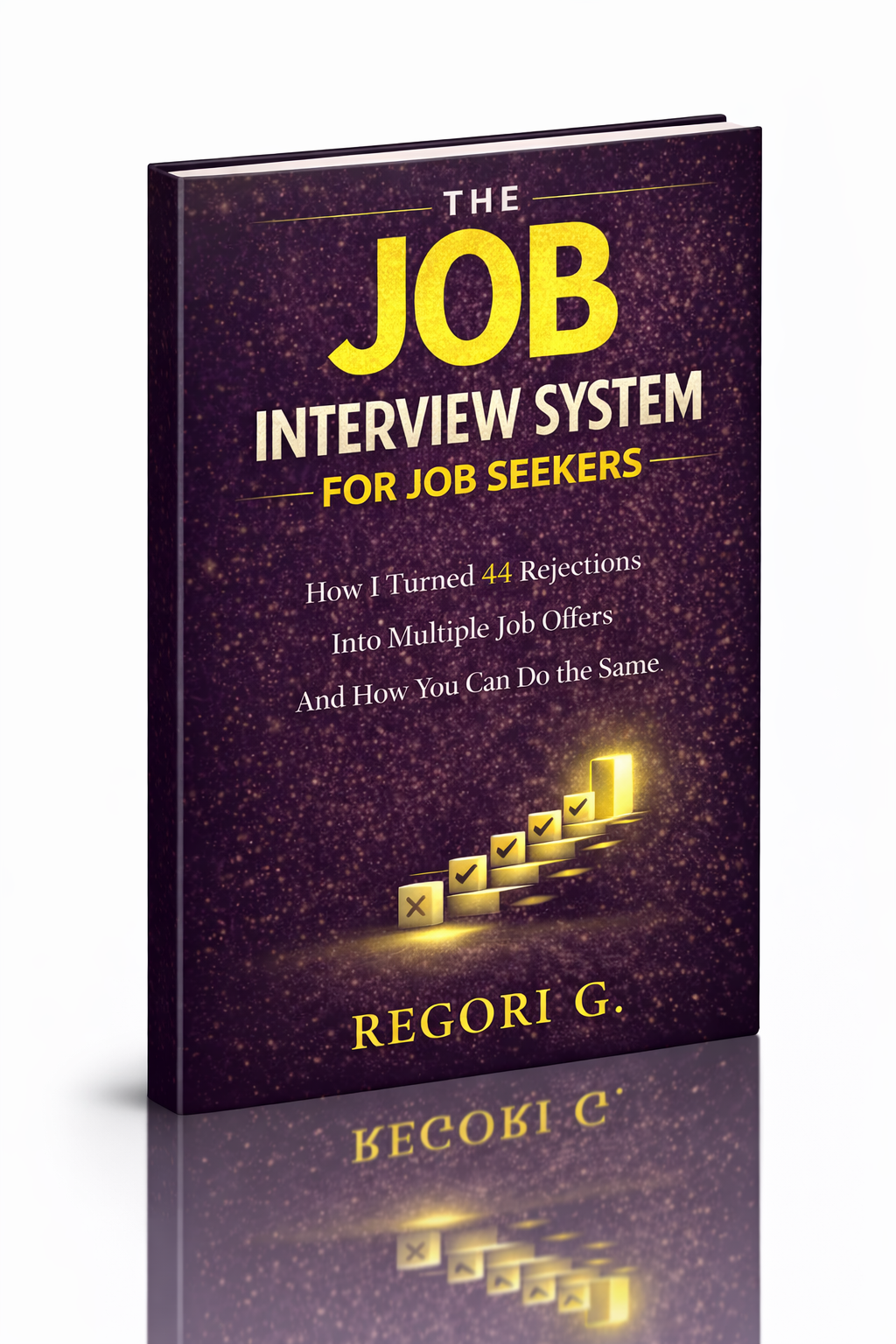
Guide 01
The Job Interview System
Step-by-step interview prep that turns nerves into confidence.
Get it →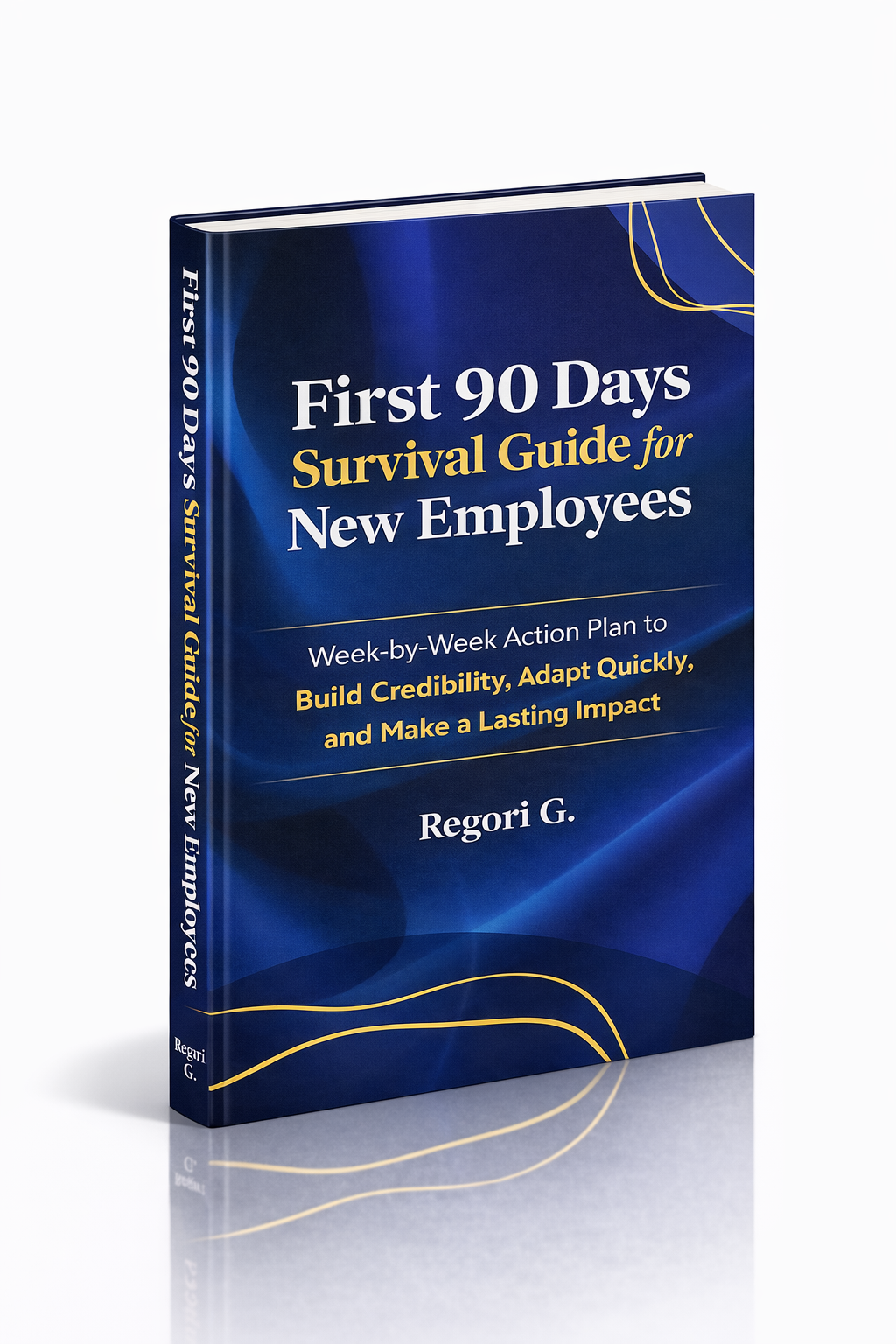
Guide 02
First 90 Days Survival Guide
Hit the ground running and make your mark from day one.
Get it →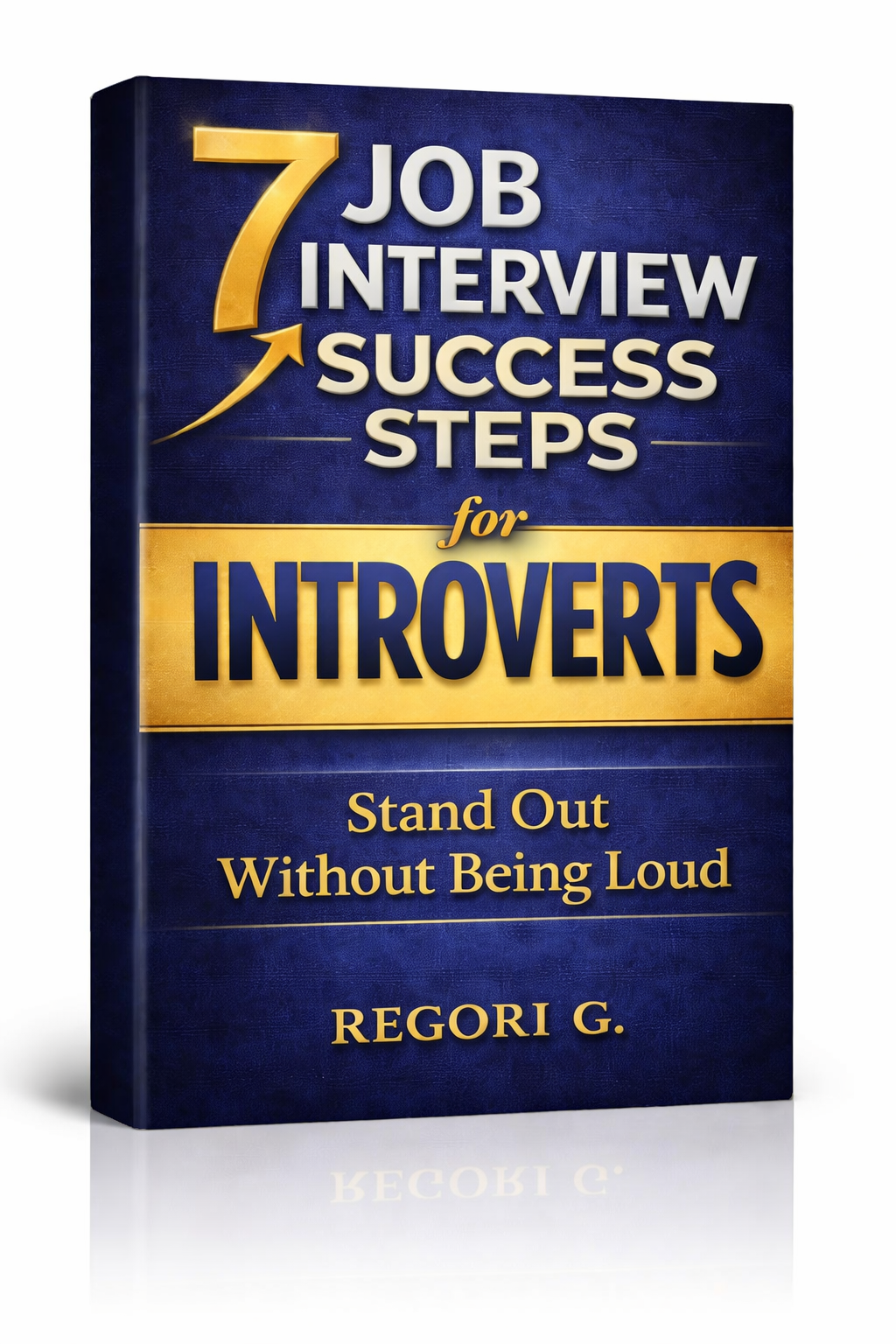
Guide 03
Interview Success for Introverts
7 proven steps to shine in interviews — even if you hate the spotlight.
Get it →