

The 5 Interview Mistakes That Cost You the Job
What's silently killing your chances — and what top candidates do instead. Delivered instantly to your inbox.
No spam. Unsubscribe anytime. Privacy Policy & Terms
- Why "I'm a hard worker" destroys your chances
- What interviewers decide in the first 90 seconds
- How to handle tough questions with confidence
- The salary mistake almost every candidate makes
visit The Job Interview System for Job Seekers on Gumroad. A practical guide built for people who are serious about landing the job they want. For more interview guides, career tips, and job search resources, visit the Love PDF Guides home page.
Strategies for How to Prepare for a Presentation Interview Task
Preparing for a presentation interview task can be a daunting challenge. However, with the right strategies, you can showcase your skills and leave a lasting impression. Here are some effective approaches to help you excel in your upcoming presentation interview.
Understand the Audience
Before diving into the presentation preparation, take time to understand your audience. Are they potential employers, colleagues, or clients? Knowing who will be listening to you can influence how you structure your presentation. Tailor your content to their interests, knowledge level, and expectations for maximum engagement.
Research Your Topic
Once you know your audience, deep dive into the topic you will be presenting. Conduct thorough research to ensure you have a comprehensive understanding. This includes:
- Reviewing industry trends and statistics.
- Identifying key points that resonate with your audience.
- Gathering case studies or examples that support your points.
Your ability to provide valuable insights will greatly enhance your credibility.
Structure Your Presentation Effectively
An organized presentation promotes clarity and keeps your audience engaged. Here’s a typical structure you might use:
- Introduction: State your main idea and why it’s relevant.
- Body: Go into detail about your points, supporting each with facts and examples.
- : Summarize your key points and offer a takeaway or call to action.
Practice, Practice, Practice
Once you have your content ready, practicing is essential. Rehearse your presentation multiple times to build confidence and reinforce the material. Consider the following tips during practice:
- Rehearse in front of friends or family for feedback.
- Record yourself to check your pacing and clarity.
- Adjust your timing to ensure you stay within any time limits.
Focus on Visuals
Visual aids can significantly enhance your presentation. Use slides, charts, or videos to illustrate your key points. Keep these tips in mind for creating effective visuals:
- Keep slides uncluttered with minimal text.
- Use high-quality images that complement your message.
- Incorporate graphs or tables where appropriate to present data clearly.
Engage Your Audience
Interaction with your audience can create a dynamic presentation. Here are some engagement strategies:
- Ask rhetorical questions to provoke thought.
- Encourage participation through polls or Q&A sessions.
- Share personal anecdotes to build a connection.
Creating this two-way communication can make your presentation memorable.
Ahead of the Interview
As you approach the day of your presentation interview, ensure you are well-rested and mentally prepared. Some last-minute tips include:
- Check all technical equipment ahead of time, including projectors and remotes.
- Prepare backup plans for possible technical issues.
- Dress appropriately for the setting.
Manage Nerves
Feeling nervous before a presentation is natural. To manage anxiety, try these methods:
- Practice deep breathing techniques.
- Visualize a successful delivery.
- Arrive early to familiarize yourself with the room.
These strategies can help calm your nerves and boost your confidence.
In preparing for a presentation interview task, remember to focus on clear communication and audience engagement. For more resources on presentation skills, you can explore websites such as Toastmasters or The Balance Careers. With the right preparation, you can turn your presentation into a powerful tool for success.
The Importance of Audience Analysis in Presentation Interviews
When preparing for a presentation interview task, understanding your audience is key. Audience analysis involves identifying who you will be speaking to, what their interests and knowledge levels are, and how you can best engage them. This process not only facilitates effective communication but also enhances your chances of success during the interview.
Knowing your audience helps tailor your message. Imagine you are presenting to a group of experienced professionals. In that case, you would use different terminology and examples compared to presenting to a group of novices. Here are some crucial aspects you should consider about your audience:
- Demographics: Age, gender, education level, and cultural background can significantly influence how your message is received. Understanding these factors allows you to connect with your audience on a personal level.
- Interests: Identifying what your audience cares about can help you make your presentation more relevant and engaging. Use their interests to guide the examples, anecdotes, and visuals you choose.
- Knowledge Level: Gauge the familiarity your audience has with the topic. For a group well-versed in the subject matter, you might include more technical details. For a lay audience, simplify complex ideas and focus on overarching themes.
- Current Trends: Understanding what is trending in the industry can help you stay relevant. Referencing current events or popular topics can make your presentation feel timely and relatable.
One effective way to conduct an audience analysis is through research. You can look at social media profiles, professional backgrounds on platforms like LinkedIn, and industry news sources. This information allows you to pinpoint what resonates with your audience so you can craft a tailored message that sticks.
Another approach is to engage in direct communication with your potential audience or the person scheduling the interview. You can ask about their expectations, preferences, and any specific angles they’d like you to address. This not only shows your eagerness to adapt but also opens up a conversation about what they value.
Visual aids are also influenced by audience analysis. Knowing what resonates with your audience will guide you in choosing appropriate visuals. A highly technical audience may appreciate detailed graphs and charts, while a general audience may benefit from more straightforward images and infographics. Consider these methods when selecting your presentation visuals:
- Charts and Graphs: Best for numerical data and trends.
- Images and Infographics: Great for summarizing key points visually.
- Videos: Can make complex topics easier to understand when used appropriately.
Timing is another critical factor. Adjusting your presentation length based on your audience’s attention span can ensure you keep them engaged. Corporate audiences may have limited time, requiring a concise approach. Educational environments might allow for more in-depth discussions, so adjust your pacing accordingly.
To practice your audience engagement, consider utilizing tools like SlideShare for example presentations. Analyzing audience feedback on these platforms can also provide insights into what works well and what doesn’t.
One essential element is practicing your delivery. Rehearsing in front of individuals who represent your target audience can clarify any potential misunderstanding. Soliciting their feedback can help refine your message and bolster your confidence.
Ultimately, conducting thorough audience analysis can make the difference between a mediocre presentation and a compelling one. Engaging your audience ensures that your message is not just heard but felt. It’s about establishing a connection that drives your points home.
| Audience Element | Strategies for Engagement |
|---|---|
| Demographics | Use appropriate language and examples that resonate with their backgrounds. |
| Interests | Incorporate relevant stories and case studies that align with their values. |
| Knowledge Level | Tailor technicality according to familiarity with the subject. |
| Current Trends | Reference contemporary issues to maintain relevance. |
For more resources on effective presentation skills, visit Toastmasters and Presentation Magazine to further enhance your expertise in engaging your audience.
Tips for Creating Engaging Visual Aids for Your Presentation
Creating effective visual aids can dramatically enhance your presentation. When done right, they can clarify complex information and keep your audience engaged. Here are some valuable tips to ensure your visual aids stand out and serve their purpose.
Know Your Target Audience
Understanding your audience is the first step in crafting engaging visual aids. Ask yourself:
- What is their age group?
- What is their level of expertise on the topic?
- What interests them the most?
This information will guide the tone, style, and content of your visual aids.
Keep It Simple
Cluttered visuals can confuse rather than inform. Strive for a clean, simple layout. Use minimal text and include only essential details. Aim for the following:
- Limit the amount of text on each slide to key points.
- Use bullet points to break information down.
- Maintain a consistent color scheme throughout your presentation.
Use High-Quality Images and Graphics
Visuals should enhance your message. Choose high-resolution images, graphs, and charts that align with your content. Resources like Unsplash can provide stunning images for your presentations. Graphics should complement or illustrate the point you are making.
Incorporate Data Visually
Data is often easier to understand when presented visually. Instead of reading through reports or statistics, you can:
- Use bar graphs for comparisons.
- Implement pie charts to visualize parts of a whole.
- Utilize infographics to combine multiple data points in an engaging way.
This not only makes your information digestible but also visually appealing.
Utilize Effective Presentation Tools
There are various tools available to create engaging visual aids. Some popular choices include:
| Tool | Features |
|---|---|
| Canva | User-friendly templates and graphic design elements. |
| Prezi | Dynamic presentations with non-linear navigation. |
| Google Slides | Collaborative and easy to share with others. |
These tools save time and allow you to create professional-looking visuals effortlessly.
Engage with Interactive Elements
Interactive visual aids can make your presentation more engaging. Consider integrating these elements:
- Live polls to gauge audience opinions in real-time.
- Clickable links to related content or resources for deeper engagement.
- Quizzes that can help reinforce learning.
These features can make your audience feel more involved in your presentation.
Practice Your Delivery
Your visuals are tools to aid your presentation, but your delivery remains vital. Practice speaking with your visual aids to ensure a smooth flow. Make sure to:
- Refer to your visuals at the right moments.
- Explain the data behind your graphics.
- Use animations or transitions only where appropriate, as they can distract if overused.
Seek Feedback
Before your actual presentation, seek feedback on your visual aids. Show them to friends or colleagues and ask for their opinions. This can help identify areas for improvement and ensure clarity. Websites like Presentation Guru offer insights and tips on refining your presentation techniques.
Creating engaging visual aids doesn’t have to be overwhelming. By understanding your audience, keeping it simple, selecting quality images, and practicing your delivery, you can transform your presentations and effectively communicate your message. Implement these strategies, and you’ll likely see a positive response from your audience.
Overcoming Anxiety: Techniques for Confident Presenting
Presentation anxiety is a common experience that many people face. It can stem from various factors, including fear of judgment, lack of preparation, or simply the pressure of being in the spotlight. Acknowledging these feelings is the first step towards overcoming them and presenting with confidence. Here are some practical techniques to help you manage anxiety when preparing for a presentation.
Know Your Material
Familiarity with your content can significantly reduce anxiety. Here are some tips for mastering your presentation:
- Research thoroughly: Understand your topic inside and out. Knowledge breeds confidence.
- Organize your points: Create a clear structure with an introduction, body, and conclusion. This will help you stay on track.
- Practice extensively: Rehearse multiple times. Use a mirror, record yourself, or practice in front of friends or family.
Visualize Success
Imagining a successful presentation can boost your confidence. Take a few moments to visualize:
- Positive outcomes: Picture the audience responding positively to your content.
- Your body language: Envision yourself standing tall and engaging with your audience.
Visualization can prime your mind for success and help ease your anxiety.
Utilize Relaxation Techniques
Before stepping into the presentation room, practice relaxation methods to calm your nerves:
- Deep breathing: Inhale slowly through your nose, hold for a moment, and exhale through your mouth.
- Mindfulness: Take a moment to focus on the present and center your thoughts.
- Positive affirmations: Repeat phrases like, “I am prepared,” or “I can do this,” to reinforce self-belief.
Engage with Your Audience
Connecting with your audience can lessen your anxiety. Here are ways to foster engagement:
- Ask questions: Encourage participation and interaction. It helps shift focus from you to the audience.
- Make eye contact: Establishing visual connections can create a sense of dialogue.
- Share personal stories: Relating your content to real-life experiences makes you more relatable and humanizes you.
Use Visual Aids
Visual aids can help you convey your message effectively while providing cues to keep you on track. Consider these formats:
| Type of Visual Aid | Benefits |
|---|---|
| Slideshows | Enhances engagement and retains audience attention. |
| Charts and Graphs | Simplifies complex data and illustrates key points visually. |
| Videos | Breaks up the presentation and can illustrate points in a compelling way. |
Accept Imperfection
Remember that perfection is not the goal. Accepting that mistakes may happen can reduce the pressure you place on yourself. Here are strategies to deal with potential slip-ups:
- Stay calm: If you stumble over a word or forget a point, pause, breathe, and move on.
- Involve the audience: If you lose your place, encourage questions to buy you time until you remember.
Seek Feedback
After your presentation, actively seek feedback. Constructive criticism can help you improve for future presentations. Engage with your audience to find out what resonated with them and what could be better.
Overcoming presentation anxiety may take time and practice, but utilizing these techniques can make the process smoother and more enjoyable. Remember, the more you present, the easier it will become. If you want more resources on building your presentation skills, check out Toastmasters or Skills You Need. Embrace these challenges, and watch your confidence soar!
Practicing Your Delivery: Effective Rehearsal Methods
When it comes to delivering presentations, how you rehearse can make all the difference. Practicing your delivery helps you become more comfortable, confident, and engaging. Below are several effective rehearsal methods you can adopt to enhance your presentation delivery skills.
Choose the Right Environment
Your rehearsal environment greatly impacts your presentation performance. Try to practice in a space similar to where you will present. This familiarity can help reduce anxiety. Consider the following:
- Find a quiet room where you won’t be interrupted.
- Use a space where you can move around comfortably.
- Practice in front of a mirror to observe your body language.
Utilize Playback Technology
One of the best ways to assess your delivery is by recording yourself. Use a video camera or smartphone to capture your presentation. After recording, watch it to identify areas for improvement. Focus on:
- Body language and gestures
- Voice modulation and clarity
- Timing and pacing
Practice in Front of Others
Practicing in front of a live audience can significantly boost your confidence. Here are some beneficial strategies:
- Gather a small group of friends or family for a mock presentation.
- Join a local Toastmasters club to practice with others dedicated to improving their speaking skills.
- Ask for constructive feedback to gain insights into how your presentation is perceived.
Incorporate Active Techniques
Active rehearsal techniques involve engaging actively with your material and your audience. Here are a few methods to consider:
- Role Play: Take on different perspectives to better understand your audience’s needs.
- Teach Your Material: Explain your presentation content to someone else, as if you are teaching it. This will reinforce your understanding.
- Use Visualization: Imagine presenting successfully in your mind, experiencing the positive reactions of your audience.
Work on Timing and Pace
Understanding the flow of your presentation is crucial. To practice your timing effectively, follow these tips:
- Break down your presentation into sections. Time each section to see how long it takes.
- Rehearse several times to find a comfortable pace.
- Be mindful of transitions between points to maintain continuity and keep your audience engaged.
Use Props and Visual Aids
Using props or visual aids can enhance your presentation. When practicing, incorporate these elements and get comfortable using them. Think about:
- How to integrate slides or handouts seamlessly into your speech.
- Ensuring you are familiar with the technology you will be using.
- Managing props’ placement so they are accessible during your presentation.
Focus on Breathing Techniques
A common issue when presenting is anxiety, which can impact your voice and clarity. breathing techniques can help calm your nerves. Try these methods:
- Practice deep, diaphragmatic breathing to control your breath.
- Use breathing exercises before rehearsing to settle your mind and body.
- Incorporate breathing pauses into your presentation delivery.
Seek Professional Help if Necessary
If you find it challenging to improve your delivery, consider seeking help from a professional coach. A coach can provide personalized feedback and techniques tailored to your unique style. For resources and workshops, check out Toastmasters International or Public Speaking Academy.
By adopting these effective rehearsal methods, you can sharpen your presentation skills and gain the confidence needed to deliver outstanding presentations. Remember, practice does indeed make perfect, so ensure you dedicate time to rehearse, refine, and enhance your delivery.
Common Mistakes to Avoid in Presentation Interviews
When preparing for a presentation interview, it’s easy to overlook key elements that can make or break your performance. Understanding and avoiding common mistakes can greatly enhance your presentation and create a lasting impression on your audience. Here are some pitfalls to steer clear of during this critical process.
Neglecting Audience Engagement
One of the biggest mistakes is failing to engage your audience. It’s essential to remember that the interviewers are not just evaluating your material but also how well you connect with them. Here’s how you can engage effectively:
- Ask rhetorical questions to stimulate thought.
- Incorporate anecdotes that resonate with your audience’s experiences.
- Utilize visual aids to complement your message and keep attention focused.
Overloading Slides with Information
Another frequent error is having too much information on slides. Cluttered slides can confuse your audience and dilute your message. Aim for simplicity:
- Use bullet points or short sentences instead of long paragraphs.
- Limit the amount of text to just the key points.
- Choose relevant images that support your narrative.
Ignoring the Importance of Timing
Time management is crucial during a presentation interview. It’s a common mistake to either run over the allotted time or finish too early. Practice your presentation multiple times and time yourself to ensure that you stay on track. Here are a few tips:
- Divide your content into sections and allocate a specific time for each.
- Use a timer during practice sessions to simulate the real situation.
- Be prepared to adjust your delivery on the fly if you start to exceed the time limit.
Failure to Practice Adequately
Some individuals believe that they can “wing it” during a presentation interview. However, lack of preparation often leads to stumbling over words, forgetting key points, and appearing unprofessional. To combat this:
- Rehearse in front of a friend or family member for constructive feedback.
- Record your practice sessions to identify areas for improvement.
- Familiarize yourself with the technology and equipment you will be using.
Neglecting Body Language
Your body language speaks volumes about your confidence and enthusiasm. A major mistake is being unaware of non-verbal cues. To improve this aspect:
- Maintain eye contact with your listeners.
- Avoid crossing your arms; instead, use open gestures to make a connection.
- Be mindful of your posture; standing tall conveys confidence.
Underestimating Q&A Sessions
Often, candidates feel that the presentation is the only important part. They underestimate the significance of the Q&A segment that usually follows. Consider these strategies:
- Prepare by anticipating possible questions and formulating responses.
- Practice staying calm and composed when faced with unexpected inquiries.
- Clarify questions if needed; it’s okay to ask for elaboration.
Neglecting Your Visuals and Technology
An avoidable but common error is not ensuring your technology works perfectly. Test your presentation tools before the actual interview:
- Check the compatibility of your laptop with the presentation system.
- Ensure your visuals display correctly on the projector.
- Have backups of your presentation, like USB drives or cloud storage.
By steering clear of these common mistakes, you boost your chances of delivering a successful presentation interview. Always approach each presentation as an opportunity to showcase your skills and personality. To learn more about effective presentation techniques, visit Forbes or check out Harvard Business Review for additional insights.
Follow-Up Best Practices After Your Presentation Interview
Following up after a presentation interview is crucial in making a strong impression on potential employers. Proper follow-up not only demonstrates your professionalism but also reinforces your interest in the position. Here are best practices to ensure your follow-up efforts stand out.
Timing is Everything
The timing of your follow-up can significantly impact how you are perceived. A good rule of thumb is to send a follow-up email within 24 to 48 hours after the interview.
- Ensure that your email arrives while the interview is still fresh in their minds.
- Be prompt to demonstrate your enthusiasm and appreciation for the opportunity.
Personalize Your Message
Your follow-up should reflect your own voice and personality. Personalizing your message can help you stand out. Consider these tips:
- Reference specific points discussed during the interview to create a connection.
- Express gratitude for their time and the opportunity to present your ideas.
- Mention something you enjoyed or learned during the discussion.
Express Appreciation and Enthusiasm
When you follow up, make sure to convey both appreciation and enthusiasm. Here’s how:
- Thank the interviewer for the opportunity to share your presentation.
- Express enthusiasm for the role and the company to reiterate your genuine interest.
Reiterate Key Points
Use your follow-up as an opportunity to remind the interviewers of your qualifications. Consider summarizing your key strengths as they relate to the position:
- Highlight relevant skills and experiences that align with the job requirements.
- Discuss how your presentation can contribute to the company’s goals.
This will reinforce your suitability for the role and remind them why you are a strong candidate.
Keep it Brief and Professional
While you want to include key points, it’s essential to keep your email concise. Here are some pointers:
- Aim for a length of between 150 to 250 words.
- Stay professional and avoid overly casual language.
Follow Up Again If Necessary
If you haven’t received a response within a week or two, it may be appropriate to send one more follow-up email. In this case:
- Keep it polite – a gentle reminder can be appreciated.
- Reiterate your interest in the position and inquire about next steps.
Sample Follow-Up Email
Here is a simple template you can adapt for your follow-up.
Subject: Thank You – [Your Name]
Dear [Interviewer’s Name],
Thank you for the opportunity to present my ideas for the [Position Title]. I truly enjoyed our conversation about [specific topic discussed]. I appreciate the time you and your team took to hear my presentation.
Reiterating my enthusiasm, I believe my experience in [specific skills or areas] aligns well with the goals of [Company Name]. I look forward to the possibility of contributing to your team.
Thank you once again, and I hope to hear from you soon.
Best regards,
[Your Name]
[Your LinkedIn Profile or Website]
Utilize Social Media
Engaging on social media platforms like LinkedIn can also be beneficial. Consider these actions:
- Connect with your interviewers on LinkedIn.
- Share articles or content related to the industry, showing your engagement and knowledge.
For more resources on effective follow-up tactics, check out sites like Forbes or Harvard Business Review.
These best practices into your follow-up after a presentation interview can help you make a lasting impact and enhance your chances of securing the position. Remember, the goal is to maintain professional communication and express genuine interest in the role while showcasing your strengths.
Key Takeaway:
When preparing for a presentation interview task, several key strategies can significantly enhance your performance and boost your confidence. First and foremost, it’s crucial to conduct thorough audience analysis. Understanding who your audience is, their expectations, and what they value will allow you to tailor your content to meet their needs effectively. By addressing your audience’s interests and concerns, you can create a connection that makes your presentation resonate more deeply.
Engaging visual aids are another cornerstone of a successful presentation. Consider incorporating graphs, images, or videos that complement your main points and keep your audience engaged. The objective is to simplify complex information while making it visually appealing, thus enhancing understanding and retention.
Anxiety often plagues presenters, but there are effective techniques to overcome this hurdle. Practicing relaxation methods, such as deep breathing or visualization, can help calm nerves. Additionally, mastering your content, so you feel well-prepared, will give you the confidence to present assertively.
Rehearsing is equally important in your preparation process. Utilize various rehearsal methods, such as practicing in front of a mirror, recording yourself, or conducting mock presentations with friends or colleagues. These approaches help you refine your delivery, pacing, and body language, ensuring that you appear poised and knowledgeable.
Avoiding common mistakes can make a pivotal difference in your presentation interview. Steer clear of overly complex language, irrelevant information, or reading directly from your slides. Instead, aim for clarity and keep your message concise and focused.
Follow-up practices after your presentation can leave a lasting impression. A simple thank-you email or feedback request shows your professionalism and eagerness to improve, which can enhance your candidacy even after the presentation is complete.
Effectively preparing for a presentation interview task involves a strategic blend of audience analysis, engaging visuals, anxiety management, robust rehearsal, mistake avoidance, and insightful follow-up. These practices will not only help you deliver your presentation smoothly but also increase your chances of making a memorable impact.
Conclusion
Preparing for a presentation interview task can seem daunting, but the right strategies can make a significant difference in your success. Understanding your audience is crucial; tailor your content to meet their interests and expectations. Engaging visual aids can enhance your message, making it easier for listeners to connect with your ideas. Additionally, managing anxiety with techniques such as deep breathing and positive visualization can help you present with confidence.
Rehearsing your delivery should not be overlooked. Practice not only makes you familiar with the material but also helps you refine your timing and body language. Be aware of common mistakes—like reading from slides or losing eye contact—that can undermine your presentation’s effectiveness. remember that the interaction doesn’t end once you’ve finished speaking. Following up with your audience is a way to reinforce your message and show appreciation for their attention.
By implementing these strategies, you can transform potential stress into a productive and engaging presentation interview experience. Equip yourself with a solid plan to prepare and present, pushing through anxiety and connecting with your audience. With practice and focus, you’ll not only deliver a memorable presentation but also boost your confidence in future interviews. Ultimately, every presentation is a chance to learn and improve, so embrace the opportunity ahead.
Your Next Chapter
Starts with the Right Guide
Three straight-talking PDF guides to help you win interviews, beat the first 90 days and thrive as an introvert. Instant download on Gumroad.

Guide 01
The Job Interview System
Step-by-step interview prep that turns nerves into confidence.
Get it →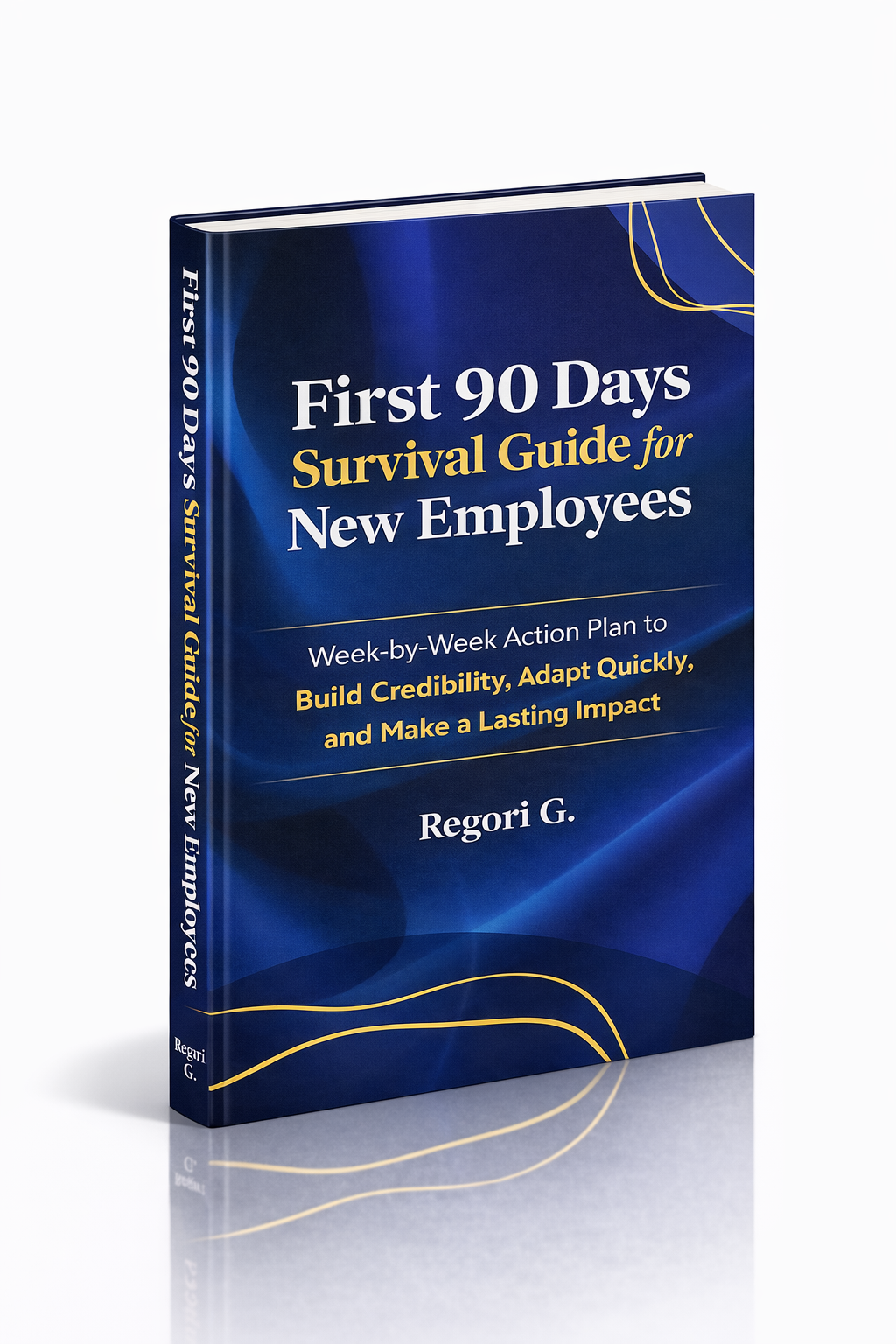
Guide 02
First 90 Days Survival Guide
Hit the ground running and make your mark from day one.
Get it →
Guide 03
Interview Success for Introverts
7 proven steps to shine in interviews — even if you hate the spotlight.
Get it →