

The 5 Interview Mistakes That Cost You the Job
What's silently killing your chances — and what top candidates do instead. Delivered instantly to your inbox.
No spam. Unsubscribe anytime. Privacy Policy & Terms
- Why "I'm a hard worker" destroys your chances
- What interviewers decide in the first 90 seconds
- How to handle tough questions with confidence
- The salary mistake almost every candidate makes
How to Develop Better Habits Around Meetings
Meetings are a vital part of any workplace, but they can quickly become unproductive if good habits aren’t established. Developing better habits around meetings can transform them into powerful tools for collaboration and decision-making. By focusing on a few key areas, you can create a more effective meeting culture in your workplace.
Set Clear Objectives
The first step towards improving your meeting habits is to set clear objectives. Before scheduling a meeting, ask yourself:
- What is the purpose of this meeting?
- What do I want to achieve?
- Who needs to be included?
Establishing these goals ensures that everyone involved understands the meeting’s intent, which minimizes confusion and saves time. Share these objectives with the participants beforehand, so they come prepared to engage effectively.
Respect Everyone’s Time
Time is precious in a professional environment. Creating a habit of respecting everyone’s schedule can lead to more efficient meetings. Here are some ways to ensure time is honored:
- Set a specific start and end time for every meeting.
- Begin on time, regardless of whether all participants are present.
- Keep the agenda focused to avoid unnecessary discussions.
By fostering a culture of punctuality, you encourage others to do the same and make the most out of your shared time.
Limit Meeting Length
Long meetings can lead to disengagement, so keeping them short and to the point is crucial. Here are some strategies to limit meeting length:
- Schedule meetings for 30 minutes instead of an hour.
- Utilize a timer to keep discussions on track.
- Encourage concise updates and discussions.
Shorter meetings promote efficiency and make attendees more likely to participate actively as they know the time is limited.
Encourage Participation
Effective meetings rely on active participation from all attendees. Here are five ways to encourage engagement during meetings:
- Ask open-ended questions that invite discussion.
- Rotate roles, such as taking notes or leading the discussion.
- Utilize tools like virtual polling or brainstorming apps to gather input.
- Create a culture where everyone feels comfortable sharing ideas.
- Follow up with quieter members to ensure their insights are included.
When everyone contributes, you foster a sense of ownership and collaboration that enhances the meeting’s effectiveness.
Follow Up After Meetings
Habitually following up after meetings can greatly improve outcomes. Here’s how to create effective follow-up habits:
- Distribute meeting minutes that summarize key points, decisions, and action items.
- Assign responsibilities and deadlines clearly.
- Encourage feedback on the meeting process and suggestions for improvement.
This not only reinforces accountability but also demonstrates to team members that their input is valued.
Leverage Technology
Using technology can help streamline meetings and enhance productivity. Consider integrating tools like:
- Zoom for virtual meetings.
- Slack for ongoing team communication.
- Trello or Asana for tracking projects and tasks.
These platforms can help facilitate communication and project management, leading to a more engaging and organized meeting experience.
These practices into your meeting routine can lead to more effective gatherings and a more productive work environment. By setting clear objectives, respecting time, encouraging participation, and following up, you not only improve meeting habits but also contribute to a culture of accountability and engagement. Remember, meetings should be a catalyst for progress, not a hindrance.
The Impact of Meeting Preparation on Productivity
Having effective meetings can significantly enhance productivity in any organization. However, without proper preparation, meetings can often turn into unproductive sessions that waste time and resources. Understanding the impact of meeting preparation on productivity can help you make better use of your time and achieve your goals more efficiently.
Why Meeting Preparation Matters
Preparation for meetings is essential because it lays the groundwork for focused discussions. Here’s how preparation can impact your productivity:
- Clarity of Objectives: When you prepare for a meeting, you clarify its objectives. Clearly defined goals help everyone understand the purpose of the meeting and the expected outcomes.
- Enhanced Participation: By ensuring that all participants come well-prepared, you foster an environment where everyone can contribute meaningfully. This leads to richer discussions and more valuable feedback.
- Time Management: Effective preparation allows you to stick to the meeting agenda, ensuring that time isn’t wasted on off-topic discussions. A well-structured meeting can save substantial time for everyone involved.
Steps to Prepare for a Successful Meeting
Follow these tips to prepare effectively for your meetings:
- Define the Purpose: Clearly articulate why the meeting is necessary. This could be to make decisions, share updates, or brainstorm ideas. Having a definitive purpose helps keep discussions on track.
- Create an Agenda: An agenda acts as a roadmap for the meeting. List topics to be discussed, allocate time for each item, and share the agenda beforehand with attendees.
- Distribute Relevant Materials: Ensure all participants have access to necessary documents and resources in advance. This allows them to review the information and come prepared for discussions.
- Set Ground Rules: Establish norms for participation, such as respecting time limits or being open to differing viewpoints. Clear guidelines help maintain a respectful and productive atmosphere.
Implementing Effective Meeting Techniques
In addition to preparation, employing specific techniques during the meeting can further enhance productivity:
- Designate a Facilitator: Assign a person to guide the meeting. They will ensure that the agenda is followed, and discussions remain focused.
- Time Keeping: Keep track of time to ensure each item on the agenda is discussed thoroughly without running over schedule. A timekeeper can help in this regard.
- Follow Up: After the meeting, send out minutes highlighting key decisions and action items. This reinforces accountability and clarifies next steps for everyone.
Measuring the Impact of Meeting Preparation
Quantifying the benefits of effective meeting preparation can be informative. Consider the following metrics:
| Metric | Before Preparation | After Preparation |
|---|---|---|
| Meeting Duration | 60 minutes | 30 minutes |
| Participant Engagement | 50% | 80% |
| Action Items Completed | 60% | 90% |
These figures demonstrate how better preparation can lead to shorter meetings, increased engagement, and higher completion rates of action items.
Tools to Enhance Meeting Preparation
Utilizing technology can also facilitate better meeting preparation. Here are some tools you can consider:
- Doodle: For scheduling meetings at convenient times for all attendees.
- Trello: To organize agendas and track action items collaboratively.
- Slack: For quick communication and sharing of relevant materials before and after meetings.
Understanding the impact of meeting preparation on productivity can help you transform meetings from unproductive time sinks into valuable opportunities for collaboration and decision-making. By implementing the steps outlined, you can boost both your own productivity and that of your team.
Strategies for Reducing Meeting Fatigue
In today’s fast-paced work environment, meetings can leave you feeling drained and unproductive. To enhance your work experience and foster a more engaging atmosphere, consider strategies to reduce meeting fatigue effectively. Here are several techniques that can transform your meetings from exhausting to invigorating.
Prioritize Meeting Purpose
Before scheduling a meeting, ask yourself some key questions:
- What is the main goal of this meeting?
- Is a meeting the best way to achieve this goal?
- Can this be resolved through an email or a quick chat?
Focusing on the purpose ensures that the time spent in meetings is meaningful and necessary. This evaluation can drastically cut down on unnecessary meetings.
Set Clear Agendas
A well-defined agenda is crucial for a productive meeting. Share the agenda in advance to give participants a chance to prepare. Ensure that it includes:
- Topics to be discussed
- Duration for each topic
- Roles and responsibilities of attendees
By doing this, you can keep discussions on track and minimize time spent on unrelated issues.
Limit Meeting Length
Longer meetings can lead to decreased attention and engagement. Aim for a meeting length of 30 to 45 minutes instead of the traditional hour. If the meeting requires more time, consider breaking it into shorter segments:
- 70-minute blocks with a 10-minute break in the middle
- Frequent short stand-up meetings, ideally no longer than 15 minutes
Shorter meetings can enhance concentration and reduce fatigue significantly.
Encourage Participation
An effective meeting should involve everyone. To promote collaboration and reduce uniformity, encourage all attendees to share their thoughts. Techniques such as:
- Round-robin sharing
- Interactive polling
- Assigning roles to different participants
These strategies create a stimulating environment that keeps everyone engaged and helps mitigate sluggishness.
Utilize Technology Wisely
While technology can enhance communication, over-reliance on it can cause fatigue. Use tools that facilitate efficiency:
- Tools like Zendesk or Slack can streamline communication before and after meetings.
- Video conferencing software like Zoom should be kept to a minimum to avoid screen fatigue.
Delivering information through succinct channels complements face-to-face time, ensuring that you’re productive without overloading your schedule.
Incorporate Breaks
Don’t underestimate the power of breaks. When planning lengthy discussions, implement these short pauses:
- A brief 5-minute walk
- A group stretch to re-energize
- Time to reflect on what’s been discussed
Taking breaks rejuvenates both the body and the mind, keeping energy levels high throughout the meeting.
Establish a ‘No Meeting Day’
Consider implementing a ‘No Meeting Day’ once a week. This practice allows your team to concentrate on tasks without interruptions. It promotes productivity and gives everyone a chance to recharge:
- Use this time for focused work on projects.
- Encourage team members to engage in personal development activities.
This strategy can significantly boost morale while also minimizing stress related to meetings.
| Strategy | Benefit |
|---|---|
| Set Clear Agendas | Improves focus and productivity |
| Limit Meeting Length | Enhances attention span |
| Encourage Participation | Increases engagement and input quality |
| Take Breaks | Boosts energy and creativity |
| No Meeting Day | Enhances productivity and reduces stress |
By adopting these strategies, you can create efficient, engaging, and less draining meetings. For more insights and tips on enhancing your work efficiency, check resources from Mind Tools and Forbes.
The Role of Technology in Streamlining Meetings
In today’s fast-paced business world, technology plays an essential role in enhancing the efficiency of meetings. Modern tools and platforms help streamline processes, making it easier to communicate and collaborate with team members. Here are some ways technology transforms meetings into more productive and engaging experiences.
Video Conferencing Solutions
Video conferencing tools have revolutionized the way teams meet. With platforms like Zoom, Microsoft Teams, and Google Meet, employees can connect from anywhere in the world. This accessibility not only saves travel expenses but also allows for quick brainstorming sessions, team check-ins, or client meetings without the need to leave the office. These tools often come with features like screen sharing, which enhances collaboration by visualizing data or presentations in real time.
Meeting Scheduling Tools
Scheduling meetings can be a headache, but several tools simplify this process. Applications like Calendly and Doodle remove the back-and-forth emails when setting up a time. By allowing participants to share their availability, these tools streamline the scheduling process, making it easier for teams to find common ground. Furthermore, they can often integrate with existing calendar applications, reducing potential scheduling conflicts.
Document Sharing and Collaboration
Staying organized is crucial for effective meetings. Cloud-based solutions such as Google Docs and Microsoft OneDrive enable teams to store and share documents securely. Participants can collaboratively edit documents in real time, ensuring that everyone is on the same page. This feature reduces confusion and enhances productivity, as everyone has access to the most up-to-date information.
Task Management Tools
Once a meeting concludes, actionable items often emerge. Tools like Asana and Trello assist teams in managing tasks efficiently. By assigning tasks, setting deadlines, and tracking progress, these platforms help ensure that meeting objectives are met. This not only boosts accountability but also keeps everyone aligned on goals and responsibilities.
Real-Time Feedback and Polling
Another advantage of using technology in meetings is the ability to gather real-time feedback. Tools like Slido allow participants to ask questions and vote on topics during discussions, making meetings more interactive. This engagement encourages participation from all attendees, ensuring that everyone’s voice is heard. Real-time polling can also assist leaders in making informed decisions swiftly and effectively.
Meeting Analytics
Understanding the impact of meetings is crucial for continuous improvement. Some advanced tools provide analytics on meeting duration, participation rates, and engagement levels. By analyzing these metrics, organizations can identify which aspects of their meetings are effective and which need improvement. This data drives better decision-making processes, optimizing future meetings for enhanced productivity.
Best Practices for Using Technology in Meetings
- Choose the Right Tools: Assess team needs before selecting technology to ensure it meets everyone’s requirements.
- Test Equipment Before Meetings: Always check audio and visual settings prior to any meeting to avoid disruptions.
- Encourage Engagement: Use interactive tools to keep participants involved and attentive during discussions.
- Follow Up After Meetings: Distribute minutes and action items promptly to maintain momentum on tasks discussed.
Technology into meetings is not just about using the latest tools but rather finding the right solutions that cater to the team’s needs. By streamlining communication and enhancing collaboration, organizations can create more effective meetings that drive results and ensure lasting connections among team members.
Discover more insights on effective meeting strategies at CIO and explore technology solutions for seamless workflows at TechCrunch.
Effective Communication Techniques for Successful Meetings
Effective communication is essential for successful meetings. When people come together to discuss ideas, projects, or strategies, how they communicate makes a big difference in achieving positive outcomes. Here are some techniques to enhance communication during meetings, fostering an environment conducive to collaboration and productivity.
Active Listening
Active listening is a powerful communication technique that involves paying full attention to the speaker. It requires more than just hearing the words; it involves understanding the message being conveyed. Here are some key points to practice active listening:
- Make eye contact and use body language that shows you are engaged.
- Resist the urge to interrupt, allowing the speaker to finish their thoughts.
- Ask clarifying questions to ensure understanding.
- Summarize or paraphrase what has been said to confirm your understanding.
Clear and Concise Messaging
When speaking in meetings, clarity is key. Your message should be straightforward and easy to understand. Try following these tips:
- Use simple language and avoid jargon, especially if not everyone is familiar with industry-specific terms.
- Stick to the main points and avoid digressing into unrelated topics.
- Use examples to illustrate your points when necessary.
Encouraging Participation
Involving everyone in the conversation not only enhances communication but also fosters a sense of teamwork. Here’s how to encourage participation:
- Create a welcoming environment where everyone feels comfortable to share their opinions.
- Direct questions to quieter participants to invite their input.
- Implement activities like brainstorming sessions or round-table discussions where everyone’s voice is heard.
Non-Verbal Communication
Body language, facial expressions, and gestures play a significant role in how messages are received. Be mindful of your non-verbal cues as they can reinforce or contradict what you say. Consider the following:
- Maintain an open and positive posture to convey confidence and receptiveness.
- Avoid crossed arms, which can signal defensiveness.
- Use hand gestures to emphasize points, but ensure they are not distracting.
Setting an Agenda
Having a clear agenda for the meeting keeps discussions focused and ensures that all necessary topics are covered. A well-prepared agenda should:
- Outline the topics to be discussed, allowing participants to prepare in advance.
- Specify the time allocated for each topic, promoting time management.
- Distribute the agenda ahead of time, enabling everyone to come equipped with ideas and questions.
Feedback Mechanisms
Feedback is crucial for improving future meetings. Gathering input from participants can reveal what works and what doesn’t. Strategies to collect feedback include:
- Conducting quick surveys after meetings to gauge satisfaction and areas for improvement.
- Encouraging participants to share their thoughts openly at the end of the meeting.
- Implementing anonymous feedback tools to make sharing easier.
Utilizing Technology
With the rise of remote work, technology has become vital for communication in meetings. Here are some effective ways to leverage technology:
- Use video conferencing tools like Zoom or Microsoft Teams to create a more personal connection.
- Employ collaboration tools such as Google Docs for real-time feedback and documentation.
- Record meetings for participants who cannot attend, ensuring they stay informed.
By adopting these communication techniques, individuals can create a more effective and engaging meeting environment. Remember, each participant plays a role in contributing to successful communication. By prioritizing clarity, involvement, and openness, meetings can become valuable opportunities for collaboration.
For further insights on effective meeting strategies, visit Forbes and explore resources available on MindTools.
How to Create a Meeting Agenda That Works
Creating a meeting agenda that works is crucial for making your discussions productive and focused. An effective agenda helps you stay on track and ensures that all critical topics are covered. Below are some actionable strategies to help you develop a meeting agenda that will benefit everyone involved.
Identify the Purpose of the Meeting
Before creating an agenda, clarify the meeting’s purpose. Ask yourself:
- What do you hope to accomplish?
- Is the meeting to solve a specific problem?
- Are you seeking input on new ideas?
Understanding the purpose will guide what needs to be included. This clarity will assist participants in preparing effectively.
List Agenda Items
Once you know the meeting’s purpose, list the specific items to be discussed. Prioritize these items based on their importance. Here’s a simple way to organize them:
- Critical topics — issues that require immediate attention
- Secondary topics — items that are important but can wait
- Optional items — discussions that can be tabled for future meetings
Grouping items this way will help in managing time and keeping the discussions fruitful.
Allocate Time for Each Agenda Item
For a well-structured meeting, allocate a specific time for each topic. This prevents rambling discussions and keeps everyone on track. Here’s a sample allocation:
| Agenda Item | Time Allocated |
|---|---|
| Introduction and Overview | 5 minutes |
| Critical Issue 1 | 15 minutes |
| Critical Issue 2 | 15 minutes |
| Feedback and Suggestions | 10 minutes |
| Wrap-up and Next Steps | 5 minutes |
Distributing time effectively helps keep the focus on solving issues rather than falling into endless debates.
Send Out the Agenda in Advance
An organized agenda should be shared with participants well before the meeting. This gives everyone time to review it and prepare their contributions. Consider sending it at least 48 hours in advance. This way, participants arrive knowing what to expect and can engage meaningfully in discussions.
Invite Input from Participants
Your meeting won’t be as productive if participants don’t feel included. After sending out the agenda, invite feedback on the topics. This engagement builds ownership and accountability. It may also uncover additional topics or questions that need to be addressed during the meeting, enriching the discussion.
Designate a Timekeeper
Having a timekeeper ensures that you’re sticking to the agenda. This role can rotate among team members or be designated to one person. They will gently remind the group when it’s time to move on to the next topic, ensuring that all points are discussed within the allotted time. A timekeeper plays a pivotal role in maintaining the meeting’s pace.
Be Flexible
While a well-prepared agenda is vital, be open to flexibility. Sometimes, discussions may take unexpected turns, and valuable insights can emerge. If a topic requires additional attention, consult with the group on whether to extend the discussion or table it for the next meeting.
Follow Up After the Meeting
Once the meeting concludes, send out minutes that recap the discussions, decisions made, and next steps. Following up can reinforce the outcomes and keep everyone aligned. This simple step ensures accountability and maintains momentum on action items. For ideas on creating effective meeting minutes, check Microsoft’s guide to meeting minutes.
By implementing these strategies, you can create a meeting agenda that fosters productivity and collaboration. Remember, the focus should always be on driving results while ensuring participants feel valued and engaged.
Tips for Following Up After a Meeting
Following up after a meeting is a critical step toward solidifying commitments and ensuring ongoing communication. It can turn a brief conversation into lasting results. Without effective follow-up, even the most productive meetings can lose momentum. Here are some actionable tips to help you follow up successfully after a meeting.
Start by sending a thank-you email to everyone who attended the meeting. Expressing your gratitude sets a positive tone and shows appreciation for their time. This simple gesture can strengthen relationships. In your message:
- Be specific about what you appreciated.
- Summarize key points discussed.
- Highlight any agreements or action items.
This approach ensures that everyone is on the same page and acknowledges the contributions of each participant.
Next, summarize the meeting’s main points. A concise summary helps solidify understanding and clarifies the direction ahead. Include:
- The purpose of the meeting
- Decisions made
- Action items with deadlines
This documentation can act as a reference point for participants and keep projects on track. You can send this summary via email or create a shared document for easy access.
Make sure to outline specific action items in your follow-up. This means clarifying who is responsible for what and by when. A clear delegation of tasks prevents confusion and enhances accountability. Consider using the following format:
| Task | Responsible Person | Due Date |
|---|---|---|
| Draft project proposal | Jane Doe | Next Friday |
| Compile feedback | John Smith | Two weeks |
This kind of structured follow-up demonstrates professionalism and ensures accountability.
Don’t forget to set reminders to check in with team members on their progress. Regular touchpoints can help keep accountability alive and provide motivation. You might send out a gentle reminder a few days before each task is due to encourage completion.
In addition to email, consider using collaboration tools like Trello, Asana, or Slack for ongoing projects. These platforms offer a simple way to track tasks and communicate updates. You can create dedicated channels or boards for your projects, making it easy for all stakeholders to stay informed and engaged. For more information on these tools, visit Trello or Asana.
If personal connections were made during the meeting, take time to follow up on those as well. Sending a short note referencing shared interests or points discussed can foster a deeper relationship. These connections often lead to more collaboration in the future.
After you have followed up with participants and set the stage for tasks to be completed, it’s essential to keep the communication lines open. Encourage your team to reach out if they have questions or need clarification on their tasks. This keeps the door open for ongoing dialogue and reassures everyone that leadership is approachable.
It’s also beneficial to solicit feedback about the meeting itself. Sending a short survey or requesting comments on what went well, and what could be improved allows for continual improvement in how meetings are conducted. For ways to create effective surveys, refer to SurveyMonkey for templates and tips.
Remember, the follow-up is just as crucial as the meeting itself. By taking these steps, you can maintain the momentum gained and drive your projects forward. Good follow-up habits foster an atmosphere of accountability and collaboration. Whether it’s through emails, to-do lists, or team platforms, effective communication is key to achieving your goals.
By focusing on effective follow-up strategies, you not only ensure that tasks are completed but also enhance team engagement and productivity. Establishing a habit around following up can lead to successful outcomes in any collaborative effort.
Key Takeaway:
In today’s fast-paced work environment, developing better habits around meetings is essential for enhancing productivity and maintaining team morale. One key takeaway from this discussion centers around the importance of preparation. Effective meeting preparation not only sets the tone for a productive session but also empowers participants to engage meaningfully. By taking time to craft a clear agenda, team members can arrive ready to discuss relevant points, leading to more focused discussions and actionable outcomes.
Another major focus is the need to address meeting fatigue, a common issue that can hinder productivity. Strategies to reduce fatigue include limiting the duration of meetings, scheduling breaks, and being mindful of participants’ time by ensuring that only essential personnel are invited. This approach helps maintain energy levels and promotes a healthier work-life balance.
The role of technology cannot be overlooked in modern meetings. Tools like video conferencing software, collaboration platforms, and shared document services streamline communication and enhance the overall meeting experience. By leveraging these technologies, teams can seamlessly share information, track progress, and keep everyone aligned, regardless of their physical location.
Effective communication techniques are pivotal for successful meetings. Encouraging open dialogue, fostering trust, and actively listening to participants can lead to richer discussions and improved team dynamics. Implementing these communication strategies ensures that everyone feels valued and understood, fostering a collaborative environment.
The practice of following up after meetings can significantly impact the effectiveness of future interactions. Sending out concise minutes, highlighting key action items, and clarifying responsibilities keeps everyone accountable and focused on goals.
Developing better habits around meetings involves a thoughtful combination of preparation, strategic time management, effective communication, and utilizing technology. When teams embrace these practices, they not only mitigate fatigue but also enhance overall productivity and team cohesion, making meetings a powerful tool for success rather than a source of frustration.
Conclusion
Developing better habits around meetings can significantly enhance your productivity and overall work experience. When you prioritize meeting preparation, you create a solid foundation for focused discussions that lead to actionable outcomes. Utilizing strategies to reduce meeting fatigue, such as limiting duration and increasing engagement, can help keep energy levels high and encourage participation.
Embracing technology offers tools that streamline the meeting process, allowing for seamless scheduling, real-time collaboration, and efficient documentation. By mastering effective communication techniques, you can ensure that every participant feels valued and heard, paving the way for innovative ideas and solutions.
A well-structured meeting agenda is essential as it sets clear expectations and keeps discussions on track. Following up after a meeting reinforces accountability and solidifies decisions made during discussions.
By incorporating these practices into your routine, you will foster a culture of effective meetings that not only save time but also enhance the quality of your collaborations. As you refine your approach, you’ll find that meetings become less of a chore and more of an opportunity for growth, creativity, and success. Adopt these habits, and you’ll notice a positive shift in not just your meetings, but your entire work environment.
visit The Job Interview System for Job Seekers on Gumroad. A practical guide built for people who are serious about landing the job they want. For more interview guides, career tips, and job search resources, visit the Love PDF Guides home page.
Your Next Chapter
Starts with the Right Guide
Three straight-talking PDF guides to help you win interviews, beat the first 90 days and thrive as an introvert. Instant download on Gumroad.

Guide 01
The Job Interview System
Step-by-step interview prep that turns nerves into confidence.
Get it →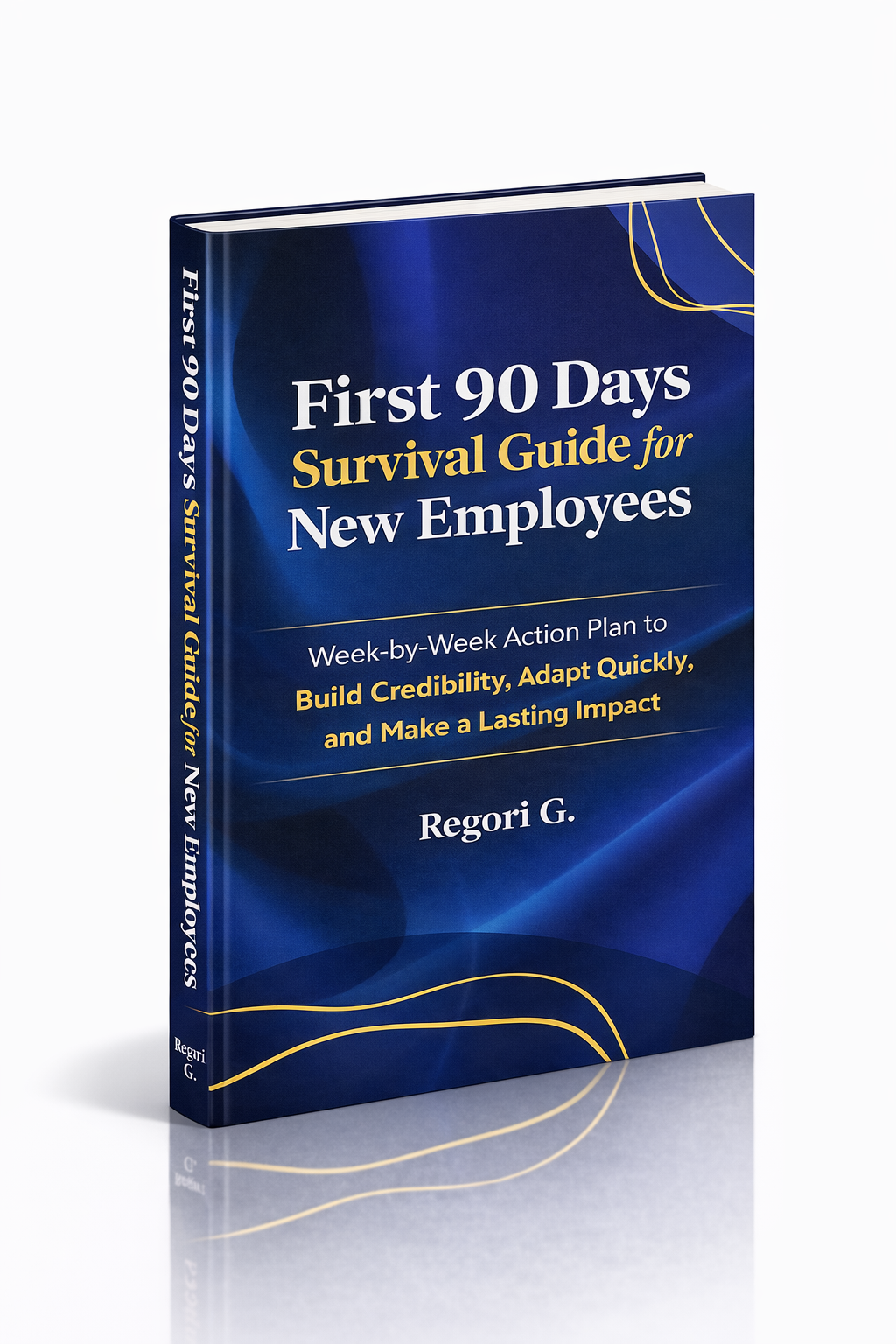
Guide 02
First 90 Days Survival Guide
Hit the ground running and make your mark from day one.
Get it →
Guide 03
Interview Success for Introverts
7 proven steps to shine in interviews — even if you hate the spotlight.
Get it →