

The 5 Interview Mistakes That Cost You the Job
What's silently killing your chances — and what top candidates do instead. Delivered instantly to your inbox.
No spam. Unsubscribe anytime. Privacy Policy & Terms
- Why "I'm a hard worker" destroys your chances
- What interviewers decide in the first 90 seconds
- How to handle tough questions with confidence
- The salary mistake almost every candidate makes
Strategies to Handle Back-to-Back Video Calls Without Burning Out
In today’s world, video calls have become a major part of our professional lives. As we adapt to remote work, back-to-back video calls can lead to feelings of exhaustion and burnout. To stay productive and focused while handling these calls, it is essential to implement effective strategies. Here are some tips to help you manage your schedule better and maintain your well-being.
Plan Your Schedule Wisely
When you know you’ll have back-to-back video calls, planning your day is crucial. Avoid cramming meetings too closely together. Instead, aim to leave a 10-15 minute buffer between each call to recharge. During this gap, you can stretch, grab a drink, or simply take a few deep breaths. This scheduled breathing room will make a world of difference in maintaining your energy levels.
Utilize the Right Tools
Using productivity tools can significantly enhance your ability to handle multiple video calls. Here are a few suggestions:
- Calendar Management: Tools like Google Calendar or Outlook can help you manage your meetings effectively. Use color-coding to separate different types of calls.
- Time Management Apps: Applications such as Trello or Asana help in organizing tasks and reminders.
- Focus Tools: Use apps like Forest or Focus@Will that create an environment conducive to focus before and after calls.
Prioritize Your Calls
Not all video calls are equally important. Take a moment to assess the urgency and necessity of each meeting. If a call can be an email or a quick message, consider suggesting that alternative. This way, you can reserve your energy for crucial discussions that require your full attention.
Practice ‘Tech Off’ Times
After engaging in multiple video calls, it’s essential to disconnect for a while. Schedule brief intervals where you turn off your screen and step away from digital devices. Even a five-minute break without technology can help reset your mind. Utilize this time to enjoy a quick walk, read a few pages from a book, or meditate. Creating these tech-free zones can significantly reduce mental fatigue.
Optimize Your Environment
Your physical surroundings affect your mindset. Ensure that your workspace is comfortable and free of distractions. Here are some tips to optimize your environment:
- Comfortable Seating: Invest in a good chair that supports healthy posture during long calls.
- Good Lighting: Ensure that your workspace is well-lit. Natural light helps boost mood and energy.
- Declutter: A tidy environment helps clear your mind and focuses your attention.
Communicate Your Needs
When juggling back-to-back video calls, don’t hesitate to communicate your needs with your team. If you’re feeling drained, share your feelings openly. Most colleagues understand that constant digital interaction can be demanding. Propose changes to the meeting format or suggest fewer meetings in a day to help create a more balanced atmosphere.
Stay Hydrated and Nourished
Physical well-being plays a significant role in mental alertness. Make it a habit to stay hydrated throughout the day and eat balanced meals. Keep healthy snacks nearby to maintain your energy levels. Some great snack options include:
| Snack | Benefits |
|---|---|
| Nuts | High in protein and healthy fats, providing sustained energy. |
| Fruit | Natural sugars and vitamins for quick energy boosts. |
| Yogurt | Offers probiotics that are good for digestive health. |
Assess and Evaluate
Regularly assessing your video call habits can lead to greater improvements over time. At the end of each week, reflect on your call experiences. Did you feel burnt out? Were there particular calls that felt unnecessary? Use these reflections to adjust your strategy for the following week. Constant evaluation helps create a more efficient workflow.
By implementing these strategies into your routine, you can efficiently handle back-to-back video calls without burning out. For more tips on managing remote work and video communication, consider visiting Thrive Global or Harvard Business Review. Your well-being ultimately fuels your productivity and success, so make sure to prioritize self-care during those busy days.
The Importance of Scheduled Breaks Between Meetings
Video calls have become an essential part of our work and personal lives, especially in a world that thrives on remote communication. However, back-to-back meetings can lead to mental fatigue and decreased productivity. Understanding the importance of scheduled breaks between meetings is crucial for maintaining focus and effectiveness throughout your day.
When you’re engaged in multiple video calls without breaks, it can be overwhelming. Think about it: jumping straight from one meeting to another often leaves little time for your brain to recharge. Research shows that taking short breaks can significantly improve cognitive function and productivity. Here’s why scheduling breaks matters:
- Improved Focus: Regular breaks help refresh your mind, allowing you to tackle the next meeting with renewed vigor.
- Reduced Fatigue: Taking a moment to step away from your screen prevents mental burnout, which is common when overstimulated.
- Enhanced Creativity: Breaks foster creativity, giving your mind the space to come up with fresh ideas.
- Physical Well-being: Stepping away from your desk encourages physical movement, promoting better posture and reducing health risks associated with prolonged sitting.
Every meeting can be mentally taxing, especially when consider your active listening and engagement. Scheduled breaks give you a moment to clear your head and gather your thoughts, rather than stuffing them together in a jam-packed schedule.
So, how can you effectively implement breaks into your schedule? Here are some practical tips:
- Block Time: Schedule your meetings with blocks of time in between for short breaks. This allows you to transition effectively from one topic to another.
- Set a Timer: Use a timer to remind you when it’s time to take a break. Even five minutes can help you recharge.
- Engage in Easy Tasks: During breaks, engage in simple, non-screen related tasks, such as stretching, walking, or hydrating.
- Practice Mindfulness: Use breaks to practice deep breathing or mindfulness exercises to calm your mind.
Data supports the need for breaks. According to a study published by the National Center for Biotechnology Information, short breaks can prevent fatigue, and improve concentration during tasks requiring sustained attention. This is critical when you have multiple calls in a row. It’s about finding that balance—meeting your obligations while caring for your well-being.
Another important aspect of scheduled breaks involves your team’s culture. Advocate for a work environment that respects and encourages taking breaks. This could improve overall team morale and productivity.
Break structures can be personalized based on work styles and individual rhythms. Consider these strategies:
| Work Style | Recommended Break Duration | Suggested Activity |
|---|---|---|
| High Focus | 5-10 minutes | Stretch or take a short walk |
| Creative Tasks | 10-15 minutes | Meditation or silent reflection |
| Analytical Work | 7-12 minutes | Quick mental health check (water, snack) |
Experiment with different break strategies and see what works best for you. Sometimes, even changing your environment for a few minutes can boost creativity and focus. For example, stepping out onto your balcony or sitting in a different part of your home can stimulate fresh thoughts.
These intentional pauses into your daily schedule can lead to long-term benefits, making your video calls more effective and less stressful. To learn more about workplace productivity and break strategies, check out resources from organizations like MindTools and Forbes.
Nurturing your mind with scheduled breaks empowers you not just to survive long days of back-to-back video calls but to thrive amid the demands of modern work life.
Techniques for Maintaining Focus During Long Video Calls
Video calls have become an essential part of our daily routines, especially with the rise of remote work. However, maintaining focus during long video calls can be a challenge. Here are some effective techniques to help you stay engaged and focused throughout those lengthy discussions.
Set the Right Environment
Your surroundings play a significant role in your ability to concentrate. Here are some tips to create an environment conducive to focus:
- Choose a Quiet Location: Pick a space that is free from distractions. Inform others that you’ll be on a call to minimize interruptions.
- Good Lighting: Ensure that your face is well-lit. Natural light is best, but a soft lamp can also work.
- Comfortable Seating: Use a comfortable chair that supports good posture. This can help reduce fatigue during longer sessions.
Manage Your Schedule
Planning your day can help prevent burnout from back-to-back calls. Here’s how to manage your schedule effectively:
- Break Up Calls: Schedule short breaks between calls. Giving yourself 5-10 minutes to stretch or walk can recharge your focus.
- Limit Duration: Aim for a maximum duration for each call. If a discussion requires more time, consider scheduling a follow-up call.
- Prioritize Important Meetings: Organize your calls based on their importance. Address key discussions when your energy levels are highest.
Engage Actively
Active participation can enhance focus during video calls. Here are some strategies to engage better:
- Take Notes: Jotting down key points can help you stay focused and retain information. Consider using digital note-taking tools like Evernote.
- Use Visual Cues: Turn on your video to create a sense of connection. This encourages you to stay attentive, mimicking real-life interactions.
- Ask Questions: Interactivity can keep your attention sharp. If something isn’t clear, don’t hesitate to ask clarifying questions.
Incorporate Technology Wisely
Using tools effectively can enhance your video call experience. Consider these options:
- Background Applications: Use apps like Slack or Trello for real-time messaging or project management during calls to keep track of action items.
- Timers and Alerts: Use timers to signal breaks between calls. Apps like Focusmate help you stay on track with your schedule.
- Virtual Backgrounds: If your environment is distracting, consider using a professional virtual background to minimize disturbances.
Maintain Personal Well-Being
Taking care of your physical and mental health is crucial for maintaining focus. Here are some self-care tips:
- Stay Hydrated: Drinking water is vital. Consider keeping a water bottle nearby and take sips throughout your calls.
- Stretch Regularly: Simple stretches can relieve tension. Stand up and stretch your arms and legs every hour to improve circulation.
- Practice Mindfulness: Techniques like deep breathing can enhance focus and reduce anxiety. Try a quick mindfulness exercise before your calls. Apps like Headspace can be beneficial.
By implementing these techniques, you can improve your focus and make long video calls more productive. Remember that maintaining focus is not just about avoiding distractions; it’s also about creating a balanced environment for yourself. Integrating technology effectively and prioritizing your well-being will not only enhance your video call experience but will also contribute to your overall productivity.
For more tips on staying productive during video meetings, visit Mind Tools and Harvard Business Review.
Creating an Ideal Video Call Environment
Video calls have become a staple for work, school, and personal communication. Optimizing your video call environment can significantly enhance your experience and productivity. By focusing on a few key elements, you can create an ideal setup that promotes clarity and comfort for all participants.
Choosing the Right Location
The first step in creating an ideal video call environment is selecting the right location. Here are some factors to consider:
- Quiet Space: Find a room away from noise. Background sounds can be distracting for both you and the participants. Look for areas in your home that are naturally quieter.
- Good Lighting: Natural light is best, but if unavailable, use soft, diffused lighting. Make sure the light source is in front of you to avoid shadows on your face.
- Avoid Busy Backgrounds: A cluttered background can divert attention from the conversation. Choose a simple, clean backdrop. You might also consider using a virtual background if that feels more professional.
Setting Up Your Equipment
Your equipment plays a crucial role in the quality of your video calls. Here’s what you need to check:
- Camera Quality: Invest in a good webcam. Most laptops have built-in cameras, but an external webcam often provides better quality.
- Microphone: A clear audio connection is essential. Use an external microphone if possible, as they typically offer better sound quality than built-in ones.
- Internet Connection: A stable internet connection is vital. Test your speed prior to the call. If possible, use a wired connection for better reliability.
Creating a Comfortable Atmosphere
Physical comfort can enhance your concentration and performance. Consider the following:
- Seating Arrangement: Make sure your chair is comfortable, and that your screen is at eye level. Ergonomic seating can help prevent fatigue.
- Temperature Control: Ensure the room temperature is comfortable. Too hot or too cold can be a distraction during calls.
- Personal Touch: Add personal elements that make you feel relaxed, such as plants or a piece of art. This can help you feel more at ease during your calls.
Minimizing Distractions
To maintain focus during video calls, it’s crucial to minimize distractions. Here are some strategies:
- Mute Notifications: Turn off notifications on your devices to avoid interruptions. Silence your phone and close irrelevant tabs on your computer.
- Communicate Your Schedule: Let others in your space know when you’ll be on a call. A simple sign on your door can alert others to avoid disturbances.
- Limit Multitasking: Stay focused on the call. Resist the temptation to check emails or message colleagues during conversations.
Testing Before the Call
Before your video call starts, conduct a quick test to ensure everything works smoothly. Run through the following:
- Check Audio and Video: Ensure your camera and microphone are functioning. Ask a friend for a test call if possible.
- Check Software Updates: Ensure the video conferencing software you are using is updated to avoid technical issues during the call.
- Familiarize Yourself with Features: Learn the tools available such as screen sharing or virtual backgrounds to enhance your communication.
Maintaining Professionalism
Even if you’re working from home, maintaining professionalism is vital. Here’s how:
- Dress Appropriately: Dressing for success can boost your confidence and set the right tone for your interactions.
- Be Punctual: Log in a few minutes early to prepare and make a good impression.
- Engage Actively: Show that you are present by maintaining eye contact and participating actively in the conversation.
By carefully selecting your location, setting up your equipment, creating a comfortable atmosphere, minimizing distractions, testing before the call, and maintaining professionalism, you can create an ideal environment for video calls. For further tips on improving your video call experiences, visit Inc. and Harvard Business Review.
The Role of Technology in Enhancing Virtual Meetings
In the modern workplace, the significance of virtual meetings has risen tremendously. With remote work becoming the new normal, technology plays a crucial role in making these meetings effective and engaging. A variety of tools and platforms are available to enhance communication, streamline collaboration, and increase productivity during virtual gatherings.
Seamless Communication Tools
Communication is key during virtual meetings, and various technology tools facilitate this. Platforms like Zoom, Microsoft Teams, and Google Meet offer user-friendly interfaces that allow for smooth communication. These platforms usually include:
- Video Conferencing: Allows face-to-face interaction that helps strengthen connections among participants.
- Chat Features: Let users share messages, links, and files in real-time without interrupting the speaker.
- Screen Sharing: Enables effective demonstrations of presentations or documents, ensuring everyone is on the same page.
Enhanced Collaboration
Collaboration tools help teams work together seamlessly, even from a distance. Platforms such as Trello, Asana, and Slack allow for efficient project management and communication. These tools have several features that enhance teamwork:
- Task Management: Assign tasks to team members, set deadlines, and track progress in real-time.
- File Sharing: Easily upload and share documents, images, and videos in a central location accessible to all team members.
- Integrated Apps: Connect with other tools and apps to streamline workflows and communication processes.
Improving Engagement
Keeping participants engaged during virtual meetings can be challenging. However, technology can help improve engagement levels. Here are some effective techniques:
- Interactive Polls and Surveys: Use tools like Slido to gather feedback, opinions, and ideas from participants in real-time.
- Breakout Rooms: Platforms like Zoom offer breakout rooms that allow smaller groups to discuss topics in-depth before reconvening with the larger group.
- Utilizing Whiteboards: Many video conferencing tools have virtual whiteboards that encourage brainstorming and visual collaboration.
Recording and Accessibility
One of the many benefits of virtual meetings is the ability to record sessions. This feature is particularly useful for:
- Review Purposes: Those who couldn’t attend can watch the recording later, ensuring no one misses important information.
- Training and Onboarding: Recorded meetings can be valuable resources for training new employees on company procedures or project updates.
- Sharing Knowledge: Encourage a culture of sharing by allowing team members to access past meetings for ongoing reference.
Security Measures
Ensuring that virtual meetings are secure is critical to protecting sensitive information. Many platforms provide security features, such as:
- Password Protection: Meetings can be password-protected to limit access to invited participants only.
- Waiting Rooms: These features allow hosts to control who enters the meeting and when.
- Data Encryption: Protects communication and sensitive information shared during the meeting.
Technology continues to evolve, and integrating new tools and features enhances the overall experience of virtual meetings. Embracing these advancements can significantly improve communication, collaboration, and engagement among teams.
Resources for Virtual Meeting Tools
For further information on enhancing virtual meetings through technology, you may want to explore the following resources:
- Zoom – Popular video conferencing tool with a wide range of features.
- Microsoft Teams – Comprehensive collaboration platform that integrates well with Office 365.
- Slido – A great tool for audience engagement through polls and Q&A sessions.
- Trello – Task management and collaboration software that helps organize projects effectively.
As technology progresses, staying abreast of the latest tools will be essential for optimizing virtual meetings. Adopting these technological advancements will ensure productive and engaging interactions, even when meeting remotely.
Recognizing Signs of Burnout from Continuous Video Conferencing
In today’s world, video conferencing has become a staple in both our professional and personal lives. While it offers a convenient way to connect, continuous video calls can lead to burnout. Recognizing the signs of burnout is crucial for maintaining your productivity and mental well-being.
Understanding Burnout Symptoms
First, it’s important to understand what burnout looks like. When you’re on back-to-back video calls, your body and mind can start sending distress signals. You may experience physical and emotional signs that can affect your ability to focus and perform your tasks.
Common Indicators of Burnout
- Fatigue: Constantly feeling tired despite getting enough rest? This is one of the most common signs of burnout.
- Concentration Problems: Difficulty focusing during calls? Struggling to remember key details can indicate cognitive overload.
- Increased Irritability: If you find yourself snapping at colleagues more often, this emotional response can signal burnout.
- Physical Symptoms: Headaches, sleep disturbances, or stomach issues may develop as stress mounts.
- Disinterest in Work: Feeling disengaged from projects or finding it hard to get motivated? These are clear signs of burnout.
Identifying Mental Fatigue from Video Conferencing
Mental fatigue can creep in during long days of video conferencing. You may feel drained after spending hours in front of a screen, even if you haven’t done much physically. Consider these thoughts:
- Do you have difficulty retaining information from calls?
- Are you often mentally zoning out instead of actively participating?
- Do you dread upcoming meetings more than you used to?
If you answered “yes” to any of these, it may be time to reevaluate how you handle your video conference schedule.
The Importance of Taking Breaks
Frequent breaks during video calls can significantly reduce the risk of burnout. The brain needs time to process information, especially after intense, back-to-back sessions.
Try implementing the “20-20-20 rule” while on video calls:
- Every 20 minutes, look at something 20 feet away for at least 20 seconds.
This exercise helps to refresh your eyes and mind. Additionally, taking a 5-minute break between calls allows for a brief emotional reset, making you more effective in subsequent meetings.
Utilizing Video Call Tools Strategically
Modern technology provides various tools designed to enhance video conferencing experiences. For instance:
- Meeting Agendas: Share a clear agenda before each video call to keep discussions focused and efficient.
- Time Limits: Set time limits for each meeting to ensure that excessive overlap doesn’t occur.
- Non-Verbal Interactions: Use chat functions or reactions to communicate without adding to audio clutter.
Implementing these strategies can lessen mental fatigue and improve overall productivity.
Creating a Healthy Work Environment
Creating a comfortable workspace can help mitigate some signs of burnout. Here are a few tips to enhance your video conferencing experience:
- Ensure you have a comfortable chair and desk setup to reduce physical strain.
- Maintain good lighting and minimize distractions in your background.
- Consider using headphones to cut down on audio feedback and distractions.
Establishing a soothing environment can make video calls more pleasant, reducing the risk of burnout.
When to Seek Help
If you find that burnout persists despite your efforts, it may be time to seek additional support. Speaking with a mental health professional can provide the guidance you need to navigate feelings of exhaustion or disinterest in work.
Recognizing the signs of burnout from continuous video conferencing is essential for your mental health. Utilize breaks, create a balanced schedule, and seek help when necessary to maintain a healthier work-life balance.
For more information on managing video conferencing burnout, check out the resources from Mind and WHO.
Best Practices for Effective Communication in Virtual Settings
Effective communication in virtual settings is crucial for achieving collaboration and fostering strong relationships among remote teams. Whether you’re part of a distributed workforce or conducting meetings with clients from various locations, mastering the art of virtual communication can enhance productivity and engagement. Here are some best practices to help you navigate the challenges and leverage the opportunities that come with virtual interactions.
Utilize the Right Technology
Choosing the right communication tools can make a significant difference in the quality of your virtual interactions. Here are some popular options:
- Zoom: Great for video meetings and webinars.
- Slack: Excellent for team chats and file sharing.
- Trello: Useful for project management and collaboration.
- Google Meet: Integrated well with other Google services for smooth scheduling and communication.
Ensure you familiarize yourself with these platforms and their features to optimize your communication process.
Establish Clear Guidelines
Setting clear communication protocols helps maintain organization and reduces confusion. This might include:
- Defining response times for emails and messages.
- Establishing when to use video calls versus chat or emails.
- Creating a schedule for regular check-ins and updates.
By implementing these guidelines, you can foster a professional environment that encourages timely communication.
Prioritize Active Listening
Active listening is vital for understanding and engaging with your colleagues effectively. In virtual settings, ensure you:
- Maintain eye contact by looking at the camera while speaking.
- Use verbal nods like “I see” or “I understand” during discussions.
- Paraphrase key points made by others to demonstrate understanding.
This technique helps create a more inclusive atmosphere and promotes open dialogue.
Be Mindful of Non-Verbal Cues
Even in a virtual environment, non-verbal communication remains critical. Pay attention to your body language as it reflects your engagement level. Additionally, observe the non-verbal cues of your colleagues – facial expressions, gestures, and posture – to gauge their reactions and adapt accordingly.
Maintain a Structured Communication Flow
Having a well-structured approach to your virtual meetings can make conversations more productive. Consider the following:
- Set a clear agenda before each meeting.
- Allocate time for each agenda item to avoid running over.
- Summarize key points and action items at the end of the meeting.
By sticking to a structured format, everyone remains on the same page and objectives are met.
Encourage Inclusivity
Fostering inclusive communication promotes diversity and innovation. Ensure all team members have the opportunity to contribute during discussions. Some strategies include:
- Inviting quieter team members to share their thoughts.
- Using breakout rooms for smaller group discussions.
- Implementing anonymous polling or chat functions to gather feedback.
These approaches help in building trust and enhancing team dynamics.
Stay Engaged and Present
Distractions can easily derail virtual meetings. To stay focused, consider:
- Turning off notifications on your devices.
- Choosing a quiet space with minimal background noise.
- Using tools like the Focusmate platform to create virtual coworking sessions that enhance focus.
By minimizing distractions, you’ll strengthen your involvement and support your team’s effectiveness.
Follow Up and Provide Feedback
After a virtual meeting, it’s important to follow up with participants. This could include:
- Sending meeting minutes with key takeaways.
- Providing feedback on tasks discussed.
- Encouraging team members to share their thoughts on how the meeting went.
Consistent follow-ups foster accountability and reinforce a culture of continuous improvement.
Utilize Resources for Ongoing Learning
To improve your communication skills in virtual settings, consider exploring educational platforms. Websites like Coursera and LinkedIn Learning offer courses on effective virtual communication.
By continually refining your skills and adapting to new challenges, you can enhance your ability to communicate effectively in any virtual environment.
Key Takeaway:
Key Takeaway: Navigating Back-to-Back Video Calls for Sustainable Productivity
In today’s digital workplace, back-to-back video calls have become commonplace. While they facilitate essential communication, they can also lead to burnout if not managed properly. Here is a comprehensive guide that encapsulates effective strategies for handling these video calls without feeling overwhelmed and maintaining high productivity.
First and foremost, incorporating scheduled breaks between meetings is crucial. These brief pauses allow your mind to recharge and shift focus, enabling you to approach each meeting with renewed energy. Aim for at least a 5-10 minute break between calls. Use this time to stretch, hydrate, or simply breathe.
Maintaining focus during long video calls is another key component. Techniques such as note-taking, active participation, and using visuals can help keep your attention anchored. Don’t hesitate to turn off distractions. Mute notifications from email or social media, and create a focused atmosphere.
Creating an ideal video call environment also plays a significant role in your performance. Ensure that your workspace is well-lit, clutter-free, and equipped with reliable technology. The right setup not only enhances your presence but minimizes technical glitches, allowing for smoother interactions.
Speaking of technology, leverage tools designed to enhance virtual meetings. Features such as screen sharing, digital whiteboards, and chat functions can make communication more engaging. Make sure you familiarize yourself with these tools to maximize their effectiveness during calls.
Recognizing signs of burnout is equally critical. Symptoms like fatigue, irritability, and decreased concentration often signal that it’s time for a break or a change in pace. Be proactive in addressing these feelings before they escalate.
Effective communication in virtual settings is paramount. Be clear and concise in your dialogue, and encourage feedback. Fostering an open environment promotes collaboration and keeps participants engaged, ensuring that discussions are fruitful.
By employing these strategies and being mindful of your well-being, you can tackle back-to-back video calls effectively and sustainably, turning potential burnout into productivity and satisfaction.
Conclusion
Learning how to handle back-to-back video calls is essential for maintaining your well-being and productivity in today’s remote work culture. Implementing strategies like scheduling breaks between meetings can give your mind the necessary time to recharge. These short pauses help you reset and prepare for the next discussion, ensuring you stay engaged and focused.
Maintaining focus throughout long video calls can be challenging, but using techniques such as taking notes or actively participating in discussions fosters engagement. Creating an ideal video call environment plays a significant role as well. A well-lit, organized background and minimal distractions can boost your concentration, leading to more fruitful meetings.
Technology can be both a friend and a foe in virtual meetings. Being acquainted with tools that enhance collaboration can streamline communication and reduce stress but, at the same time, knowing how to manage tech-related distractions is crucial for staying present. Recognizing the signs of burnout from continuous video conferencing is vital. If you feel fatigued or disengaged, take a step back and reevaluate your schedule.
Adhering to best practices for effective communication in virtual settings will help you convey your ideas clearly and foster collaboration. By combining these insights, you can navigate the demands of back-to-back video calls and cultivate a healthier work-life balance, protecting your mental health while ensuring productivity. As you refine these practices, you pave the way for a more comfortable and effective virtual experience, turning challenges into opportunities for growth and connection.
visit The Job Interview System for Job Seekers on Gumroad. A practical guide built for people who are serious about landing the job they want. For more interview guides, career tips, and job search resources, visit the Love PDF Guides home page.
Your Next Chapter
Starts with the Right Guide
Three straight-talking PDF guides to help you win interviews, beat the first 90 days and thrive as an introvert. Instant download on Gumroad.

Guide 01
The Job Interview System
Step-by-step interview prep that turns nerves into confidence.
Get it →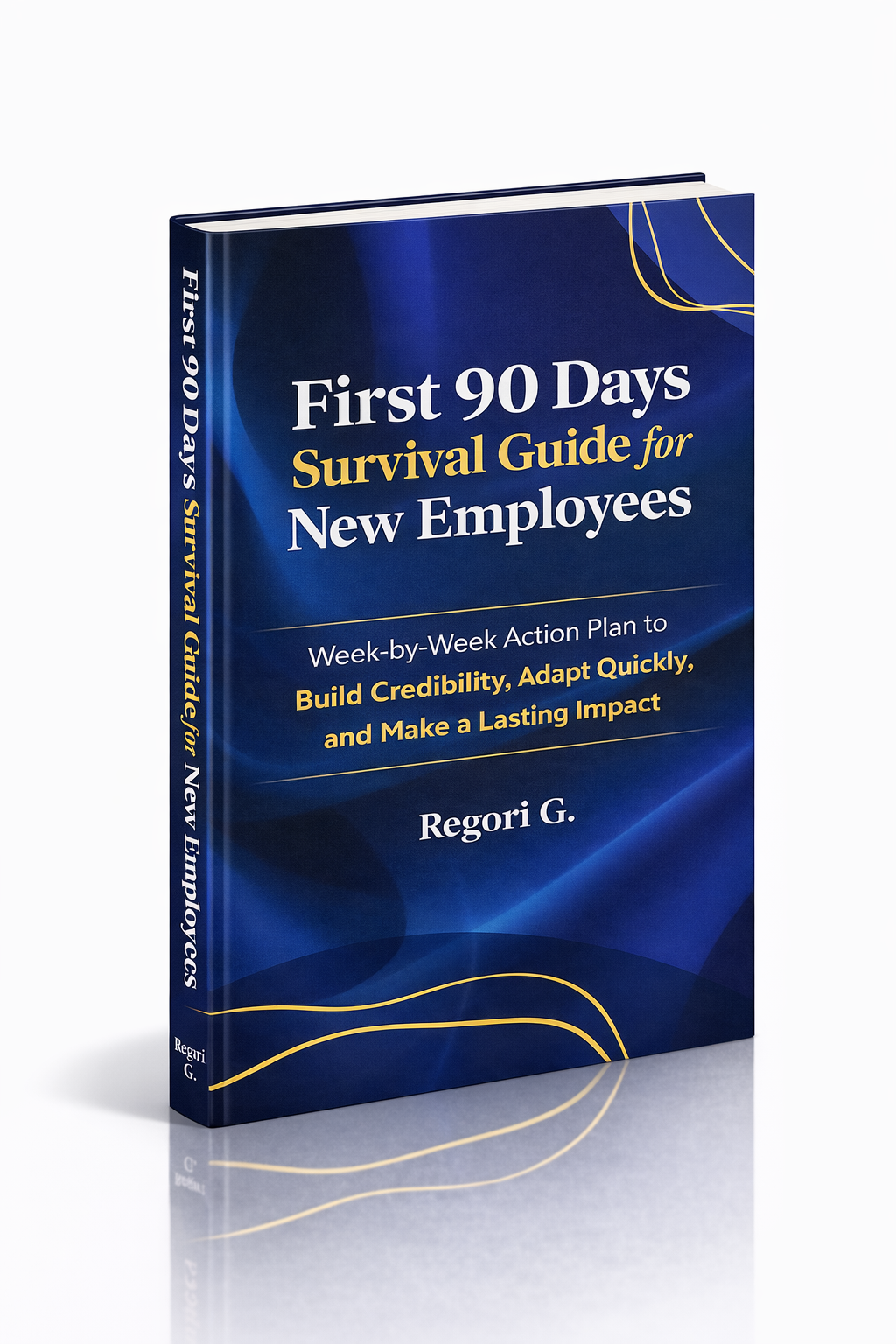
Guide 02
First 90 Days Survival Guide
Hit the ground running and make your mark from day one.
Get it →
Guide 03
Interview Success for Introverts
7 proven steps to shine in interviews — even if you hate the spotlight.
Get it →