

The 5 Interview Mistakes That Cost You the Job
What's silently killing your chances — and what top candidates do instead. Delivered instantly to your inbox.
No spam. Unsubscribe anytime. Privacy Policy & Terms
- Why "I'm a hard worker" destroys your chances
- What interviewers decide in the first 90 seconds
- How to handle tough questions with confidence
- The salary mistake almost every candidate makes
How to Improve Your Presentation Skills Step by Step
Improving your presentation skills is essential for sharing ideas effectively and engaging your audience. Here’s a practical, step-by-step approach to help you become a more confident and impactful presenter.
Step 1: Know Your Audience
Understanding who you are presenting to is crucial. Tailor your content to meet their interests and needs. Consider factors like:
- Demographics: Age, profession, and background of the audience.
- Knowledge Level: Are they beginners or experts in the topic?
- Expectations: What do they hope to gain from your presentation?
Step 2: Organize Your Content
An organized presentation helps keep your audience engaged. Structure your presentation into clear sections:
- Introduction: Briefly state your topic and objectives.
- Main Points: Discuss 2-4 key ideas in detail.
- : Summarize your points and provide a call to action.
Step 3: Practice, Practice, Practice
Rehearsing your presentation helps build confidence and smooths out any rough spots. Follow these tips:
- Practice in front of a mirror or record yourself to observe your body language.
- Get feedback from friends or colleagues and adjust accordingly.
- Aim for fluency, aiming to speak clearly and at a steady pace.
Step 4: Use Visual Aids
Visuals can enhance understanding and retention. Utilize:
| Type of Visual Aid | Benefits |
|---|---|
| Slides | Organizes your points and provides a guideline for your speech. |
| Charts and Graphs | Helps illustrate complex data in an easily digestible manner. |
| Props | Engages the audience and makes your presentation memorable. |
Step 5: Work on Your Body Language
Your body language speaks volumes. Ensure that your non-verbal communication aligns with your message. Consider the following:
- Eye Contact: Engaging with your audience fosters connection.
- Gestures: Use hand movements to emphasize key points.
- Posture: Stand tall and open to convey confidence.
Step 6: Master the Art of Storytelling
People resonate with stories far more than facts. Integrate storytelling to make your content relatable. Features of a good story in presentations include:
- A simple plot with a clear beginning, middle, and end.
- Relatable characters or scenarios.
- Emotional appeal to connect with your audience.
Step 7: Engage Your Audience
Involvement keeps your audience interested. Aim for engagement by:
- Asking questions to encourage interaction.
- Using interactive polls or quizzes.
- Inviting audience members to share their experiences or thoughts.
Step 8: Handle Questions Gracefully
Questions can be daunting, yet they provide an opportunity for deeper engagement. When managing questions:
- Listen actively and acknowledge the questioner.
- Take your time to respond thoughtfully.
- If you don’t know an answer, it’s okay to admit it and offer to follow up.
Step 9: Solicit Feedback
After your presentation, gather feedback to improve. You can:
- Use surveys to assess the audience’s response.
- Ask colleagues for constructive criticism.
- Reflect on your experience to identify strengths and weaknesses.
Improving presentation skills is a journey that involves practice and dedication. By following each of these steps consistently, you’ll not only become a better presenter but also significantly enhance your ability to communicate effectively. Resources like Toastmasters provide valuable tools for honing your skills further.
The Importance of Body Language in Presentations
When delivering a presentation, the way you speak is just as crucial as what you say. Body language plays a key role in how your audience perceives your message. It includes your facial expressions, gestures, posture, and eye contact. Understanding and utilizing body language effectively can greatly enhance your communication skills and leave a memorable impact on your audience.
Your facial expressions often convey more than your words. A smile can show warmth and make you more approachable. Conversely, a frown or a lack of expression may signal disinterest or negativity. It’s important to be aware of the emotions you’re projecting. If you’re excited about your topic, let that enthusiasm shine through your smile and animated expressions.
Gestures also significantly influence how your message is received. Using your hands to emphasize key points can help engage your audience. However, overusing gestures might distract from your message. Here are a few guidelines to consider:
- Use open gestures: Keep your arms open and relaxed to appear more inviting.
- Avoid closed positions: Crossing your arms can seem defensive or unapproachable.
- Match gestures with your message: Ensure your hand movements align with the words you’re saying.
Your posture is another vital aspect of body language in presentations. Standing tall and composed conveys confidence and authority. Slouching can indicate a lack of interest or confidence. Here are some tips to maintain good posture during your presentation:
- Feet shoulder-width apart: This stance helps to give you balance and stability.
- Keep your hands visible: Allow them to rest at your sides or use gestures, but avoid putting them in your pockets.
- Engage your core: This helps you maintain a strong and confident stance.
Eye contact is perhaps one of the most powerful elements of body language. It fosters a connection between you and your audience, showcasing confidence and sincerity. Try to maintain eye contact with different sections of your audience instead of focusing on just one person or the screen. This practice makes everyone feel included and engaged. However, avoid staring; it should be a natural aspect of your presentation.
Body language effectively may require practice. One technique is to rehearse in front of a mirror. Observing your facial expressions and gestures can help you adjust your body language for improved effectiveness. Additionally, recording your presentation can provide insights into how you come across to your audience. You can notice aspects such as posture and movements that you might want to change.
Another excellent technique is seeking feedback from peers or mentors. They can offer constructive criticism and point out areas where your body language may need improvement. Understanding how others perceive you can be enlightening and can help you grow as a presenter.
| Aspect of Body Language | Importance | Tips |
|---|---|---|
| Facial Expressions | Conveys emotions and engages the audience. | Smile, express emotions genuinely. |
| Gestures | Emphasizes points and controls audience attention. | Use open gestures and match them with speech. |
| Posture | Shows confidence and authority. | Stand tall, feet shoulder-width apart. |
| Eye Contact | Establishes connection and trust. | Look at different audience members, avoid staring. |
By mastering these aspects of body language, you will significantly improve your presentation skills. Engaging with your audience through effective body language makes the content more relatable and enjoyable, increasing your chances of success. The ability to communicate effectively is invaluable in both personal and professional settings.
If you want to explore more tips and resources about improving your presentation skills through body language, consider visiting TED Talks or Toastmasters International. These platforms offer valuable insights and practical advice for becoming a better speaker and presenter.
Crafting Compelling Visuals: Tips for Effective Slides
Creating engaging presentations is essential for conveying your ideas effectively. One of the most crucial elements of these presentations is the visuals. When it comes to crafting compelling visuals for your slides, the goal is to enhance the message you wish to deliver. Here are actionable tips to help you design effective slides that will capture your audience’s attention.
Know Your Audience
Understanding your audience is the first step in creating effective visuals. Ask yourself:
- What are their interests?
- What level of understanding do they have about the topic?
- Are they looking for detailed information or a broad overview?
Tailoring your visuals to meet the needs and expectations of your audience will help you communicate your message more effectively.
Keep It Simple
Less is often more when it comes to creating slide visuals. Here are some simple rules to keep in mind:
- Limit the amount of text on each slide. Aim for no more than six lines of text with six words per line.
- Use bullet points instead of full sentences. This makes it easier for your audience to digest information quickly.
- Incorporate plenty of white space. This helps to focus attention on the key points.
Use High-Quality Images
Visuals are not just text. Images, graphics, and charts play an essential role in enhancing your message. Here’s how to choose the right visuals:
- Select high-resolution images that relate directly to your content.
- Use licensed or free images from reputable sources, such as Unsplash or Pexels.
- Employ infographics to represent complex data. They are visually appealing and easier to understand.
Consistent Color Schemes and Fonts
Selecting a cohesive color palette and font style can strengthen your slides. Consider the following:
- Choose a maximum of three colors to maintain consistency while ensuring enough contrast for readability.
- Opt for no more than two fonts. Use one for headings and another for body text, making sure they are both clear and legible.
Sites like Coolors can help you generate matching color schemes that keep your slides visually coordinated.
Engage with Storytelling
Every great presentation taps into the power of storytelling. Use visuals as storytelling aids by:
- Creating a narrative flow throughout your slides.
- Using images to support the story arc you’re presenting.
- quotes or anecdotes to make your visuals more relatable.
Utilize Data Visualization Tools
If you need to present data, effective visuals can turn dull statistics into engaging insights. Some tools you might consider include:
| Tool | Features | Website |
|---|---|---|
| Canva | Easy-to-use design templates and infographics | Visit Canva |
| Visme | Powerful data visualization and presentation features | Visit Visme |
| Infogram | Interactive charts and graphs | Visit Infogram |
Test Your Slides
Before presenting, ensure your slides function as you intended. Practice is key. Here’s what you should focus on:
- Run through your presentation multiple times, adjusting any visuals that may not flow well with your narrative.
- Seek feedback from trusted colleagues to identify any unclear or distracting visuals.
- Test the presentation equipment and software beforehand to avoid technical issues during your talk.
Creating compelling visuals for your slides requires a blend of creativity and strategy. By following these tips, you can craft slides that not only enhance your presentation but also keep your audience engaged. Remember, your visuals should complement your verbal message, ensuring that your presentation leaves a lasting impression.
Overcoming Anxiety Before Your Presentation
Feeling anxious before a presentation is something many people experience, whether you’re speaking in front of a small group or a large audience. The good news is that there are effective strategies you can use to manage and overcome this anxiety. By implementing these techniques, you’ll increase your confidence and ensure your message comes across clearly.
Understand Your Anxiety
The first step in overcoming presentation anxiety is to recognize and understand what makes you anxious. Anxiety can manifest in various ways, including rapid heartbeat, sweating, or feeling jittery. Try to identify what specifically triggers your anxiety. Common factors include:
- Fear of judgment from the audience
- Concerns about forgetting your content
- Worrying about technical issues
Prepare Thoroughly
Preparation is key to feeling confident during your presentation. Here are some tips to help you prepare effectively:
- Know your material: Familiarize yourself with the content you are presenting. The more you know, the more confident you’ll feel.
- Practice: Rehearse your presentation multiple times. You can do this in front of a mirror, to a friend, or record yourself.
- Use visual aids: Slideshows, charts, or videos can help illustrate your points and keep the audience engaged.
Practice Mindfulness Techniques
Mindfulness can help you stay calm and focused before your presentation. Consider incorporating the following techniques into your routine:
- Deep breathing: Take slow, deep breaths to calm your mind and body. Inhale for four counts, hold for four, and exhale for four.
- Visualization: Picture yourself giving a successful presentation. Visualizing a positive outcome can help alleviate fear.
- Positive affirmations: Repeat affirmations like “I am confident and prepared” to boost your self-esteem.
Engage with the Audience
A great way to reduce anxiety is to engage with your audience from the start. Here are some strategies to create a connection:
- Start with a question: Ask your audience a relevant question to get them involved.
- Share a personal story: Anecdotes can make your presentation relatable and foster a connection.
- Make eye contact: Look at individuals in the audience, as this helps build rapport and makes you feel less isolated.
Accept Mistakes as Part of the Process
It’s natural to worry about making mistakes during a presentation. However, accepting that mistakes will happen can alleviate some pressure. Here’s how to deal with them:
- Stay composed: If you make a mistake, take a deep breath, pause, and continue. The audience often won’t notice small errors.
- Use humor: Lightly acknowledge any mistakes, as humor can diffuse tension for both you and the audience.
- Learn and move on: After your presentation, reflect on what went well and what didn’t. This will help you improve for next time.
Follow-Up and Seek Feedback
After your presentation, it’s beneficial to seek feedback from trusted colleagues or friends. Here’s how you can utilize feedback:
- Ask specific questions: Inquire about your delivery, clarity, and engagement levels. This will help you pinpoint areas for improvement.
- Implement suggestions: Use the feedback to develop your skills for future presentations.
Remember, practice and patience are crucial in overcoming presentation anxiety. By preparing thoroughly and using the strategies outlined above, you will become more confident and capable in your presentation skills. Utilizing resources like Toastmasters can provide additional support and help you grow as a speaker.
For more comprehensive resources and advice on public speaking, visit Presentation Zen and explore their in-depth articles tailored for speakers.
Engaging Your Audience: Techniques for Interactive Presentations
Engaging your audience during a presentation can make a significant difference in how your message is received. When people are involved, they are more likely to retain information and respond positively. Here are several effective techniques to create interactive presentations that captivate your audience.
Incorporate Storytelling
Storytelling is a powerful tool that taps into emotional connections. Instead of just presenting data, tell a story that relates to your topic. It allows your audience to understand and relate to your message. Consider using the following elements:
- Personal Anecdotes: Share relevant personal experiences to create a more human connection.
- Relatable Characters: Introduce characters or scenarios that demonstrate your points.
- Conflict and Resolution: Present challenges and show how they were overcome to maintain interest.
Utilize Technology
Modern technology offers numerous ways to engage your audience. Here are a few effective tools:
- Interactive Polls: Use platforms like Slido or Kahoot to create real-time polls that can gauge audience opinion or understanding.
- Live Q&A Sessions: Set aside time for questions. This encourages participation and clarifies any confusion.
- Visual Enhancements: Incorporate videos, infographics, and animations to make complex topics easier to understand.
Engage Through Questions
Asking questions throughout your presentation is another excellent method. This keeps the audience attentive and involved. Consider these types of questions:
- Rhetorical Questions: Pose questions that make the audience think but do not require an answer.
- Direct Questions: Ask the audience for their thoughts or experiences related to the topic.
- Poll Questions: Use technology to ask questions and instantly gather responses.
Incorporate Group Activities
Group activities can foster teamwork and collaboration. Here are a few ideas:
- Breakout Discussions: Divide the audience into small groups to discuss specific points.
- Role Playing: Encourage audience members to act out scenarios relevant to your presentation.
- Brainstorming Sessions: Invite participants to work together to generate new ideas about your topic.
Utilize Body Language and Voice Modulation
Your delivery is crucial. Effective use of body language can enhance your message:
- Eye Contact: Make eye contact with different sections of the audience to create a connection.
- Gestures: Use hand gestures to emphasize points and keep the audience’s attention.
- Varying Tone: Use a dynamic speaking style to maintain interest. Adjust your tone to suit the message you are conveying.
Seek Feedback
Feedback can guide your improvement. At the end of your presentation, ask your audience for their thoughts. You can collect feedback through:
- Surveys: Distribute short surveys to understand what worked and what could be better.
- Informal Discussions: Engage in conversations with attendees after the presentation to gather insights.
Practice Makes Perfect
Never underestimate the power of practice. Rehearse your presentation multiple times to gain confidence. Consider recording yourself to identify areas of improvement. Adapting your presentation style after feedback is essential for growth.
These techniques will not only enhance your presentation skills but will also lead to a more engaging and interactive experience for your audience. For additional resources, check out Presentation Zen or TED Talks for inspiration.
The Role of Practice in Mastering Presentation Skills
Enhancing your presentation skills is a vital step towards effective communication, whether in a professional setting or casual environments. One of the key factors in developing strong presentation skills is the role of practice. Engaging in deliberate practice not only boosts your confidence but also refines your abilities over time. Below, we will explore why practice is essential and how you can leverage it to master your presentation skills.
The Importance of Consistent Practice
Consistent practice is the backbone of any skill development, including presentation skills. Here are some reasons why regular practice is crucial:
- Boosts Confidence: The more you practice, the more confident you will feel. Familiarity with your material reduces anxiety and allows you to focus on delivery.
- Enhances Delivery: Repeatedly practicing helps you to find your speaking style. You will learn how to use your voice, gestures, and expressions effectively.
- Improves Timing: Practicing allows you to gauge how long your presentation lasts. This is key in respecting your audience’s time and maintaining engagement.
- Identifies Weaknesses: Regular practice is an opportunity to pinpoint areas that need improvement. Whether it’s pacing, clarity, or engagement, you will notice where you can refine your skills.
- Familiarizes with Technology: If you use slides or other technology, practice will ensure you know how to operate these tools smoothly during your actual presentation.
Ways to Practice Effectively
To maximize the benefits of practice, consider the following methods:
- Rehearse Out Loud: Speaking your presentation out loud, as opposed to silently reading, allows you to hear your speech and make necessary adjustments.
- Record Yourself: Use your smartphone or a camera to record your practice. Watching the video can show you aspects you might not notice in the moment, like body language or filler words.
- Practice in Front of an Audience: Share your presentation with friends or family. Request constructive feedback to improve your delivery and content.
- Engage with Peers: Join groups or clubs, such as Toastmasters, where you can practice your presentation skills in front of others and learn from their feedback.
- Utilize Visualization Techniques: Picture yourself delivering your presentation successfully. Visualization can ease anxiety and prepare your mind for the actual event.
Setting a Practice Schedule
Create a structured practice schedule to integrate it into your routine. Set aside specific times each week dedicated to rehearsing your presentation skills. Below is a simple table to help you organize your practice sessions:
| Day | Activity | Time |
|---|---|---|
| Monday | Rehearse presentation out loud | 30 minutes |
| Wednesday | Record and review | 45 minutes |
| Friday | Present to peers | 1 hour |
| Saturday | Work on identified weaknesses | 30 minutes |
The Role of Feedback
As you practice, seek feedback from various sources. It could be peers, mentors, or even online communities like Reddit’s Public Speaking Community. Their insights might offer you different perspectives that can enhance your presentations.
Mastering presentation skills is a journey, and consistent practice plays a pivotal role in that process. Incorporate a structured practice routine, utilize effective techniques, and welcome feedback to enhance your skills. The more dedicated you are to practicing, the more proficient you will become in your presentation abilities. Remember, successful presentations stem from preparation, commitment, and a relentless pursuit of improvement. For more guidance and resources, check out Toastmasters International for tips and support on your presentation journey.
Feedback and Reflection: Learning from Each Presentation Experience
Every presentation is a unique opportunity to grow and improve your skills. Feedback and reflection are essential tools that can help you understand your strengths and weaknesses as a presenter. By taking the time to evaluate each experience, you can hone your abilities and elevate your presentation skills. Here are some steps to guide you through the process of learning from each presentation experience.
Gather Feedback
After every presentation, it’s crucial to gather feedback from your audience, peers, or mentors. Here are some effective methods to collect feedback:
- Surveys: Create a quick online survey using platforms like Google Forms or SurveyMonkey. Ask specific questions about clarity, engagement, and areas for improvement.
- One-on-One Conversations: Speak directly with trusted colleagues or friends. Their insights can be valuable and may provide perspectives you hadn’t considered.
- Video Review: Record your presentation and watch it later. This allows you to observe your body language, tone, and how you connect with the audience.
Self-Reflection
While external feedback is important, self-reflection plays a key role in your development. After each presentation, take some time to think critically about your performance:
- What Went Well: Identify the parts of your presentation that resonated with your audience. Recognizing what works can help you replicate success in the future.
- What Can Be Improved: Be honest with yourself. Did you struggle with certain sections? Were there moments of confusion? Acknowledging these areas is the first step towards improvement.
- Emotional Response: Consider how you felt during the presentation. Were you nervous, confident, or distracted? Understanding your emotional state can help you manage it better in future presentations.
Implementing Changes
Once you have gathered feedback and engaged in self-reflection, it’s time to implement changes. Here are some strategies to enhance your next presentation:
| Feedback Type | Proposed Change |
|---|---|
| Weak Audience Engagement | Incorporate interactive elements such as polls or Q&A sessions. |
| Unclear Messaging | Simplify your slides and use more visuals to clarify your points. |
| Too Much Information | Focus on key messages and limit the content to avoid overwhelming the audience. |
Practice Regularly
Another important aspect of improving presentation skills is regular practice. Consider these practices:
- Join a Speaking Group: Organizations like Toastmasters offer a supportive environment to practice speaking in front of others.
- Rehearse with Friends: Present to friends or family and ask for candid feedback. This can mimic the pressure of presenting to a real audience.
- Engage in Reflections: After every practice session, reflect on your performance. What felt right? What could you have done differently?
Set Goals for Improvement
Goal-setting provides direction for your improvement efforts. Make your goals SMART (Specific, Measurable, Achievable, Relevant, Time-bound) to keep track of your progress. Some examples might include:
- Present to at least three different audiences in the next six months.
- Reduce filler words such as “um” or “like” by practicing speaking slowly and clearly.
- Increase audience engagement feedback scores by 20% in your next presentation.
Ultimately, learning from each presentation experience is a continuous journey. By embracing feedback, reflecting honestly, and actively seeking improvement, you’ll not only become a more skilled presenter but also gain confidence in your abilities. Take each experience as a stepping stone towards mastering the art of presentation. Remember, the skills you build today will benefit you in your personal and professional life for years to come.
For further exploration of presentation skills and tips, you may find these resources helpful:
Key Takeaway:
Improving your presentation skills is a gradual journey that involves several key elements. Each step is essential for building confidence and effectively engaging your audience. Here’s a key takeaway that encapsulates the vital components discussed.
First, understand that body language plays a crucial role in how your message is received. Nonverbal cues can either reinforce or undermine your spoken words. By maintaining eye contact, using open gestures, and ensuring your posture is confident, you can enhance your message and establish a stronger connection with your audience.
Next, crafting compelling visuals is critical. Well-designed slides should complement your talk, not distract from it. Use clear images, avoid clutter, and emphasize key points with concise text. Visuals should enhance understanding, making complex information easier to grasp. They engage the audience’s attention and can make your presentation more memorable.
Overcoming anxiety is another essential step. Many individuals face nerves before presenting. Techniques such as deep breathing, visualization, and positive self-talk can help you manage stress. Remember that it’s normal to feel anxious. Channel that energy into enthusiasm about your topic.
Moreover, engaging your audience is fundamental to a successful presentation. Interactive techniques like polls, questions, or small group discussions can foster participation and keep your audience invested. When the audience feels involved, they are more likely to absorb and remember your message.
Practicing your presentation is non-negotiable. The more familiar you are with your material, the more confident and smooth your delivery will be. Make it a point to rehearse in front of a mirror or seek feedback from a trusted peer. This not only improves your delivery but also helps you identify areas that need improvement.
Value feedback and reflection. After each presentation, take time to reflect on what went well and what didn’t. Constructive criticism can provide insights that lead to substantial improvement over time. This iterative process of learning from each experience will help you evolve as a presenter.
By integrating these strategies—mastering body language, crafting effective visuals, managing anxiety, engaging your audience, practicing diligently, and reflecting on feedback—you will enhance your presentation skills, ultimately leading to more successful and impactful presentations.
Conclusion
Improving your presentation skills is a multifaceted journey that can significantly enhance your effectiveness as a speaker. By recognizing the importance of body language, you can convey confidence and engage your audience more naturally. Crafting compelling visuals ensures that your slides not only complement your message but also keep your audience visually stimulated.
Don’t let anxiety hold you back; identify techniques to manage your nerves before stepping onto the stage. interactive elements within your presentations will help maintain your audience’s attention and encourage participation, making your message resonate even deeper. Meanwhile, the role of consistent practice cannot be overstated. It allows you to refine your skills, build confidence, and master your material.
Embracing feedback and reflection after each presentation equips you with valuable insights for future improvements. Each presentation becomes an opportunity to learn and grow, sharpening your skills with every experience. By following these step-by-step strategies, you position yourself to become a more impactful communicator. Every effort you put into enhancing your presentation skills pays off, allowing you to connect with your audience and deliver messages that inspire and inform. Through dedication and practice, you can transform into a captivating speaker who leaves a lasting impression.
visit The Job Interview System for Job Seekers on Gumroad. A practical guide built for people who are serious about landing the job they want. For more interview guides, career tips, and job search resources, visit the Love PDF Guides home page.
Your Next Chapter
Starts with the Right Guide
Three straight-talking PDF guides to help you win interviews, beat the first 90 days and thrive as an introvert. Instant download on Gumroad.

Guide 01
The Job Interview System
Step-by-step interview prep that turns nerves into confidence.
Get it →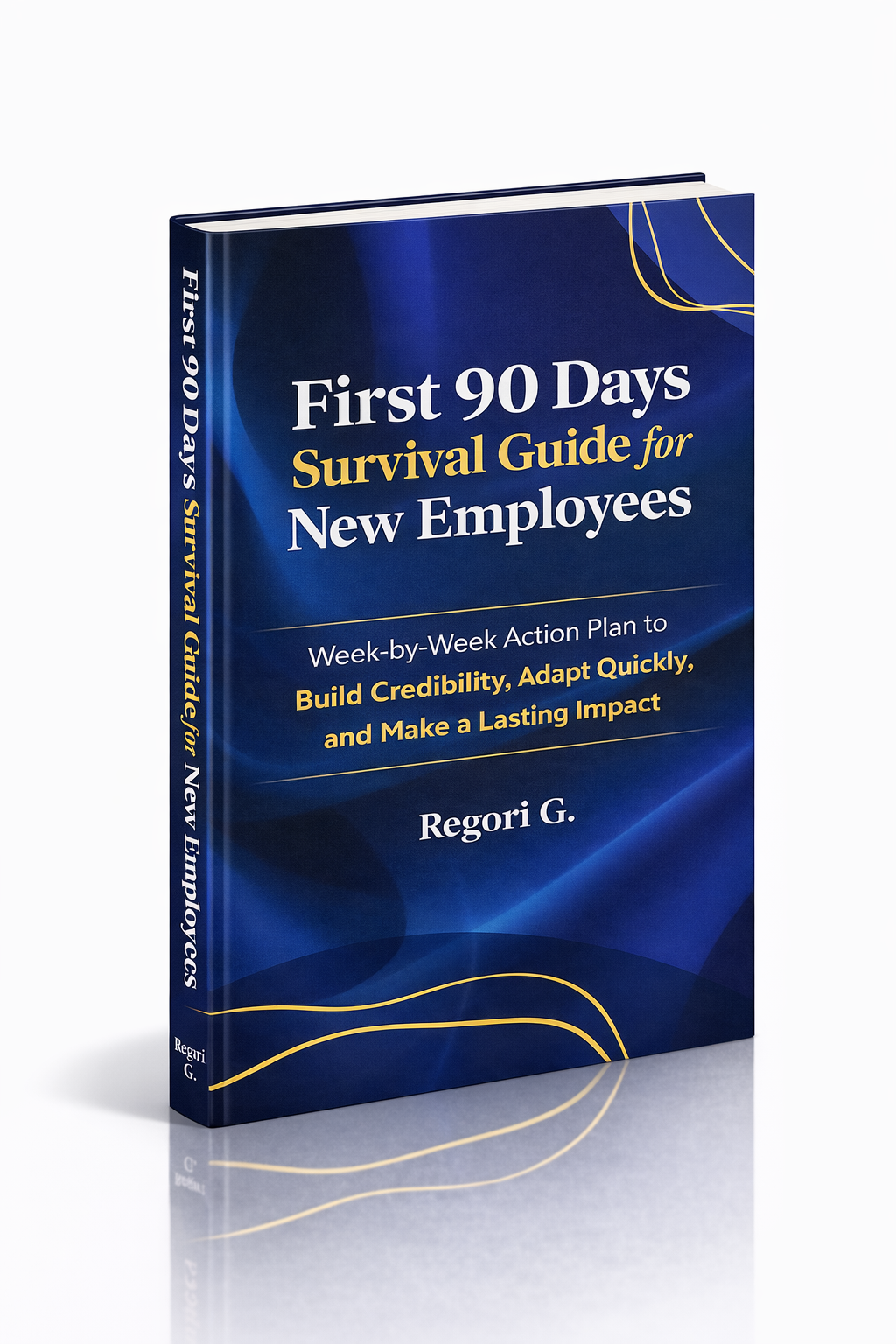
Guide 02
First 90 Days Survival Guide
Hit the ground running and make your mark from day one.
Get it →
Guide 03
Interview Success for Introverts
7 proven steps to shine in interviews — even if you hate the spotlight.
Get it →