

The 5 Interview Mistakes That Cost You the Job
What's silently killing your chances — and what top candidates do instead. Delivered instantly to your inbox.
No spam. Unsubscribe anytime. Privacy Policy & Terms
- Why "I'm a hard worker" destroys your chances
- What interviewers decide in the first 90 seconds
- How to handle tough questions with confidence
- The salary mistake almost every candidate makes
visit The Job Interview System for Job Seekers on Gumroad. A practical guide built for people who are serious about landing the job they want. For more interview guides, career tips, and job search resources, visit the Love PDF Guides home page.
Strategies to Stop Checking Emails Outside of Work Hours
The urge to check emails outside of work hours can be hard to resist. Whether it’s the fear of missing an important message or simply a habit, many people struggle to disconnect from their inboxes. Here are some effective strategies to help you stop this habit and regain control over your personal time.
First, establishing firm boundaries is key. Set clear work hours, and try to stick to them. Let your team and managers know your availability. A simple message in your signature stating when you will be checking emails can set expectations. This transparency helps others understand that you are unavailable after hours.
Another helpful technique is to turn off email notifications on your phone. Constant pings and alerts can keep you tethered to your work emails even when you shouldn’t be. By disabling notifications, you remove that immediate temptation to check your inbox. Instead, consider checking your emails only during designated times.
Creating a dedicated workspace in your home can also make a difference. When you step into this space, you enter work mode. Yet, once you leave it, try to leave work behind. This physical separation can serve as a cue to your brain that it’s time to switch off and relax.
Implementing email management tools can streamline your workflow within work hours, which may reduce the desire to check your email outside of those hours. Applications like Asana and Trello help you organize tasks and communicate with your team, making email less central to your day-to-day activities.
Another effective strategy is to set specific times during the day to check your email. Perhaps you could check it first thing in the morning, right before lunch, and at the end of the day. By establishing a routine, you will find that you worry less about emails when you’re not scheduled to check them.
Practice mindfulness techniques like meditation to help you manage stress and reduce anxiety related to work emails. Mindfulness can help you stay focused on the present, making it easier to step away from work and enjoy your personal life. Resources like Headspace and Calm can provide guidance in your mindfulness journey.
Keep in mind the importance of communication in your workplace. If you find that your work culture encourages after-hours email checking, consider discussing this with your manager. Proposing a team-wide policy on email etiquette during off-hours could foster a healthier work-life balance for everyone.
Some professionals find it beneficial to implement a digital detox on weekends or during vacations. Challenge yourself to go one weekend without checking emails. You might discover that you feel more refreshed and productive when you return to work. Test the waters by slowly eliminating email checks during your time off.
Reward yourself when you adhere to your new boundaries. Perhaps treat yourself to your favorite coffee or spend time on a hobby you enjoy if you successfully avoid emails for a week. Positive reinforcement can motivate you to maintain your commitment to disconnecting.
| Strategy | Description |
|---|---|
| Establish Work Hours | Set boundaries around your availability to avoid after-hours emails. |
| Turn Off Notifications | Disable alerts on your phone to reduce distractions. |
| Dedicated Workspace | Have a specific area for work to create a physical boundary. |
| Email Management Tools | Use apps to minimize reliance on email for work. |
| Set Specific Check Times | Limit email checks to predefined moments during the day. |
| Practice Mindfulness | Engage in mindfulness to diminish work-related anxieties. |
| Open Communication | Discuss and establish a healthy email policy with your team. |
| Digital Detox | Take breaks from emails during weekends and vacations. |
| Positive Reinforcement | Reward yourself for successfully maintaining your boundaries. |
By integrating these strategies into your daily routine, you can create a healthier balance between your work and personal life. Remember, it’s okay to disconnect and prioritize your time! Reclaim your evenings, weekends, and vacations for what matters most to you.
The Impact of Email Overload on Work-Life Balance
Email overload is becoming a prevalent issue in today’s fast-paced work environment. As the lines between professional and personal life blur, many employees find themselves constantly checking and responding to emails, leading to stress and burnout. Understanding the impact of email overload on work-life balance is crucial in fostering a healthier workplace.
The Rise of Email Overload
In the modern workplace, emails are a primary mode of communication. On average, professionals receive over 120 emails per day, making it easy to feel overwhelmed. The expectation to respond quickly adds pressure, leading many individuals to check their emails during off-hours. This creates an unhealthy cycle that can disrupt personal time and diminish overall productivity.
Effects on Work-Life Balance
When employees are engrossed in their email inboxes outside of work hours, several adverse effects can occur:
- Increased Stress Levels: Constant alerts and the need to keep up with emails can elevate stress. This pressure often leaves little room for relaxation or personal activities.
- Burnout: Regularly checking emails leads to prolonged work hours and fewer breaks, contributing to burnout. Workers may feel trapped in a cycle of endless tasks.
- Decreased Productivity: Paradoxically, being accessible after hours can reduce effectiveness during work hours, as employees grapple with fatigue and stress, which harm focus and creativity.
- Impaired Relationships: Email overload can encroach on family time, leading to conflicts and diminished quality time with loved ones.
Strategies to Tackle Email Overload
Addressing email overload requires mindful strategies. Here are some actionable tips for employees:
- Set Boundaries: Clearly define work hours and communicate them to colleagues. Let others know when you will not be available to respond to emails.
- Schedule Email Time: Designate specific times during the workday for checking emails. This minimizes constant distractions and helps maintain focus on core tasks.
- Utilize Email Tools: Take advantage of features like email filtering, categorization, or out-of-office responses. Tools such as Boomerang allow for scheduling emails, so work isn’t interrupted after hours.
- Practice Mindfulness: Incorporate mindfulness techniques, such as meditation or deep-breathing exercises. This helps in managing stress and preventing burnout.
- Limit Notifications: Turn off non-essential email alerts to reduce interruptions. This will help you focus better on tasks in front of you without the constant ping of incoming messages.
The Role of Employers
Employers play a vital role in addressing email overload. To create a healthier work culture, they can:
| Action | Impact |
|---|---|
| Encourage Work-Life Boundaries | Promotes balance and reduces stress. |
| Lead by Example | Management should practice what they preach by respecting off-hours themselves. |
| Educate on Email Best Practices | Improving communication skills can decrease unnecessary emails. |
By taking steps to reduce email overload, both employees and employers can foster a healthier work environment. This effort doesn’t only benefit individual well-being but can also enhance overall productivity within a team.
For more insights on managing work-life balance, consider visiting MindTools or Forbes. These resources provide additional strategies and insights that can help you regain control over your email and enhance your work-life balance.
Ultimately, being aware of the impact of email overload is the first step toward improving work-life balance. Implementing these strategies can lead to a more fulfilled and productive life, where work and personal time exist harmoniously.
Effective Boundaries: Setting Limits with Email Communication
Setting effective boundaries in email communication is crucial in today’s fast-paced work environment. With the constant ping of incoming messages, it can be tempting to stay connected even outside of work hours. However, clarifying your limits can lead to better work-life balance and increased productivity. Here are some efficient strategies to help you establish those boundaries.
Recognize the Importance of Boundaries
Understanding why you need email boundaries is the first step. Constant email checking outside work hours can lead to burnout and stress. Here are a few reasons to set limits:
- Improves Mental Health: Disconnecting from work emails allows your mind to rest and recharge.
- Enhances Productivity: Focusing on work during designated hours can lead to higher quality output.
- Strengthens Relationships: Having personal time fosters better connections with family and friends.
Communicate Your Boundaries
Once you decide to set boundaries, the next step is to communicate them effectively. This ensures that your colleagues and supervisors understand and respect your limits. Consider the following approaches:
- Send a Company-Wide Email: Inform your team of your new email policy. Make it clear that you will only respond to emails during work hours.
- Set an Out-of-Office Message: Use an autoresponder that clearly states your availability. For example: “Thank you for your email! I will respond during work hours of 9 AM to 5 PM.”
- Engage in Face-to-Face Conversations: Discuss your boundaries in person or via video calls to ensure everyone is on the same page.
Utilize Technology Wisely
Technology can help reinforce your email boundaries. Here are some tools you can use:
- Email Scheduling Tools: Use these to compose emails without sending them immediately, allowing you to control when messages are delivered.
- Notification Settings: Turn off email notifications during your personal time to avoid distractions.
- Task Management Apps: Tools like Asana or Trello can help track work items without relying on email.
Establish a Routine
Creating a routine helps reinforce your email boundaries. Consider incorporating these practices into your day:
- Designate Specific Email Times: Allocate set times in your workday to check and respond to emails.
- Assess Priorities: Not all emails require immediate attention. Learn to prioritize what truly needs a prompt response.
- Incorporate Breaks: Schedule regular breaks to recharge and step away from your inbox.
Model the Behavior
If you lead a team, set the example. By adhering to your email boundaries, you not only protect your own time but also encourage your team to respect theirs. Here’s how:
- Share your experiences of reducing after-hours email, emphasizing its positive effects.
- Encourage team discussions about work-life balance, fostering a culture of mutual respect.
Practice Self-Care
Prioritizing self-care is an important part of maintaining effective boundaries with email communication. Self-care strategies can include:
- Engage in Hobbies: Spend time doing what you love, away from technology.
- Exercise: Physical activity can boost mental wellbeing, allowing you to return to work refreshed.
- Mindfulness: Techniques such as meditation can help reduce stress and improve focus.
Setting boundaries, like not checking emails outside work hours, is vital in preserving your well-being and improving productivity. Each small step you take towards establishing these boundaries can yield significant benefits.
For further reading on setting boundaries in communication, visit Entrepreneur or explore resources on Mind Tools.
Tools and Apps for Email Management After Hours
In today’s fast-paced work environment, managing emails after hours can be a daunting task. However, several tools and apps can assist you in streamlining email management, allowing you to gain control over your inbox while reducing stress. Utilizing these resources effectively can help you maintain a healthy work-life balance.
1. Email Clients with Scheduling Features
Many email clients offer built-in scheduling features that allow you to manage when emails are sent or received. This feature is particularly useful if you prefer to draft emails after hours but do not want to send them until working hours.
- Gmail: Gmail offers a “Schedule Send” feature, allowing you to choose a specific date and time for your emails to be sent. This enables you to compose messages after hours without worrying about unwanted notifications.
- Microsoft Outlook: Outlook has a similar scheduling feature. You can compose your emails outside of regular hours and send them at a later time, ensuring your colleagues receive communication at appropriate times.
2. Email Filtering and Organization Tools
Sorting through a cluttered inbox can be overwhelming, especially after work hours. Email filtering tools can help prioritize important messages and declutter your inbox.
- Clean Email: Clean Email is a powerful tool that helps organize your inbox by grouping similar emails. You can automatically archive, delete, or label emails based on your preferences.
- SaneBox: SaneBox analyzes your email habits and organizes your inbox by moving less important emails to a separate folder. This helps you focus on what’s essential during your work hours.
3. Automation and Reminder Apps
Integrating automation tools into your routine can significantly reduce the time spent managing emails. These apps can remind you of important messages or automate responses, saving you effort and time.
- If This Then That (IFTTT): IFTTT allows you to create automated workflows. For instance, you can set up a trigger to remind you to follow up on an email if it hasn’t received a response within 48 hours.
- Todoist: While primarily a task manager, Todoist can be integrated with your email client. You can add emails as tasks, ensuring you revisit them whenever you check your to-do list.
4. Time Management Apps
Time management apps can help you allocate time to respond to emails while ensuring you don’t go overboard.
- RescueTime: RescueTime tracks how much time you spend on different applications and websites. This data can help you understand your email habits and improve focus during non-working hours.
- Forest: This unique app encourages you to stay focused by planting virtual trees while you work. Use it to stay off your email during designated off-hours while still being productive.
5. Setting Boundaries and Notifications
A crucial aspect of managing emails after hours involves setting boundaries and controlling notifications. Adjusting settings can improve your productivity significantly.
- Turn Off Notifications: Disable email notifications outside work hours. This simple action minimizes distractions and allows you to focus on personal time without constant email interruptions.
- Use Do Not Disturb Mode: Most smartphones have a Do Not Disturb feature. Utilize this option during off-hours to avoid email notifications entirely.
Using these tools and strategies can dramatically improve how you manage emails outside of regular work hours. You can reduce stress and reclaim your personal time by taking control of your inbox with the right technology.
For more information on how to effectively manage your email workload and tools, visit Zapier for expert insights on email management tools. Additionally, check out CNET for reviews of the best email apps. Embrace these resources, and see how your work-life harmony improves!
The Psychological Effects of Constant Email Monitoring
In today’s fast-paced work environment, the allure of emails can be irresistible. Checking emails outside of work hours has become a common practice, but what are the psychological ramifications of this habit? This article delves into how constant email monitoring impacts mental health and overall well-being.
Many professionals feel an overwhelming need to stay connected, leading to anxiety and stress. The pressure to respond instantly fosters a culture of urgency that can detract from personal time. Here are some key psychological effects:
- Increased Stress Levels: Continuously checking emails can fill you with stress. You may feel you must attend to every message immediately, making it difficult to wind down.
- Burnout: Email overload often leads to burnout. The never-ending cycle of checking and responding can leave you feeling exhausted.
- Poor Work-Life Balance: Your personal life can take a hit when work bleeds into your downtime. This imbalance can strain relationships and reduce overall happiness.
- Decreased Productivity: What may seem like a productive habit can actually hinder your effectiveness. Juggling multiple tasks, including email, can lead to a decrease in focus and creativity.
- Sleep Disruption: Constant email monitoring can disrupt sleep. The blue light from screens and the mental engagement from emails can lead to insomnia or poor-quality sleep.
Understanding these effects is crucial. To break the cycle of constant email checking, adopting practical strategies can make a significant difference. Here are some advanced tips to help you manage email expectations:
- Set Boundaries: Clearly communicate your work hours to colleagues. Let them know when you are and aren’t available to respond to emails.
- Turn Off Notifications: Limiting notifications on your mobile devices can help reduce the temptation to check your emails. This small change can lead to a significant reduction in stress.
- Schedule Check Times: Designate specific times for checking emails. This structured approach minimizes distractions throughout the day.
- Utilize Auto-Responses: Set up automatic replies to inform senders of your availability. This tool can manage expectations and alleviate pressure.
- Engage in Mindfulness: mindfulness techniques into your routine can strengthen your ability to resist the urge to check emails. Simple practices like meditation or deep breathing can help redirect your attention.
It’s essential to identify personal triggers that lead to checking emails. Are you checking out of boredom, anxiety, or a sense of obligation? By pinpointing the underlying cause, you can develop strategies to address it, such as replacing email checks with more fulfilling activities like reading or exercising.
Moreover, your work culture plays a vital role in shaping your email habits. If your company promotes a culture of over-communication, it may be time for a conversation about email norms. Encouraging colleagues to embrace healthier email practices can foster a more supportive work environment.
| Key Strategies | Benefits |
|---|---|
| Set Boundaries | Fosters respect for personal time |
| Turn Off Notifications | Reduces impulse checking |
| Schedule Check Times | Improves focus and productivity |
| Utilize Auto-Responses | Manages expectations effectively |
| Engage in Mindfulness | Enhances mental resilience |
By recognizing the psychological effects of constant email monitoring, you can take positive steps toward reclaiming your time. It’s crucial to make a conscious effort to separate work from personal life. The balance may not be easy, but the benefits in mental health and productivity are worth it.
For further reading on maintaining work-life balance and reducing email stress, consider visiting Mindful and Harvard Business Review.
Building a Culture of Respecting Work-Life Boundaries
Creating a culture that respects work-life boundaries is essential for enhancing employee satisfaction and overall productivity. When employees feel empowered to disconnect from work after hours, they can recharge and return to their tasks with renewed energy. Here are some effective strategies to encourage a culture of respect regarding work-life boundaries.
1. Clear Communication of Expectations
Setting clear guidelines about availability can significantly influence how employees approach work outside traditional hours. When everyone knows that emails will not be expected after a certain time, it can alleviate anxiety surrounding after-hours communication. Additionally, consider these steps:
- Define core hours for communication.
- Communicate your availability clearly in your email signature.
- Encourage managers to model appropriate behaviors by respecting after-hours boundaries.
2. Promote Flexible Work Arrangements
Offering flexible work hours allows employees to manage their personal and professional lives more efficiently. When employees have the freedom to adjust their schedules, they can better manage personal obligations, thus minimizing the temptation to check emails late at night. Here are some tips:
- Implement a remote work policy that encourages flexibility.
- Allow for compressed work weeks.
- Consider job-sharing options to accommodate various schedules.
3. Encourage Time-Off and Breaks
Encourage your team members to use their vacation days and take regular breaks during the workday. Time off is crucial for mental health and productivity. Encourage employees to fully unplug, not just ignore work emails. To support this, you can:
- Initiate mandatory time-off after project deadlines.
- Create awareness about the importance of taking breaks.
- Offer workshops on managing stress and burnout.
4. Use Technology Wisely
Technology can serve as both a barrier and a bridge in respecting work-life boundaries. Utilize tools designed to limit notifications outside of work hours. Here are some practical examples:
- Encourage employees to use features that pause notifications on email apps.
- Implement a shared calendar system to indicate when team members are unavailable.
- Promote the use of project management tools that allow asynchronous communication.
5. Foster a Trusting Environment
Trust is the foundation for a culture that respects boundaries. When employees feel trusted to manage their own time, they are more likely to adhere to established norms. Consider the following approaches:
- Provide training on effective time management techniques.
- Recognize and reward employees who successfully balance their workloads with personal commitments.
- Encourage open discussions about boundary-setting in team meetings.
6. Lead by Example
Leadership plays a critical role in establishing a culture of respect for work-life balance. Leaders should not only espouse these values but also practice them. This could involve:
- Sharing personal stories about balancing work and home life.
- Encouraging leaders to take their own vacation time.
- Being transparent about their own boundaries to encourage employees to do the same.
Building a strong culture of respecting work-life boundaries is a collaborative effort that requires commitment from everyone in an organization. By implementing these strategies, you can create an environment where employees feel empowered to prioritize their personal time without the fear of falling behind at work. Ultimately, this leads to higher job satisfaction, improved mental health, and increased work productivity.
<p For additional reading and resources on work-life balance, you can check out Forbes and Mind Tools.
Tips for Encouraging Team Members to Disconnect After Hours
Understand the Importance of Disconnection
For many team members, the expectation to be constantly available can lead to stress and burnout. Encouraging your team to disconnect after hours is essential for promoting work-life balance and enhancing overall productivity. When employees take time to recharge, they return to work with renewed focus and creativity.
Set Clear Expectations
It’s crucial to establish boundaries regarding work communications outside of regular hours. Here are some effective methods for setting these expectations:
- **Define Business Hours**: Clearly articulate your organization’s working hours. Ensure all employees know when they are expected to be online.
- **Encourage Declining Unwanted Communication**: Empower team members to establish their own boundaries. Let them know it’s okay to ignore work emails and messages after hours.
- **Communicate Openly**: Regularly discuss the significance of disconnecting during team meetings to create a culture of respect for personal time.
Lead by Example
Team leaders or managers have a critical role in setting the tone. If you consistently check emails or respond to messages after hours, your team will likely feel compelled to do the same. Here’s how you can lead by example:
- **Limit After-Hours Communication**: Avoid sending work-related emails or messages during non-working hours to instill a healthy work culture.
- **Share Personal Boundaries**: Let your team know when you will be offline and respect their time as well.
- **Highlight the Benefits**: Talk about how disconnecting has helped you maintain a work-life balance and increase productivity.
Implement Technology Solutions
Technology can play a significant role in helping your team disconnect. Here are some tools you can utilize:
- **Automated Responses**: Set up automated email responses for after-hours communications indicating that you will respond during business hours.
- **Scheduling Tools**: Use scheduling applications to manage meeting times so they fall within designated working hours.
- **Collaboration Tools**: Employ platforms that minimize constant notifications, allowing team members to focus on their work without distractions.
Create a Relaxed Work Culture
Fostering a relaxed atmosphere can encourage team members to feel more comfortable disconnecting. Consider these strategies:
- **Promote Wellness Activities**: Organize activities like yoga sessions, meditation breaks, or team outings that focus on relaxation and connection.
- **Flexible Work Arrangements**: Offering flexible hours or remote work options can help employees balance their personal and professional lives more effectively.
- **Provide Resources**: Share resources or workshops focused on time management, stress relief, and work-life balance.
Encourage Team Engagement
A well-connected team is more likely to respect each other’s time and boundaries. Here are some methods to foster this connection:
- **Regular Check-Ins**: Hold regular team meetings to discuss workloads and give everyone a chance to voice their concerns or needs.
- **Peer Support**: Encourage team members to support one another in maintaining boundaries, promoting a culture of respect.
- **Celebrate Achievements**: Recognize when team members successfully disconnect and prioritize their well-being. Celebrating these moments reinforces the value of personal time.
Provide Resources for Self-Care
Sharing resources that promote self-care can help reinforce the message that taking time off is essential. Some useful resources include:
- **Work-Life Balance Articles**: Share articles from credible sources such as the [American Psychological Association](https://www.apa.org/), which discuss the impact of disconnecting.
- **Wellness Apps**: Recommend apps that promote mindfulness and relaxation, such as Headspace or Calm.
- **Books on Time Management**: Suggest books that offer strategies for better managing work and personal time, like “Essentialism” by Greg McKeown.
Monitor Your Progress
Regularly assess how well your team is disconnecting after hours. This can be done through surveys or one-on-one check-ins. Look for feedback on:
- **Ease of Disconnecting**: Ask employees how easy or difficult they find it to disconnect after work.
- **Impact on Morale and Engagement**: Evaluate whether team members feel more engaged when they respect their personal time.
- **Utilization of Resources**: Determine if employees are using the provided resources for self-care and better time management.
Encouraging team members to disconnect after hours is important for their mental well-being, job satisfaction, and overall productivity. By implementing these strategies, you can create an environment where everyone feels comfortable prioritizing their personal time.
More tips on workplace well-being can be found at [MindTools](https://www.mindtools.com/) and [Harvard Business Review](https://hbr.org/).
Key Takeaway:
In today’s fast-paced digital world, the temptation to check emails outside of work hours can often lead to a decreased work-life balance and increased stress. To effectively combat this challenge, there are several strategies you can implement. One key practice is to establish clear boundaries around when and how you check your emails. Consider setting designated times during the workday to check messages and stick to that schedule. Prioritize urgency and importance to determine which emails need attention immediately and which can wait until the next business day.
It’s crucial to remember that consistent email overload can significantly impact your overall well-being. By refraining from checking emails after hours, you allow yourself time to decompress, recharge, and spend valuable moments with family and friends. This commitment to balance not only nurtures your mental health but can enhance productivity during work hours as well.
Setting effective boundaries goes beyond personal effort; it also involves fostering a workplace culture that respects these limits. Communicate with your team about the importance of disconnecting after hours. Encouraging an environment of mutual respect around after-hours communication instills a sense of collective responsibility for team members to prioritize their personal time.
In this digital age, several tools and apps can help manage email influx after hours. Consider using automated responses or email scheduling features that allow you to inform senders of your unavailability while providing timelines for responses. This approach reassures others while giving you essential breathing space away from the screen.
Awareness of the psychological effects of constant email monitoring cannot be underestimated. The pressure to always be "on" can lead to anxiety and burnout. Thus, promoting a culture where team members feel empowered to disconnect without guilt is vital. Shared efforts in this direction can foster a healthier work environment and, ultimately, greater job satisfaction. By taking actionable steps to disconnect from emails after hours, you create a more balanced life, leading to enhanced productivity and overall well-being.
Conclusion
Successfully stopping the habit of checking emails outside of work hours is essential for reclaiming your work-life balance. By implementing practical strategies—such as setting a specific time to check emails and using tools designed for email management—you can significantly reduce the stress associated with constant email monitoring. Recognizing the negative impacts of email overload on your mental health and personal life empowers you to establish effective boundaries.
Establishing clear limits on email communication not only helps you but also sets a precedent for your colleagues. Cultivating a workplace culture that respects boundaries allows everyone to thrive without the pressure of after-hours correspondence. Encourage team members to embrace this disconnection by sharing your own experiences and successes in keeping work and personal life separate.
As you navigate this journey, remember that it is okay to prioritize your well-being. The psychological effects of constant email availability can lead to burnout and decreased productivity, making it crucial to foster an environment where work is valued, but personal time is equally respected. By leveraging tools and apps aimed at email management, you can create a buffer that protects your time and reinforces these boundaries. Fostering an understanding team dynamic will also encourage everyone to participate in the transition toward a more balanced approach to work communication. Ultimately, embracing these strategies can lead not just to a healthier work-life balance but also to more fulfilling and productive work experiences.
Your Next Chapter
Starts with the Right Guide
Three straight-talking PDF guides to help you win interviews, beat the first 90 days and thrive as an introvert. Instant download on Gumroad.
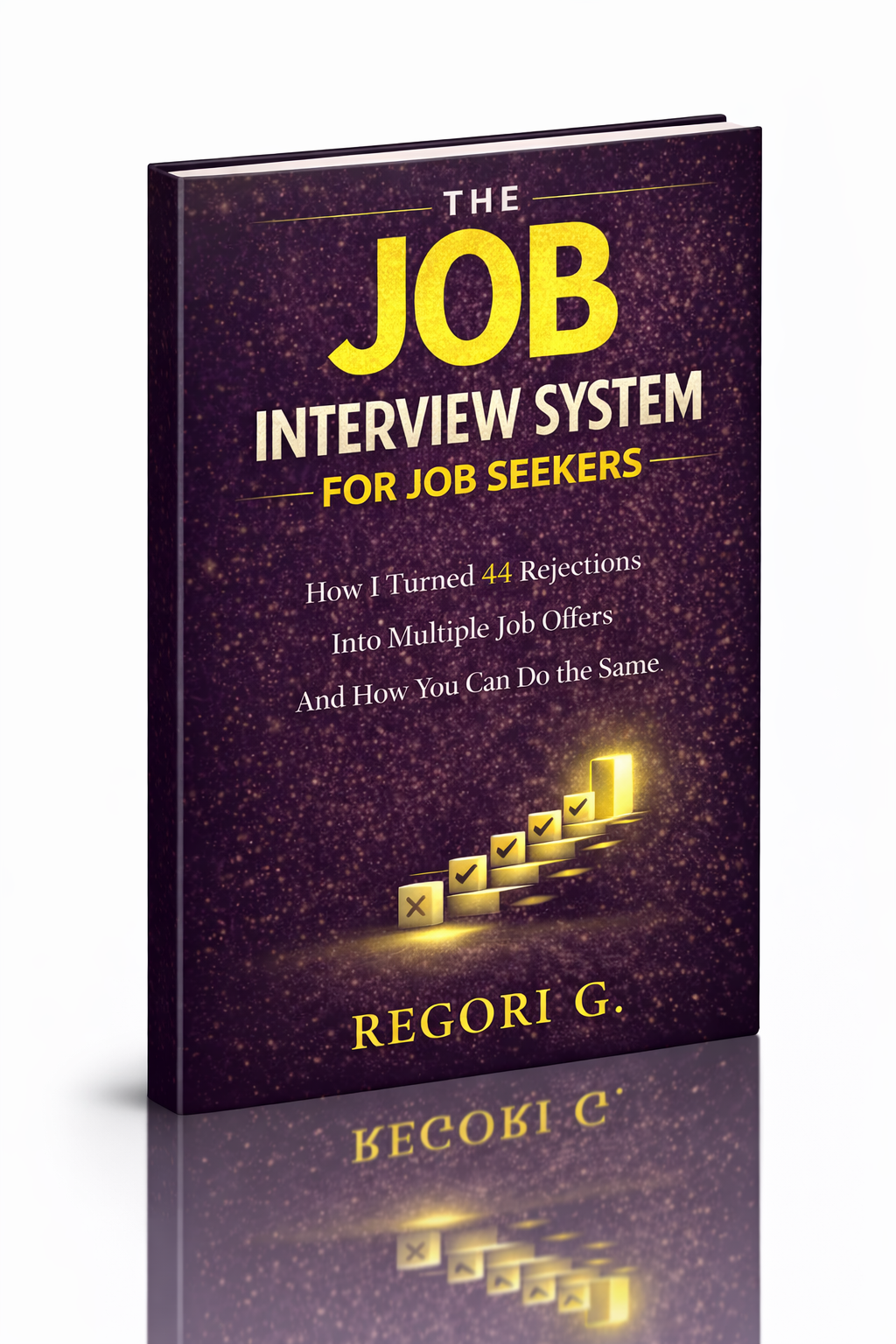
Guide 01
The Job Interview System
Step-by-step interview prep that turns nerves into confidence.
Get it →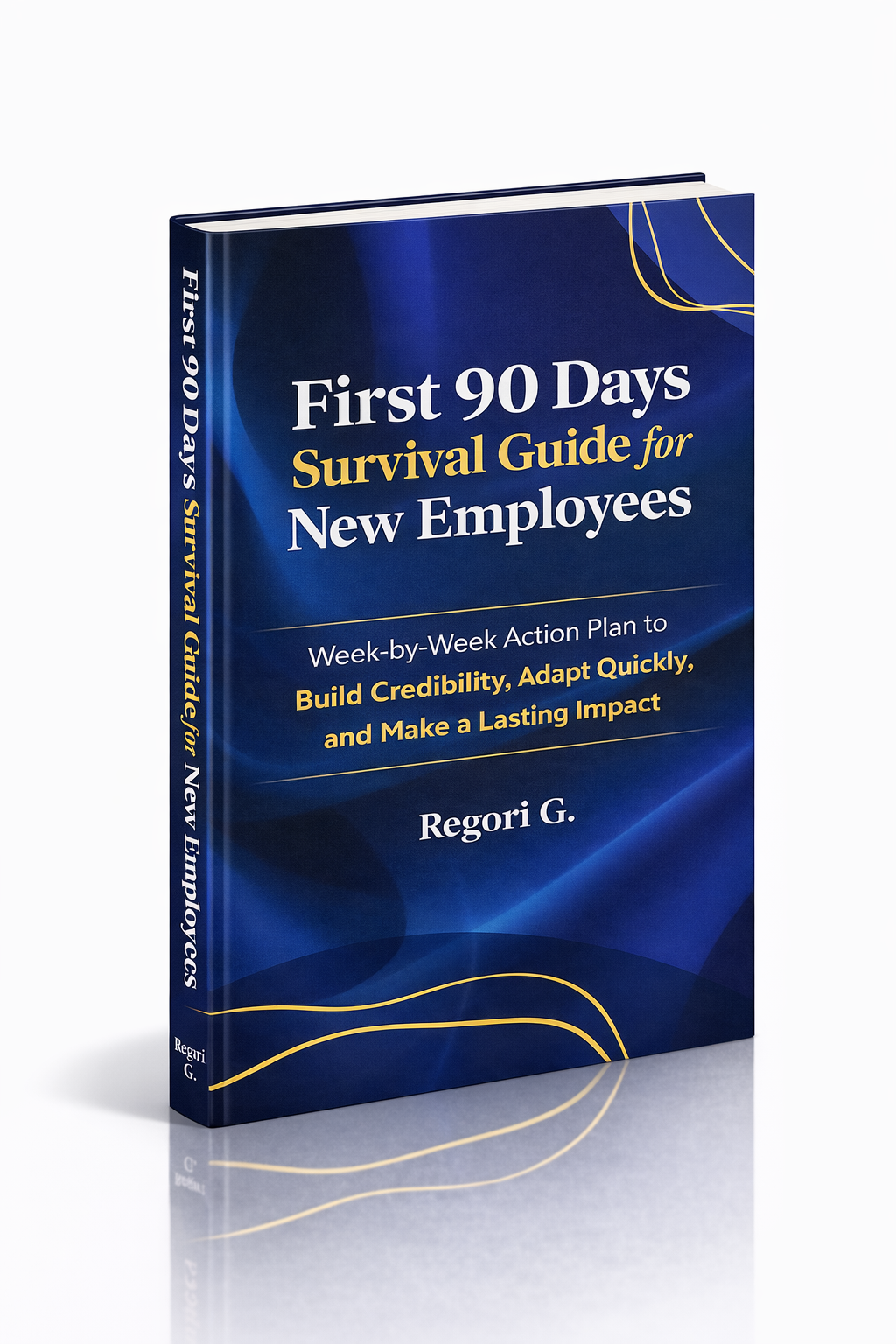
Guide 02
First 90 Days Survival Guide
Hit the ground running and make your mark from day one.
Get it →
Guide 03
Interview Success for Introverts
7 proven steps to shine in interviews — even if you hate the spotlight.
Get it →